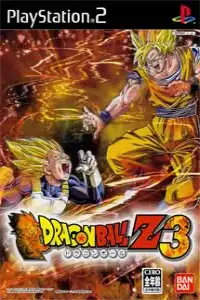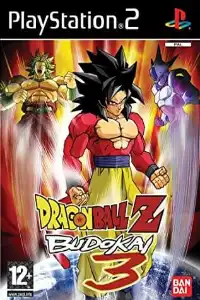
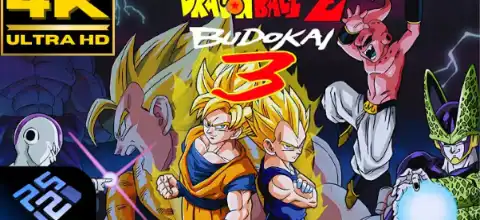

Dragon Ball Z: Budokai 3 delivers fast-paced battles, massive character roster, exciting unlockables, and legendary Dragon Ball action on PS2.
Dragon Ball Z: Budokai 3 (PS2) – Complete Guide
Dragon Ball Z: Budokai 3 is widely regarded as one of the best Dragon Ball games ever released on the PlayStation 2. Developed by Dimps and published by Atari, the game improved almost every aspect of its predecessors with faster combat, a larger character roster, deeper customization, and an engaging story mode. Even today, many fans consider Budokai 3 the peak of the classic Budokai series thanks to its anime-style battles and massive replay value.
Game Modes
Dragon Universe Mode
Dragon Universe is the main story mode of Budokai 3. Instead of following a simple menu-based structure, players explore a world map as different Dragon Ball characters and relive major events from the Saiyan Saga, Frieza Saga, Cell Saga, and Majin Buu Saga. During exploration, you can discover hidden battles, collect Dragon Balls, earn Zeni, unlock capsules, and encounter alternate “What If” scenarios.
The mode features multiple playable characters, including Goku, Piccolo, Krillin, Yamcha, Tien, Vegeta, Gohan, Uub, Broly, and more. Different playthroughs can reveal new events and unlockables, making Dragon Universe highly replayable.
World Tournament
World Tournament Mode allows players to participate in various martial arts tournaments against AI opponents or friends. Different tournament difficulties offer better rewards and prize money. The famous Cell Games tournament is also included, featuring unique rules compared to standard tournaments.
Dueling Mode
This is the classic Versus Mode where players can battle against the CPU or another player. You can use customized characters, test different abilities, and enjoy quick matches without progressing through the story.
Dragon Arena
Dragon Arena is an unlockable mode where players challenge increasingly powerful AI opponents. Winning battles raises your ranking and unlocks additional content. This mode is excellent for leveling characters and unlocking secrets.
Edit Skills
Budokai 3 features a deep customization system. Through Edit Skills Mode, players can equip capsules, abilities, transformations, and special moves to create unique character builds. The Skill Shop allows players to purchase new capsules using Zeni earned throughout the game.
Gameplay Features
Budokai 3 introduced several major improvements over previous entries:
- Fast-paced 3D arena combat.
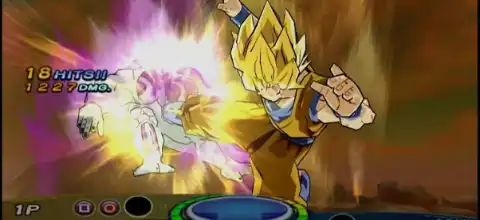
- Beam struggles and cinematic Ultimate Attacks.
- Dragon Rush system for combo extensions.
- Character transformations during battle.
- Ki charging and teleport counters.
- Customizable skill capsule system.
- Large roster featuring Dragon Ball Z, Dragon Ball GT, and movie characters.
The game was also the first Budokai title to include rapid-fire Ki blast attacks and several non-canon fan-favorite characters such as Broly, Cooler, Bardock, Gogeta, Super Saiyan 4 Goku, and Omega Shenron.
How to Unlock All Characters Using Save Data
How to Install the Save File
- Download and extract the save data file.
- Open AetherSX2 or NetherSX2 on your Android device.
- Tap the ≡ Menu button and open App Settings.
- Navigate to Memory Cards.
- Select the memory card slot you want to use (usually Mcd001.ps2).
- Replace your existing memory card with the downloaded save file.
- Make sure the new memory card is assigned to the selected slot.
- Restart the emulator after copying the memory card file.
How to Load the Save Data
- Launch Dragon Ball Z: Budokai 3 (NTSC-U).
- Open the Load Game menu.
- Select the imported save data.
- Start playing with the unlocked content.
Save Data Features
- All characters unlocked
- Dragon Universe completed
- Dragon Arena progress unlocked
- Capsules unlocked
- Skills and transformations unlocked
- Story rewards collected
- Zeni and collectibles unlocked
- Additional game content available
Important Information
- This save file is designed for Dragon Ball Z: Budokai 3 (NTSC-U) with serial SLUS-20998. (GameHacking)
- The save may not work with PAL, NTSC-J, or other regional releases.
- Always back up your original memory card before replacing it.
- If the save does not appear in-game, verify that your game version matches the save region and serial number.
Once loaded successfully, you can enjoy Dragon Ball Z: Budokai 3 with all major content already unlocked and ready to play.
Unlockable Characters and Secrets
One of Budokai 3’s biggest strengths is its huge amount of unlockable content.
Some unlockables include:
- Vegeta
- Teen Gohan
- Adult Gohan
- Uub
- Broly
- Bardock
- Cooler
- Kid Goku
- Gogeta
- Omega Shenron
- Various alternate costumes and capsules
Players can also collect all seven Dragon Balls during Dragon Universe Mode and summon Shenron to obtain rare rewards, including powerful Breakthrough Capsules that unlock a character’s full moveset.
The game also contains over 100 hidden Story Reenactments, rewarding players for recreating iconic anime moments during battles.
Best AetherSX2 Settings for Dragon Ball Z: Budokai 3
If you’re playing Budokai 3 on Android using AetherSX2, these settings usually provide smooth performance on most mid-range and high-end devices:
Graphics Settings
- Renderer: Vulkan (Recommended)
- Internal Resolution:
- 2x Native for mid-range phones
- 3x–4x Native for flagship devices
- Bilinear Filtering: Bilinear (PS2)
- Texture Preloading: Full
- Threaded Presentation: Enabled
- Hardware Download Mode: Disable Readbacks
System Settings
- EE Cycle Rate: 100%
- EE Cycle Skip: Normal (0)
- Multi-Threaded VU1: Enabled
- Fast Boot: Enabled
Advanced Settings
- GPU Palette Conversion: Enabled
- Skip Duplicate Frames: Disabled
- Instant VU1: Enabled (optional)
These settings typically allow Budokai 3 to maintain full speed while improving visual quality significantly over the original PS2 hardware.
How to Play Dragon Ball Z: Budokai 3 on Android
- Download the Dragon Ball Z: Budokai 3 ISO file from our website.
- Download and install AetherSX2 on your Android device.
- Obtain a legally dumped PS2 BIOS from your own PlayStation 2 console.
- Open AetherSX2 and configure the BIOS.
- Add the downloaded ISO to your game library.
- Select the game and launch it.
- Apply the recommended settings above for the best performance.
How to Play Dragon Ball Z: Budokai 3 on iPhone/iPad (iOS)
- Download the Dragon Ball Z: Budokai 3 ISO from our website.
- Install a PS2 emulator available for iOS like IPSX2 that supports PS2 game loading.
- Import PS2 BIOS.
- Open the emulator and load the game.
- Configure graphics and performance settings according to your device’s capabilities.
- Start playing and enjoy one of the greatest Dragon Ball fighting games ever created.
Final Thoughts
Even after two decades, Dragon Ball Z: Budokai 3 remains one of the most beloved anime fighting games ever made. With its deep combat system, huge roster, engaging Dragon Universe mode, countless unlockables, and excellent replay value, it’s still a must-play title for every Dragon Ball fan. Whether you’re revisiting the game on original hardware or experiencing it through modern emulation on Android or iOS, Budokai 3 continues to deliver fast-paced battles and unforgettable Dragon Ball action.