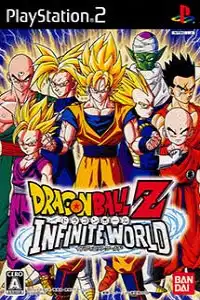

Download Dragon Ball Z: Infinite World PS2 ISO and enjoy smooth gameplay on Android and iOS using top emulators.

Dragon Ball Z Infinite World Ps2 Discription
If you’re a Dragon Ball fan, Dragon Ball Z: Infinite World is one of the best fighting games ever released for the PlayStation 2. Developed by Dimps, the game builds upon the classic Budokai series by adding new characters, improved combat mechanics, mini-games, and an expanded story experience. Released in 2008, it remains a fan-favorite PS2 fighting game that’s easy to enjoy on Android and iOS through emulation.
Whether you’re reliving the battles of Goku, Vegeta, Gohan, or taking on powerful villains like Kid Buu and Broly, Infinite World delivers fast-paced action with plenty of content to unlock.
Dragon Ball Z: Infinite World Game Modes
Dragon Ball Z: Infinite World features multiple game modes that keep every battle fresh and exciting.
Dragon Mission
Relive the biggest Dragon Ball Z battles through action-packed story missions inspired by the anime. Unlike traditional story modes, missions include fighting stages, racing challenges, survival battles, flying missions, and quick-time events.
Ultimate Battle
Fight against CPU opponents with customizable difficulty settings. Perfect for mastering combos and trying different characters.
Versus Mode
Battle against your friends in local multiplayer or challenge the AI in one-on-one matches.
World Tournament
Compete in tournament-style battles inspired by the famous Dragon Ball martial arts competitions.
Practice Mode
Learn character moves, perfect your combos, and experiment with different fighting techniques before entering competitive battles.
Fighter’s Road
An unlockable mode featuring continuous battles where players earn Zeni and rewards while facing increasingly stronger opponents.
Gameplay Features
Dragon Ball Z: Infinite World improves several mechanics introduced in Budokai 3.
- Fast-paced 3D anime-style combat
- Over 40 playable characters
- Character transformations during battle
- Beam clashes and Ultimate Attacks
- Improved movement and combo system
- Mini-games and mission-based gameplay
- Skill Capsule customization system
- Multiple difficulty levels
- Local multiplayer support
Combat feels smoother than previous Budokai games, while new mechanics borrowed from Burst Limit make fights faster and more exciting.
Unlockable Content
The game includes plenty of unlockable rewards that encourage replaying missions.
- New playable characters
- Alternate costumes
- Fighter’s Road mode
- Powerful Skill Capsules
- Additional stages
- Dragon Mission rewards
- Zeni to purchase items and capsules from the in-game shop
Completing missions and earning high ranks unlocks most of the game’s hidden content.
Best PS2 Emulators for Android & iOS
If you want smooth gameplay on mobile, these are the best PS2 emulators currently available.
NetherSX2 (Android) Recommended
Currently the best PS2 emulator for Android. It is an actively maintained community continuation of AetherSX2 with improved compatibility and performance.
AetherSX2 (Android)
Although development has stopped, AetherSX2 still performs very well on many Android devices and remains a popular choice for older installations.
ARMSX2 (Android & iOS)
One of the newest PS2 emulators featuring a modern PCSX2-based ARM64 core. It continues to receive active updates and supports Android, iPhone, and other ARM devices.
iPSX2 (iOS)
Designed specifically for Apple devices, iPSX2 is based on the ARMSX2 project and offers excellent PS2 emulation on newer iPhones and iPads.
Play! Emulator (Android & iOS)
A simple PS2 emulator that doesn’t require a BIOS file. Compatibility isn’t as high as the options above, but it’s easy to get started.
How to Download & Play Dragon Ball Z: Infinite World on Android and iOS
Follow these simple steps to enjoy Dragon Ball Z: Infinite World on your smartphone.
Before you begin, grab the Dragon Ball Z: Infinite World PS2 ISO from our website.
Install a PS2 emulator on your device.
Recommended choices:
- NetherSX2 (Android)
- AetherSX2 (Android)
- ARMSX2 (Android & iOS)
- iPSX2 (iOS)
Set up the PS2 BIOS.
- Load the PS2 BIOS into your emulator (not required for Play! Emulator).
- Select your game folder so the emulator can detect the ISO automatically.
- Locate the Dragon Ball Z: Infinite World ISO downloaded from our website.
- Tap the game icon to launch it.
(Optional) For better performance:
- Renderer: Vulkan (if supported)
- Internal Resolution: 2x–3x
- Enable Multi-threading
- Use Hardware Rendering
- Enable Fast Boot
- Connect a Bluetooth controller for the best experience
BIOS Setup
Before launching the game, configure your emulator properly.
- Import a PS2 BIOS file.
- Set the game directory containing your ISO.
- Choose Vulkan or OpenGL depending on your device.
- Keep Internal Resolution at 2x for mid-range phones or increase it on high-end devices.
- Save your settings and launch the game.
Final Thoughts
One of the best Dragon Ball Z fighting games ever made for the PS2. With its engaging story missions, exciting gameplay modes, unlockable characters, and refined Budokai combat system, it continues to be a favorite among fans. Thanks to modern emulators like NetherSX2, AetherSX2, ARMSX2, and iPSX2, you can now enjoy this classic smoothly on both Android and iOS. Simply download the Dragon Ball Z: Infinite World PS2 ISO from our website, set up your preferred emulator with a PS2 BIOS, and relive the legendary battles anywhere.