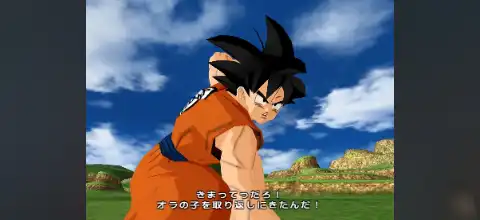

Experience epic Dragon Ball battles, unlock powerful characters, and play Sparking Meteor smoothly on Android and iOS.
Dragon Ball Z Sparking Meteor Ps2 Discription
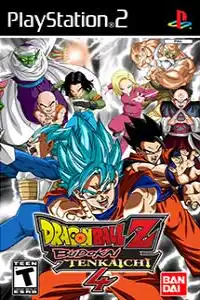
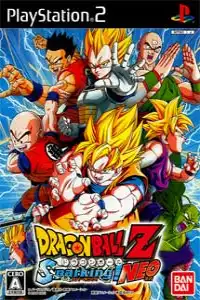
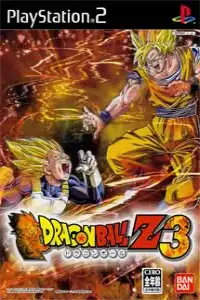
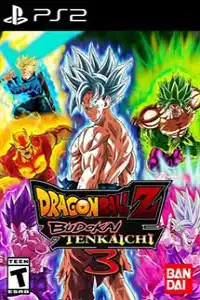
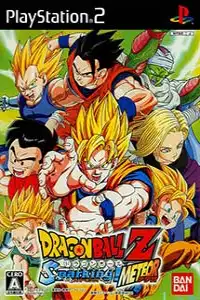
Dragon Ball Z: Sparking! Meteor (known as Dragon Ball Z: Budokai Tenkaichi 3 outside Japan) is widely considered one of the greatest Dragon Ball games ever released for the PlayStation 2. Developed by Spike and published by Bandai Namco in 2007, the game features a massive character roster, fast-paced 3D arena battles, destructible environments, and faithful recreations of iconic Dragon Ball battles.
Even years after its release, Sparking Meteor remains one of the most-played PS2 games on Android and iPhone thanks to modern PS2 emulators. Whether you’re replaying your childhood favorite or experiencing it for the first time, this game still delivers an incredible Dragon Ball fighting experience. The game includes over 160 character variations/forms, with many available from the start while others are unlocked through gameplay.
Dragon Ball Z Sparking Meteor Gameplay
Unlike traditional 2D fighting games, Sparking Meteor features full 3D arena combat where players can freely fly, dash, teleport, charge Ki, and unleash devastating Ultimate Attacks.
Every character has unique:
- Signature Super Attacks
- Ultimate Moves
- Melee Combos
- Transformations
- Fusion abilities (for supported characters)
- Character-specific fighting styles
The game also includes fully destructible battle arenas, allowing players to destroy mountains, buildings, and landscapes during intense battles. Fast-paced combat, cinematic special attacks, and smooth controls make it one of the best Dragon Ball games ever created.
Game Modes
Dragon Ball Z Sparking Meteor offers plenty of content for both solo and multiplayer players.
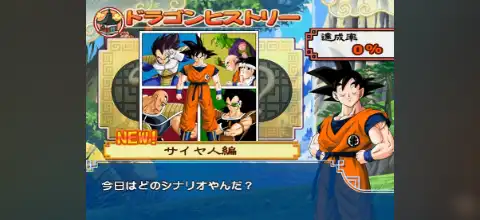
Dragon History
Relive famous battles from Dragon Ball, Dragon Ball Z, Dragon Ball GT, and selected movie moments. Completing story chapters unlocks additional content, including characters, stages, and items. Some battles even feature alternate “What If” scenarios depending on your performance.
Duel Mode
Fight against the CPU or challenge your friends in local multiplayer. You can play:
- 1 vs 1 Battles
- Team Battles
- Custom Match Rules
- World Tournament
Compete in various tournament styles with different rules and ring-out conditions. Winning tournaments rewards players with Z Points and helps unlock additional content.
Ultimate Battle
Take on special challenge missions with increasing difficulty. These battles test your skills using unique objectives and powerful opponents.
Training Mode
Learn movement, combos, counters, transformations, and advanced combat techniques before jumping into tougher battles.
Multiplayer
The PS2 version supports local split-screen multiplayer, making it one of the best couch co-op Dragon Ball games ever released.
Unlockable Elements
One of the best features of Sparking Meteor is its huge amount of unlockable content.
By progressing through Story Mode, tournaments, and battles, players can unlock:
- New Characters
- Additional Character Transformations
- Battle Stages
- Evolution Z customization items
- Ability Capsules
- Character Upgrades
- Extra Story Missions
- Gallery Content
Collecting Dragon Balls during gameplay also allows players to make wishes that unlock additional rewards and bonuses.
Best PS2 Emulators for Android & iPhone (iOS)
If you want to play Dragon Ball Z Sparking Meteor on your phone, you’ll need a PlayStation 2 emulator and a PS2 BIOS file.
Here are the best options available:
AetherSX2
AetherSX2 remains one of the most popular PS2 emulators thanks to its excellent performance, high compatibility, save states, controller support, and graphics scaling.
Best for: Mid-range and flagship Android devices.
NetherSX2
NetherSX2 is a community-maintained continuation based on AetherSX2 and is currently one of the most recommended Android PS2 emulators because it continues to receive improvements and bug fixes.
IPSX2
IPSX2 provides a simple interface with good compatibility for many PS2 games. It supports BIOS loading, external controllers, save states, and customizable graphics settings.
ARMSX2
ARMSX2 is a newer PS2 emulator that continues to improve with updates. While compatibility is expanding, community testing generally finds NetherSX2 more stable for demanding games like Sparking Meteor at the moment.
PCSX2 (Desktop)
If you also play on Windows, Linux, or macOS, PCSX2 remains the gold standard for PS2 emulation with excellent compatibility and advanced graphical enhancements.
How to Download & Play Dragon Ball Z Sparking Meteor on Android & iPhone (iOS)
Follow these simple steps to start playing on your mobile device.
- Download the Dragon Ball Z Sparking Meteor PS2 ISO from our website.
- Download and install your preferred PS2 emulator (AetherSX2, NetherSX2, IPSX2, or ARMSX2).
- Obtain a compatible PS2 BIOS file and import it into the emulator (required for PS2 emulation).
- Open the emulator and complete the BIOS setup.
- Tap Add Game or Scan Folder.
- Select the downloaded Dragon Ball Z Sparking Meteor ISO.
- Configure graphics settings according to your device’s performance.
- Optionally pair a Bluetooth controller for a console-like experience, then launch the game through your emulator and start playing Dragon Ball Z Sparking Meteor on your Android or iPhone.
BIOS Setup
Before running any PS2 game, you must configure a PlayStation 2 BIOS inside your emulator.
- Open the emulator.
- Navigate to BIOS Settings.
- Import your compatible PS2 BIOS file.
- Save the configuration.
- Restart the emulator.
- Load the Dragon Ball Z Sparking Meteor ISO and start playing.
Once the BIOS is configured, you only need to add new PS2 ISOs to play more games.
Final Words
Dragon Ball Z Sparking Meteor remains one of the finest Dragon Ball fighting games ever created. With its enormous roster, exciting story mode, cinematic battles, unlockable characters, and smooth arena combat, it’s still a must-play for every Dragon Ball fan.
Using modern PS2 emulators like NetherSX2, AetherSX2, IPSX2, or ARMSX2, you can enjoy this legendary PS2 title directly on your Android phone or iPhone. Simply download the game ISO from our website, complete the BIOS setup, load the game in your favorite emulator, and relive the epic Dragon Ball battles anytime, anywhere.