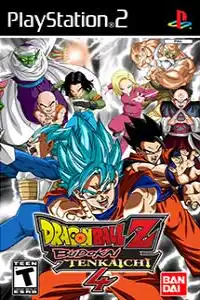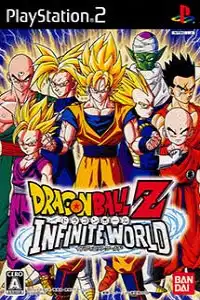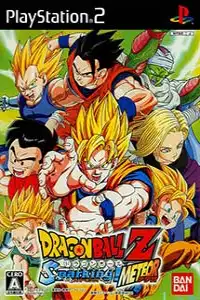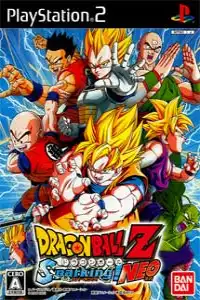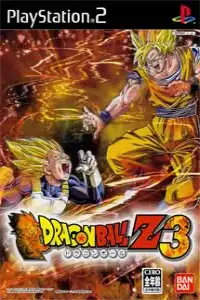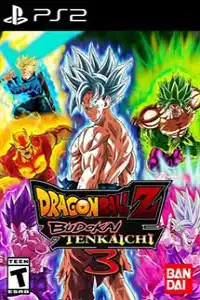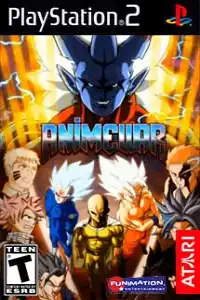
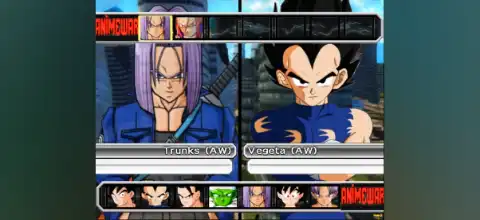

Anime War Budokai Tenkaichi 3 PS2 delivers epic anime battles, powerful transformations, multiple modes, unlockable fighters, and smooth mobile emulator gameplay.

Anime War Budokai Tenkaichi 3 PS2 Discription
Anime War Budokai Tenkaichi 3 PS2 is based on the legendary arena fighting style made popular by Dragon Ball Z: Budokai Tenkaichi 3. It delivers fast-paced 3D battles, huge arenas, powerful transformations, and a massive roster experience that allows players to recreate their favorite anime fights on mobile devices through PS2 emulation.
The game combines classic fighting mechanics with anime-style action, giving players the ability to fly freely, charge energy, perform special attacks, transform during battles, and create dream matchups between powerful fighters.
Gameplay Features of Anime War Budokai Tenkaichi 3 PS2
The biggest attraction of this game is its open 3D fighting system. Unlike traditional 2D fighting games, players can move around large battlefields, fly into the air, attack from different directions, and use the environment during combat.
Some important gameplay features include:
- High-speed 3D battles: Players can fight across large arenas with full movement freedom.
- Energy-based combat: Characters can charge power, launch energy blasts, and perform ultimate attacks.
- Transformations: Many fighters can transform into stronger versions during battles.
- Special moves: Powerful signature techniques can be performed with unique animations.
- Team battles: Players can create teams and fight multiple opponents.
- Character Customization: Upgrade fighters with special items and abilities to enhance their skills and combat style.
- Anime-Style Action: Experience fast-paced battles with cinematic effects, intense animations, and powerful finishing attacks.
The PS2 version of Budokai Tenkaichi 3 is known for its enormous character selection and multiple gameplay modes.
Game Modes Available
Dragon History Mode
Dragon History is the main story mode where players experience important battles from different anime timelines. It includes famous story arcs, alternate “What If” scenarios, movie battles, and additional events.
Players progress through battles, unlock characters, and collect rewards while completing different story missions.
Duel Mode
Duel Mode allows players to quickly start battles against CPU opponents or another player. Perfect for experimenting with fighters, making custom battles, and improving your skills.
Dragon World Tour
This mode features different tournament challenges, including:
- World Tournament
- Cell Games
- Otherworld Tournament
- Yamcha Game
Winning tournaments can unlock additional content, characters, and rewards.
Ultimate Battle Mode
Ultimate Battle includes different challenge-based modes:
- Sim Dragon: Train fighters and improve their abilities.
- Mission 100: Complete a collection of special missions with unique objectives.
- Survival Mode: Fight against continuous waves of opponents.
Survival Mode becomes available after completing specific Mission 100 challenges.
Evolution Z
Evolution Z allows players to customize fighters using items and abilities. Players can upgrade characters, improve stats, and create stronger versions of their favorite warriors.
Training Mode
Training Mode helps beginners learn movement, attacks, combos, defense, and special techniques.
Unlockable Characters and Elements
One of the most exciting parts of Anime War Budokai Tenkaichi 3 PS2 is unlocking additional fighters and content.
Players can unlock characters through:
- Completing story missions
- Winning tournaments
- Collecting Dragon Balls
- Completing special challenges
Some unlockable fighters include:
- Broly
- Bardock
- Cooler
- Janemba
- Omega Shenron
- Future Gohan
- King Cold
- Android 8
- Arale
- Devilman
- Fasha
- Dr. Wheelo
Many characters also unlock their transformations and upgraded forms after being obtained.
Other unlockable content includes:
- New battle stages
- Special items
- Potara abilities
- Character upgrades
- Additional challenges
- Best PS2 Emulators to Run Anime War Budokai Tenkaichi 3 on Android and iOS
To play PS2 games on mobile, you need a reliable PlayStation 2 emulator. Performance depends on your phone hardware, processor, GPU drivers, and emulator settings.
AetherSX2 (Android)
AetherSX2 became one of the most popular PS2 emulators for Android because of its performance and compatibility. It offers enhanced graphics, save states, controller compatibility, and customizable settings for each game. Development was later suspended, but existing versions remain widely used.
Recommended settings:
- Use Vulkan graphics renderer when supported
- Enable frame skipping only on weaker devices
- Use native resolution first, then increase gradually
- Use a compatible PS2 BIOS file
NetherSX2 (Android)
NetherSX2 is a community-maintained continuation based around AetherSX2 improvements. Many users prefer it because it provides updated fixes and compatibility improvements.
ARMSX2 (Android)
ARMSX2 is another PS2 emulator project focused on ARM-based mobile devices. It aims to improve PlayStation 2 emulation performance on modern Android phones.
iOS PS2 Emulation Options
PS2 emulation on iPhone and iPad is more limited compared to Android. Depending on availability and device support, users may explore:
- PlayStation 2 emulator projects compatible with iOS
- Side-loaded emulator applications
- Future official emulator releases
Performance depends heavily on the iPhone/iPad chipset.
How to Play Anime War Budokai Tenkaichi 3 PS2 on Android and iOS
Prepare the Game File
Use your own PS2 game backup in ISO format to load and play it through the emulator. Store the file on your device or cloud storage.
Install a PS2 Emulator
Download and install a trusted PS2 emulator compatible with your device:
Android users can use options such as AetherSX2, NetherSX2, or other compatible PS2 emulators.
iOS users need a compatible PS2 emulation solution available for their device.
Setup PS2 BIOS
A PS2 BIOS file is required by most PS2 emulators.
Setup process:
- Open the emulator.
- Go to BIOS settings.
- Select your legally obtained PS2 BIOS file.
- Confirm the emulator recognizes the BIOS.
Add the Game ISO
- Open the emulator game directory.
- Select the folder containing your ISO file.
- Refresh the game list.
- Select Anime War Budokai Tenkaichi 3.
Optimize Performance
For smoother gameplay:
- Use Vulkan graphics mode if available.
- Close background apps.
- Enable performance mode on your phone.
- Connect a Bluetooth controller for smoother controls and a true console-style gaming experience.
- Adjust resolution based on device power.
Start Playing
After completing BIOS setup and loading the game file, launch the game through the emulator and enjoy the full PS2-style anime fighting experience on mobile.
Final Thoughts
Anime War Budokai Tenkaichi 3 PS2 remains a popular choice for anime fighting fans because of its fast combat, huge character selection, transformations, tournaments, and unlockable content. With modern Android devices becoming more powerful, PS2 emulators like AetherSX2 and newer alternatives allow players to experience classic arena battles on mobile with improved graphics and portability.