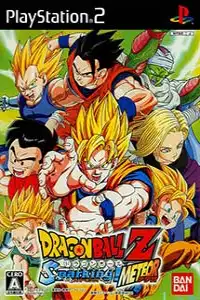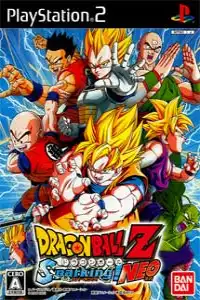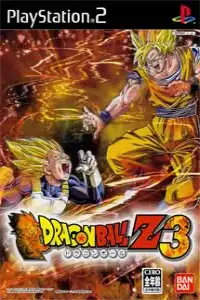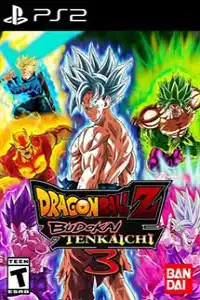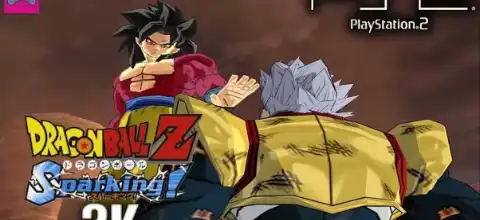

Dragon Ball Z Sparking delivers fast-paced 3D battles, iconic characters, exciting game modes, and unforgettable anime-style action.

Dragon Ball Z Sparking Ps2 Discription
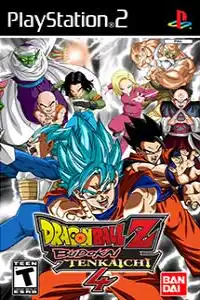
Dragon Ball Z Sparking (released internationally as Dragon Ball Z: Budokai Tenkaichi) is one of the most iconic Dragon Ball fighting games ever released for the PlayStation 2. Developed by Spike, the game introduced fast-paced 3D arena battles, destructible environments, and a huge roster of fan-favorite characters from the Dragon Ball universe. It remains a favorite among retro gamers and is fully playable on modern Android and iOS devices using PS2 emulators.
If you’re looking to relive the classic Dragon Ball experience on your phone, here’s everything you need to know about the game’s modes, features, unlockables, emulator settings, and how to play it on Android or iPhone.
Dragon Ball Z Sparking PS2 Game Modes
Dragon Ball Z Sparking offers several offline game modes that provide hours of gameplay.
Z Battle Gate
This is the game’s main story mode where you experience battles from the Dragon Ball Z saga through different character storylines. Each battle is connected with animated cutscenes, making it feel like you’re playing through the anime itself. There are multiple battle gates and over 100 story battles to complete.
Ultimate Battle
Ultimate Battle is a survival-style mode where players fight a long series of increasingly difficult opponents. Completing this mode rewards players with valuable Z Items, characters, and other unlockables.
World Tournament
Fight in the classic Dragon Ball World Tournament with multiple tournament difficulties. As you win tournaments, new difficulty levels become available, providing tougher AI opponents and better rewards.
Dueling Mode
Perfect for quick matches, Dueling Mode lets you battle against the CPU or challenge a friend in local multiplayer with your favorite characters.
Practice Mode
New players can learn movement, combos, special attacks, and advanced mechanics before jumping into competitive battles.
Evolution Z Mode
Evolution Z allows you to customize your fighters using Z Items. You can improve attack power, defense, health, Ki, speed, and many other stats to create stronger versions of your favorite characters.
Gameplay Features
Dragon Ball Z Sparking revolutionized Dragon Ball games with its free-roaming 3D combat system.
Some of its biggest gameplay features include:
- Fast-paced 3D arena battles with complete freedom of movement
- Fly anywhere across massive battlefields
- Fully destructible environments
- Signature Super Attacks and Ultimate Blast moves
- Beam clashes between characters
- Character transformations during battle
- Large roster featuring heroes and villains from Dragon Ball Z
- Character customization through Z Items
- Split-screen multiplayer support on PS2
Unlike the earlier Budokai games, Sparking uses behind-the-character camera angles that make battles feel much closer to the anime.
Unlockable Elements
Completing the main story is just the beginning, as Dragon Ball Z Sparking offers a wide range of unlockable content that gives players plenty of reasons to keep battling and exploring.
You can unlock:
- New playable characters
- Additional transformations
- Stronger Z Items
- Higher World Tournament difficulties
- Master’s Skills
- Hidden Battle Gates
- Special fusion-related characters
- Extra customization items
Many unlockables require completing story battles, clearing Ultimate Battle mode, collecting Dragon Balls, or fulfilling specific battle conditions.
Best AetherSX2 Settings for Dragon Ball Z Sparking
For the smoothest gameplay on Android, use the recommended AetherSX2 settings below. These settings help deliver stable performance and reduce lag on most mid-range and high-end devices.
System Settings
- EE Cycle Rate: 100% (Normal)
- EE Cycle Skip: Normal (0)
- Multi-Threaded VU: Enabled
- Fast Boot: Enabled
Graphics Settings
- Renderer: Vulkan (Recommended)
- Hardware Download Mode: Disable Readbacks
- Upscale Multiplier: 2x (Use 1x on low-end devices)
- Texture Filtering: Bilinear (PS2)
- Blending Accuracy: Basic
- V-Sync: Off
Advanced Settings
- Enable Frame Limit: On
- GPU Palette Conversion: On
- Skip Presenting Duplicate Frames: Enabled
These settings usually deliver a stable 60 FPS experience on modern Android smartphones while maintaining excellent visual quality.
How to Download and Play Dragon Ball Z Sparking on Android & iOS
- Download the Dragon Ball Z Sparking PS2 ISO from our website.
- Install AetherSX2 if you’re using Android.
- Install IPSX2 or ArmSX2 on your iPhone or iPad.
- Open your PS2 emulator.
- Add or scan the downloaded ISO file.
- (Optional) Load a PS2 BIOS if your emulator requires one.
- Apply the recommended emulator settings for the best performance.
- Launch the game and start playing.
- Pair a Bluetooth controller for smoother and more comfortable gameplay.
- Save your progress anytime using the emulator’s Save State feature.
Final Words
Dragon Ball Z Sparking remains one of the greatest Dragon Ball games ever released on the PlayStation 2. Its massive character roster, exciting story battles, destructible arenas, and fast-paced combat still hold up remarkably well today. Thanks to AetherSX2 on Android and IPSX2/ArmSX2 on iOS, you can now enjoy this legendary PS2 classic directly on your smartphone with smooth performance and enhanced graphics.