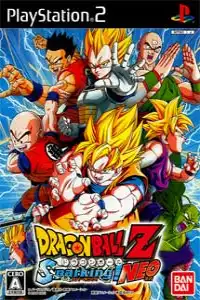

Play Dragon Ball Z 2 V PS2 on Android and iOS with smooth performance, emulator setup, gameplay features, game modes, and download guide.

Dragon Ball Z 2V PS2 Discription
If you’re a fan of classic Dragon Ball fighting games, Dragon Ball Z 2 V is one of the rarest PlayStation 2 titles ever released. This Japanese-exclusive version is based on Dragon Ball Z: Budokai 2, but comes with several exclusive additions, including alternate character skins, pre-unlocked content, and a unique V-Jump presentation.
Thanks to modern PS2 emulators, you can now enjoy Dragon Ball Z 2 V on both Android and iPhone with smooth performance.
Dragon Ball Z 2 V PS2 Overview
Dragon Ball Z 2 V was released exclusively in Japan as a special edition for V-Jump magazine readers. Unlike the standard Budokai 2 release, this version starts with nearly everything unlocked, making it perfect for players who want immediate access to all fighters and abilities without grinding through the story. It also features exclusive alternate costumes, modified title screens, and a few visual changes that make it a unique collector’s edition.
Game Modes
Although Dragon Ball Z 2 V is a special edition, it includes the same core game modes found in Budokai 2.
Dragon World
Dragon World serves as the game’s main story mode. Players progress through a board-style map, fight enemies, collect rewards, and experience the Dragon Ball Z storyline from the Saiyan Saga to the Majin Buu Saga. The mode rewards players with capsules, Zeni, and character upgrades after each victory.
Dueling Mode
Fight against the CPU or challenge your friends in local multiplayer. You can also watch CPU vs CPU battles for fun.
World Tournament
Compete in multiple tournament brackets against AI opponents. Winning tournaments rewards players with additional items and unlockables in the original game.
Training Mode
Learn the game’s mechanics, combos, defensive techniques, and advanced fighting skills through progressively challenging tutorials.
Edit Skills
Customize each fighter by equipping capsules that grant transformations, special attacks, passive abilities, and stat boosts before entering battle. (In Dragon Ball Z 2 V, this option is disabled because the game starts with a completed save.)
Gameplay Features
Dragon Ball Z 2 V retains the fast-paced 3D arena combat that made the Budokai series popular.
Key gameplay features include:
- Fast combo-based hand-to-hand combat
- Ki charging for powerful Super Attacks
- Signature Ultimate Moves for every fighter
- Character transformations during battles
- Beam clashes between special attacks
- Capsule customization system
- Local 2-player multiplayer battles
- Multiple difficulty levels
- Smooth anime-inspired visuals
- Large roster of Dragon Ball Z characters
Combat is easy to learn but offers enough depth for experienced players to master advanced combos, counters, and transformations.
Unlockable Elements
The original Budokai 2 features a huge number of unlockables, including:
- Playable characters
- Super Saiyan transformations
- Ultimate attacks
- Breakthrough capsules
- World Tournament modes
- Hidden stages
- Rare capsules
- Babidi’s Spaceship mode
- Alternate costumes
- Dragon Ball wishes
- Training levels
However, Dragon Ball Z 2 V already includes almost everything unlocked from the beginning, allowing players to immediately access nearly the full roster, capsules, and content without completing the story.
Best AetherSX2 Settings for Dragon Ball Z 2 V
To enjoy smooth gameplay on Android, use these recommended AetherSX2 settings.
Graphics
- Renderer: Vulkan (Recommended)
- OpenGL: Use only if Vulkan causes issues
- Internal Resolution: 2x (1080p)
- Blending Accuracy: Basic
- Texture Filtering: Bilinear
- Anisotropic Filtering: 4x
- V-Sync: Off
- Hardware Download Mode: Disable Readbacks
System
- EE Cycle Rate: 100%
- EE Cycle Skip: Normal (0)
- Multi-threaded VU1: Enabled
- Fast Boot: Enabled
- Instant VU1: Enabled
Audio
- Latency: Low
- Time Stretching: Enabled
Performance Tips
- Enable Game Mode on your phone.
- Close background apps before launching the emulator.
- Use Vulkan whenever possible for better FPS.
- Avoid overheating during extended play.
These settings provide excellent performance on most Snapdragon, MediaTek Dimensity, and modern flagship Android devices.
Download the Dragon Ball Z 2 V PS2 ISO from our website.
- Download the Dragon Ball Z 2 V PS2 ISO from our website.
- Extract the downloaded ZIP or RAR file if the game is compressed.
- Download AetherSX2 if you’re using Android.
- Download iPSX2 or ArmSX2 if you’re using an iPhone or iPad.
- Install the emulator on your device.
- Import a PlayStation 2 BIOS into the emulator (required before playing PS2 games).
- Open the emulator and scan your device storage for games.
- Select the Dragon Ball Z 2 V ISO file.
- Apply the recommended emulator settings for the best performance.
- Connect a Bluetooth controller if you want a console-like experience (optional).
- Launch the game and start playing Dragon Ball Z 2 V on your Android or iOS device.
Final Words
Dragon Ball Z 2 V is one of the rarest PlayStation 2 Dragon Ball games ever released. Since it includes nearly every character, capsule, and unlockable from the start, it’s an excellent choice for players who simply want to jump into exciting battles without spending hours unlocking content. Combined with modern emulators like AetherSX2 on Android and iPSX2 or ArmSX2 on iOS, you can enjoy this classic PS2 fighting game smoothly on today’s smartphones.