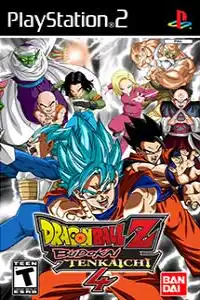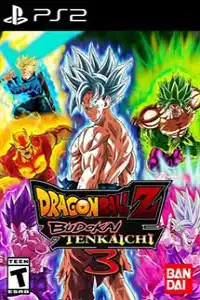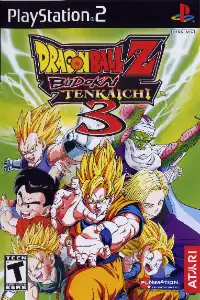

Dragon Ball Z: Budokai Tenkaichi 3 runs smoothly on Android PS2 emulators with optimized settings, delivering fast battles and excellent performance.
About Dragon Ball Z: Budokai Tenkaichi 3 PS2
Dragon Ball Z: Budokai Tenkaichi 3 is one of the most legendary Dragon Ball games ever released for the PlayStation 2. Developed by Spike and published by Atari, this action-packed fighting game delivers an authentic Dragon Ball experience with a massive roster of characters, explosive battles, and iconic locations from the anime series. Even years after its release, many fans still consider Budokai Tenkaichi 3 to be the best Dragon Ball fighting game ever made.
The game features fast-paced 3D arena combat where players can fly freely around large battlefields, transform into powerful forms, and unleash devastating special attacks. Whether you are a longtime Dragon Ball fan or a newcomer to the series, Dragon Ball Z: Budokai Tenkaichi 3 offers countless hours of exciting gameplay.
Gameplay
Unlike traditional fighting games that limit movement to a small arena, Budokai Tenkaichi 3 allows players to move in all directions across large 3D environments. Characters can fly, dash, teleport, charge Ki, and perform spectacular attacks inspired directly by the anime.
The combat system is easy to learn but offers plenty of depth for advanced players. Timing, dodging, counterattacks, and proper Ki management play an important role in every battle. Each character also has unique attacks and fighting styles, making every match feel different.
Players can battle across famous Dragon Ball locations including Planet Namek, the Hyperbolic Time Chamber, Cell Games Arena, World Tournament Stage, and many more.
Game Modes
Dragon Ball Z: Budokai Tenkaichi 3 includes several game modes that keep the experience fresh and entertaining.
Dragon History
Dragon History allows players to relive some of the most memorable battles from the Dragon Ball universe. You can experience iconic fights from Dragon Ball Z, Dragon Ball GT, and various Dragon Ball movies while unlocking additional content along the way.
Duel Mode
This mode lets players create custom battles using any unlocked character and stage. It is perfect for quick matches against AI opponents or friends.
World Tournament
Compete in various tournament formats inspired by the anime series. Ring-outs are enabled, adding another layer of strategy to every match.
Ultimate Battle
Ultimate Battle features special challenges with unique objectives and conditions. Completing these missions rewards players with additional content and unlockables.
Training Mode
Training Mode helps players master controls, special attacks, transformations, and advanced combat mechanics before jumping into tougher battles.
Multiplayer Mode
Players can battle against friends in local multiplayer matches and discover who is the strongest warrior in the Dragon Ball universe.
Features of Dragon Ball Z: Budokai Tenkaichi 3
Huge Character Roster
One of the biggest highlights of the game is its enormous roster. Players can choose from more than 150 characters and transformations from across the Dragon Ball franchise.
Transformations During Battle
Many characters can transform in real-time during combat. You can become a Super Saiyan, Super Saiyan 4, Great Ape, or even perform Fusion transformations depending on the character.
Signature Special Moves
Every fighter comes equipped with iconic attacks from the anime, including:
- Kamehameha
- Spirit Bomb
- Final Flash
- Big Bang Attack
- Special Beam Cannon
- Death Beam
Large Battle Arenas
The game features numerous battle stages with destructible environments and plenty of space for aerial combat.
Fast-Paced Combat
The improved combat system introduces faster movement, advanced combos, and powerful counterattacks that make every fight feel intense and action-packed.
Unlockable Elements
Dragon Ball Z: Budokai Tenkaichi 3 contains plenty of unlockable content for players who enjoy completing challenges.
Unlockable content includes:
- Additional characters
- New transformations
- Alternate costumes
- Battle items
- Bonus stages
- Ultimate Battle missions
- Extra Dragon History battles
Players can earn Z Points by completing matches and objectives, which can then be used to unlock various rewards throughout the game.
How to Use Dragon Ball Z: Budokai Tenkaichi 3 Save Data in AetherSX2
If you don’t want to unlock every character manually, you can use a completed save file in AetherSX2. The save data shared above comes as a pre-configured PS2 memory card file (Mcd001.ps2), making the installation process much easier than importing individual save files.
- Download and extract the save file.
- Open AetherSX2 on your Android device.
- Tap the ≡ Menu button and go to App Settings. Open Memory Cards.
- Select the memory card where you want to import the save (usually Mcd001.ps2).
- Tap Import Save or Import Save Data.
- Browse to the downloaded save file and select it.
- Wait for the import process to finish.
- Launch Dragon Ball Z: Budokai Tenkaichi 3 and load the save from the in-game menu.
Important Notes
- This save file is designed for the USA version of Dragon Ball Z: Budokai Tenkaichi 3.
- The game region must match the save region for it to work properly.
- Always keep a backup of your original memory card before replacing it.
- If the save is not detected, verify that you are using the correct USA ISO version of the game.
After completing these steps, you can enjoy Dragon Ball Z: Budokai Tenkaichi 3 with the unlocked content already available, saving hours of gameplay progression.
How to Download and Play on Android
Playing Dragon Ball Z: Budokai Tenkaichi 3 on Android is very simple.
- Download the Dragon Ball Z: Budokai Tenkaichi 3 PS2 ISO from our website.
- Download and install the AetherSX2 emulator on your Android device.
- Extract the downloaded ISO file if it comes in ZIP or RAR format.
- Open AetherSX2 and grant storage permissions.
- Locate the extracted ISO file.
- Add the game to the emulator library.
- Tap on the game icon to launch it.
- Configure your controls and start playing.
Once installed, you can enjoy the full PlayStation 2 experience directly on your Android smartphone.
How to Download and Play on iOS
iPhone and iPad users can also enjoy Dragon Ball Z: Budokai Tenkaichi 3 using modern PS2 emulators.
- Download the Dragon Ball Z: Budokai Tenkaichi 3 PS2 ISO from our website.
- Install either the iPSX2 or Play! emulator on your iPhone or iPad.
- Transfer the ISO file to your device using the Files app, AirDrop, or cloud storage.
- Open the emulator and import the ISO file.
- Configure your controls and game settings.
- Launch the game and begin playing.
For a better gaming experience, using a Bluetooth controller is highly recommended on iOS devices.
Final Words
Dragon Ball Z: Budokai Tenkaichi 3 remains one of the greatest Dragon Ball games ever created. Its massive roster, exciting transformations, fast-paced combat, and faithful recreation of the anime make it a must-play title for every Dragon Ball fan. Whether you are playing on Android with AetherSX2 or on iOS with iPSX2 and Play!, this classic PS2 masterpiece continues to deliver an unforgettable fighting game experience even today.