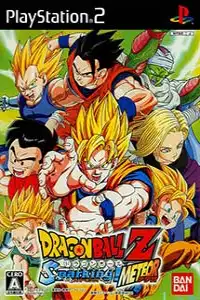
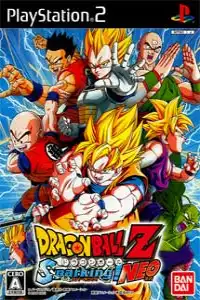
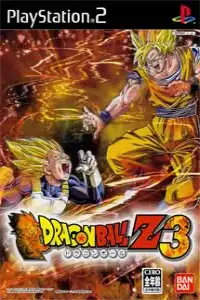
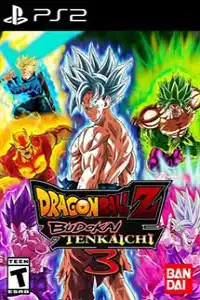
Experience epic Dragon Ball vs Saint Seiya PS2 battles with exciting gameplay, multiple modes, and legendary anime characters.

Dragon Ball vs Saint Seiya PS2 Discription
If you’re a fan of classic anime fighting games, Dragon Ball vs Saint Seiya PS2 is one of the most exciting fan-made PlayStation 2 titles ever created. The game combines legendary characters from Dragon Ball Z and Saint Seiya (Knights of the Zodiac) into one action-packed crossover, allowing players to battle with their favorite heroes and villains.
Built using the mechanics of popular PS2 anime fighters, the game offers fast-paced combat, flashy special attacks, and an impressive roster featuring characters from both universes. Whether you’re a longtime Dragon Ball fan or grew up watching Saint Seiya, this crossover delivers plenty of nostalgic moments.
Gameplay Features
Dragon Ball vs Saint Seiya features intense 3D arena battles where players can move freely around the battlefield while executing powerful combos and signature special attacks.
Dragon Ball & Saint Seiya characters
- Fast-paced one-on-one anime battles
- Large roster featuring Dragon Ball and Saint Seiya characters
- Signature ultimate attacks with cinematic animations
- Energy (Ki/Cosmo) charging system
- Counter and dodge mechanics
- Multiple battle arenas inspired by both anime series
- Local multiplayer support
- Smooth combo chaining with light, heavy, and special attacks
The combat feels similar to many classic PS2 anime fighting games, making it easy to pick up while still offering depth for experienced players.
Game Modes
Dragon Ball vs Saint Seiya includes several game modes to keep players entertained.
Story Mode
Relive selected battles inspired by both anime franchises. Depending on the version of the game, you’ll experience story battles with dialogue and animated cutscenes before major fights.
Versus Mode
Fight against the CPU or challenge a friend using two controllers. This is the perfect mode to test your favorite characters against each other.
Training Mode
Practice combos, movement, counters, and ultimate attacks without worrying about losing the match.
Survival/Challenge Mode
Some versions include challenge-based battles where you defeat multiple opponents with limited health or special conditions.
Unlockable Elements
Depending on the version of the fan-mod you’re playing, several extras may be unlocked as you progress through the game.
These may include:
- Additional playable characters
- Alternate costumes
- Bonus battle stages
- Gallery or artwork
- Character profiles
- Secret battle scenarios
Like many PS2 anime games, progressing through Story Mode and completing challenges can unlock new content, although available unlockables vary by release. The original Saint Seiya PS2 games also featured unlockable characters, galleries, alternate story paths, and bonus modes after completing Story Mode.
Best AetherSX2 Emulator Settings for Dragon Ball vs Saint Seiya
For the smoothest gameplay on Android, apply the recommended AetherSX2 settings below. These options help improve frame rates, reduce lag, and provide a smoother gameplay experience on most devices.
- Graphics API: Select Vulkan for the smoothest performance. If you experience graphical glitches or crashes, switch to OpenGL.
- Rendering Resolution: 2x Native (1080p) for mid-range devices, 1x Native for low-end phones
- Blending Accuracy: Basic
- Texture Preloading: Full
- Hardware Download Mode: Disable Readbacks
- Anisotropic Filtering: 4x
- Threaded Presentation: Enabled
- Multi-Threaded VU1: Enabled
- EE Cycle Rate: 100%
- EE Cycle Skip: Normal (0)
- Fast Boot: Enabled
- Frame Limit: 100%
- Widescreen Patches: Optional
- Texture Filtering: Bilinear (PS2)
These settings deliver smooth performance and solid visuals on most modern Snapdragon, Dimensity, and MediaTek-powered Android devices.
How to Download and Play Dragon Ball vs Saint Seiya on Android & iOS
- Download the Dragon Ball vs Saint Seiya PS2 ISO from our website.
- Download AetherSX2 if you’re using Android.
- Download the Dragon Ball vs Saint Seiya PS2 ISO from our website.
- Install AetherSX2 (Android) or iPSX2/ArmSX2 (iPhone/iPad).
- Import your PS2 BIOS into the emulator.
- Load the downloaded ISO from your device’s storage.
- Adjust the recommended emulator settings for smoother gameplay.
- Start the game and enjoy! (A Bluetooth controller is optional for a better experience.)
Final Thoughts
Dragon Ball vs Saint Seiya PS2 is an excellent crossover for anime fans who always wanted to see Goku, Vegeta, Seiya, Ikki, Hyoga, and many other legendary warriors battle in the same game. With enjoyable gameplay, multiple game modes, unlockable content, and great emulator compatibility, it’s still one of the most entertaining fan-made PS2 experiences.
If you have a capable Android phone or iPhone with a PS2 emulator, this game is definitely worth trying for its nostalgic action and exciting crossover battles.