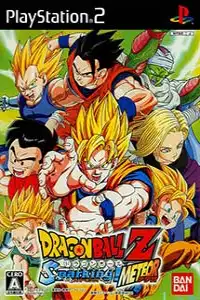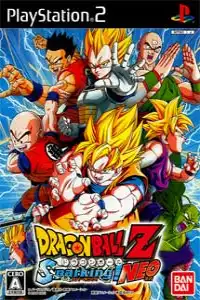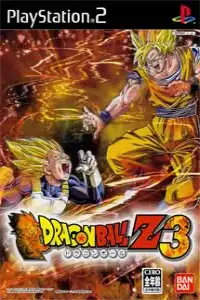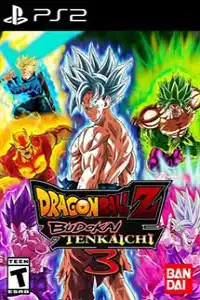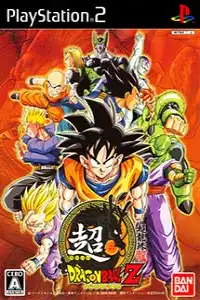
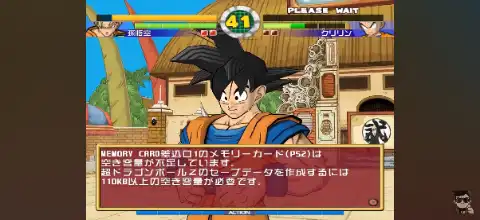

Experience Chou Dragon Ball Z on Android and iOS with smooth gameplay, exciting battles, and unlockable characters.

Chou Dragon Ball Z Ps2 Discription
Chou Dragon Ball Z (released internationally as Super Dragon Ball Z) is one of the most unique Dragon Ball fighting games ever released for the PlayStation 2. Unlike the Budokai or Budokai Tenkaichi series, this game focuses on classic arcade-style combat with deeper mechanics, technical combos, and strategic gameplay.
Originally developed from the Japanese arcade version, Chou Dragon Ball Z delivers a more competitive fighting experience while featuring beautifully cel-shaded graphics that still look impressive today. If you’re a Dragon Ball fan looking for something different, this PS2 classic is definitely worth playing on your Android or iPhone using a PS2 emulator.
Game Modes
Although Chou Dragon Ball Z doesn’t include a traditional story mode, it offers several enjoyable game modes that provide plenty of replay value.
Original Mode
This is the game’s primary single-player mode. Players fight through a series of CPU-controlled opponents while earning experience points and collecting Dragon Balls after victories. As your character levels up, you can improve their abilities and unlock additional content.
Versus Mode
Challenge another player locally or battle against the CPU using any unlocked character. This mode is perfect for practicing combos or enjoying quick matches.
Survivor Mode
A classic endurance challenge where you fight one opponent after another without fully restoring your health. The objective is to survive for as long as possible and achieve the highest score.
Practice Mode
Learn each character’s special moves, combos, counters, and advanced mechanics without pressure. This mode is highly recommended for mastering the game’s technical combat system.
Gameplay Features
Chou Dragon Ball Z stands apart from other Dragon Ball games thanks to its arcade-inspired fighting mechanics.
Some of its best gameplay features include:
- Fast-paced one-on-one battles with responsive controls.
- Deep combo system inspired by traditional arcade fighters.
- Ki-based special attacks and devastating Super Moves.
- Character-specific combo routes and unique fighting styles.
- Destructible stages that add excitement to battles.
- Short Super Saiyan transformations for selected characters.
- Smooth cel-shaded visuals that closely resemble Akira Toriyama’s artwork.
- Skill customization that lets you improve your favorite fighters.
Instead of relying on flashy cinematic attacks, the game rewards timing, precision, and combo execution, making it one of the more skill-based Dragon Ball fighting games on PS2.
Unlockable Elements
One of the game’s biggest attractions is its unlock system.
By collecting all seven Dragon Balls in Original Mode, players can summon Shenron and choose a reward. Rewards include:
- New playable characters
- New skills
- Character stat upgrades
- Alternate costumes
- Additional character colors
- Customization options
Players can also create character cards, equip different skills, and customize fighters to match their preferred playstyle. Unlocking everything requires multiple playthroughs, giving the game excellent replay value.
Best AetherSX2 Settings for Chou Dragon Ball Z
Since Chou Dragon Ball Z is a lightweight PS2 title, it runs smoothly on most mid-range and flagship Android devices using AetherSX2.
Use these recommended settings for the best performance:
- Renderer: Vulkan (Recommended) or OpenGL
- Internal Resolution: 2x (720p)
- Blending Accuracy: Basic
- Texture Preloading: Full
- Anisotropic Filtering: 4x
- VSync: Off
- Hardware Download Mode: Disable Readbacks
- Threaded Presentation: Enabled
- Multi-threaded VU1: Enabled
- EE Cycle Rate: 100% (Default)
- EE Cycle Skip: 0
- Fast Boot: Enabled
- Instant VU1: Enabled
For low-end devices, reduce the internal resolution to 1x Native and disable unnecessary enhancements to maintain a stable 60 FPS.
How to Download and Play Chou Dragon Ball Z on Android & iOS
Follow the steps below to start playing Chou Dragon Ball Z on your mobile device:
- Download the Chou Dragon Ball Z PS2 ISO from our website.
- Download AetherSX2 if you’re using Android.
- Download IPSX2 or ArmSX2 if you’re using iPhone or iPad (iOS).
- Install your preferred PS2 emulator.
- Download a PS2 BIOS file and import it into the emulator.
- Move the downloaded ISO file to your phone’s storage.
- Open the emulator and scan your game folder.
- Select Chou Dragon Ball Z from your game library.
- Apply the recommended emulator settings listed above for smoother gameplay.
- Connect a Bluetooth controller (optional) for the best console-like experience.
- Start the game and enjoy one of the most unique Dragon Ball fighting experiences ever released on the PlayStation 2.
Final Thoughts
Chou Dragon Ball Z may not have the cinematic story mode found in other Dragon Ball games, but it makes up for it with satisfying arcade combat, technical gameplay, destructible arenas, and a rewarding unlock system. Whether you’re revisiting this underrated classic or experiencing it for the first time, it remains one of the most enjoyable Dragon Ball fighting games on the PlayStation 2.
Using AetherSX2 on Android or IPSX2/ArmSX2 on iOS allows you to enjoy this classic smoothly with improved graphics, save states, controller support, and enhanced performance, making it the perfect way to relive the game on modern mobile devices.