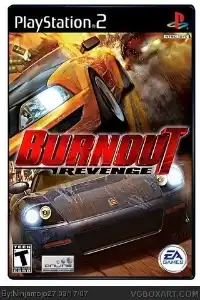
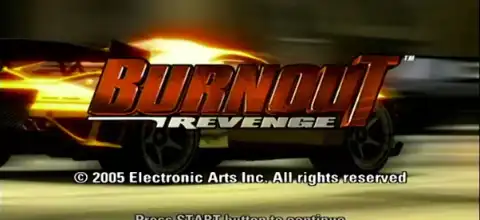

Burnout Revenge on PS2 delivers high-speed arcade racing, spectacular crashes, traffic-checking action, intense competition, and addictive multiplayer thrills for everyone.
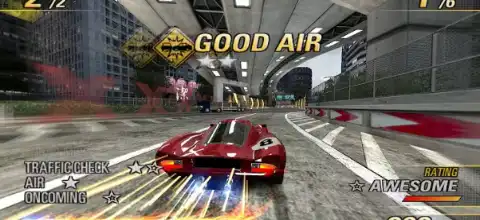
Burnout Revenge Overview
Burnout Revenge is one of the most explosive arcade racing games ever released on the PlayStation 2. Developed by Criterion Games and published by Electronic Arts in 2005, it pushed the Burnout series further into aggressive, high-speed destruction racing. Unlike traditional racing games that focus on clean driving, Burnout Revenge rewards chaos—crashing opponents, using traffic as weapons, and surviving intense highway battles at 200+ km/h.
Gameplay Overview
The core gameplay of Burnout Revenge revolves around high-speed arcade racing mixed with vehicular combat. Players race through traffic-filled highways where survival is just as important as speed.
The biggest innovation in this title is Traffic Checking a mechanic that allows players to ram same-direction traffic vehicles into opponents. This turns ordinary traffic into offensive weapons. It adds a new layer of strategy—players can actively use the environment to create takedowns instead of simply avoiding cars.
Another signature feature is the Takedown system, where you force opponents into crashes by smashing them into walls, traffic, or even off ramps. The game rewards aggressive driving with boost, which is essential for maintaining top speed.
A standout mechanic is Aftertouch, which allows you to steer your car after crashing. This lets you take revenge even after a wreck by steering into rivals mid-air or post-impact.
Game Modes in Burnout Revenge
Burnout Revenge offers a variety of modes that keep gameplay intense and replayable:
Race Mode
Standard point-to-point or circuit races where the goal is to finish first. However, unlike traditional racers, you must also destroy rivals while racing.
Road Rage
One of the most widely used modes is this one. The goal is simple: take down as many opponents as possible before your car is destroyed. It’s pure aggression with no concern for finishing laps.
Eliminator
A survival-style race mode where the last place racer is eliminated every 30 seconds. It forces constant pressure and aggressive driving to avoid being last.
Burning Lap
A solo time trial mode where you must complete a single lap as fast as possible while navigating heavy traffic.
Crash Mode (Reworked)
Crash Mode returns with improvements. Players are dropped into intersections and must cause massive pile-ups to earn “Crash Dollars.” The more destruction you cause, the higher your score.
New variations include:
- Crash Party
- Crash Battle
- Crash Tour
Traffic Attack (New Mode)
A unique addition where players deliberately ram same-direction traffic into rivals to earn points. This mode is built entirely around the new traffic-checking mechanic.
Unlockable Content
Burnout Revenge features a strong progression system based on Revenge Rank. As you complete events, you unlock new tiers of races, cars, and challenges.
Unlockable Features Include:
- New Cars: Over 70+ vehicles including compact cars, muscle cars, SUVs, and supercars
- Rank-based Event Unlocks: Higher ranks unlock more difficult and faster events
- Special Vehicles: Some cars are unlocked only through specific event medals
- Bonus Cars: Certain hidden vehicles unlock when save data from other Burnout titles is detected
Example unlocks include special “Criterion” and “Custom” variants of cars that are not available at the start of the game.
This progression system encourages replaying events to earn medals and advance through all ten ranks of the World Tour mode.
How to Unlock All Cars Using Save Data in AetherSX2/PCSX2
- Download and extract the Burnout Revenge save file.
- Open AetherSX2 on your Android device.
- Tap the ≡ Menu button and go to App Settings.
- Open the Memory Cards section.
- Select the memory card slot where you want to use the save file (usually Mcd001.ps2).
- Replace your existing memory card with the downloaded Mcd001.ps2 file, or import the save if your AetherSX2 version supports it.
- Restart AetherSX2 after copying the memory card.
- Launch Burnout Revenge.
- Load the save data from the game’s menu.
Important Notes
- This save file is designed for the USA version of Burnout Revenge.
- The game region must match the save region for the save data to work correctly.
- Always create a backup of your original memory card before replacing it.
- If the save is not detected, verify that you are using the correct USA ISO version of the game.
- Some save files may require a specific game revision and may not work with other regional versions.
Features of This Save Data
- All cars unlocked.
- Career mode fully completed.
- Events and championships cleared.
- Bonus vehicles unlocked.
- Ready to use with AetherSX2 and other PS2 emulators that support memory card saves.
Best AetherSX2 Settings for Smooth Gameplay (Android)
Burnout Revenge is demanding on PS2 emulators because of heavy traffic AI and fast physics. On AetherSX2, performance depends heavily on device power.
Recommended Settings:
Graphics Settings
- Renderer: Vulkan (best performance)
- Upscale: 2x Native (safe balance)
- 3x only for high-end phones (Snapdragon 8 series)
- Blending Accuracy: Basic
- Widescreen Patch: Enabled (optional)
Speed & Performance
- Multi-threaded VU1: ON
- Fast Memory: ON
- EE Cycle Rate: 100% (default)
- Frame Skipping: OFF (turn ON only if lag occurs)
- VSync: OFF (for smoother FPS)
Advanced Tweaks
- Disable “Skip Duplicate Frames” if you experience slow-motion issues
- Use “Threaded Presentation” if available
- Set resolution lower if FPS drops in crash-heavy scenes
Performance Tip:
Burnout Revenge is best played on devices with:
- Snapdragon 865 or higher (recommended)
- At least 6GB RAM
Lower-end devices may experience stutter during crash-heavy sequences.
How to Get and Play Burnout Revenge on iOS and Android
Important Note
Burnout Revenge is a PS2 game and requires an emulator. The original game must be legally yours.
Get the Game File (ISO)
Download the Burnout Revenge PS2 ISO from a trusted source (as mentioned, “from our site” if you provide it). The file should be in .iso format.
Install Emulator
Android:
Install AetherSX2 (PS2 emulator for Android)
iOS:
Use alternatives like Play! Emulator or sideloaded PS2 emulators (performance may be limited compared to Android)
Load the Game
- Open emulator
- Select “Add Game”
- Browse and select the Burnout Revenge ISO file
- Launch the game
Configure Controls
Connect a Bluetooth controller or use on-screen controls.
Recommended: controller for better racing precision
Final Thoughts
Burnout Revenge is one of the most chaotic and satisfying arcade racers ever made. Its focus on aggression, traffic manipulation, and fast-paced takedowns makes it stand out even today. While it was originally designed for PS2 hardware, modern emulators like AetherSX2 allow players to experience it on mobile devices with improved resolution and smoother performance.
If optimized correctly, Burnout Revenge still delivers one of the best arcade racing experiences on Android today—fast, loud, destructive, and endlessly replayable.