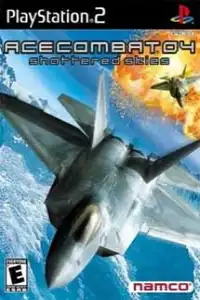


Ace Combat 04: Shattered Skies delivers thrilling aerial combat, unlockable aircraft, engaging missions, and smooth PS2 emulation on Android and iOS.

Ace Combat 04: Shattered Skies PS2 Overview
Ace Combat 04: Shattered Skies is one of the greatest flight combat games ever released for the PlayStation 2. Developed by Namco, the game combines fast-paced aerial dogfights, cinematic storytelling, and a memorable soundtrack to deliver an unforgettable experience. Whether you’re a long-time Ace Combat fan or trying the series for the first time, Ace Combat 04 still holds up as one of the best arcade flight simulators available on the PS2.
Thanks to modern PS2 emulators, you can now enjoy Ace Combat 04 on both Android and iPhone/iPad with smooth performance and enhanced graphics.
Ace Combat 04: Shattered Skies Gameplay
Ace Combat 04 offers an arcade-style flight combat experience that is easy to learn but challenging to master. Players control the legendary pilot Mobius 1, taking part in a large-scale air war against the Erusean military.
Throughout the campaign, you’ll complete various mission types including:
- Air-to-air dogfights
- Ground attack missions
- Escort operations
- Base defense
- Naval assaults
- Large-scale aerial battles
- Boss encounters against the elite Yellow Squadron
The game features responsive controls, realistic aircraft models, multiple camera views, radar support, lock-on missiles, machine guns, and special weapons that make every mission exciting.
As you progress, you’ll earn credits for completing missions, allowing you to purchase stronger and faster fighter jets with improved speed, armor, and weapon loadouts.
Game Modes
Ace Combat 04 includes several enjoyable game modes:
Campaign Mode
The main story mode consists of 18 missions featuring cinematic cutscenes and an emotional war narrative. Players unlock new aircraft and earn money after completing missions.
Free Mission Mode
After clearing missions in the campaign, you can replay them anytime to improve your rank, earn additional credits, or test different aircraft.
VS Mode
A local split-screen multiplayer mode where two players can battle each other using unlocked aircraft.
Trial Missions
Completing the main campaign unlocks Trial Missions. These special challenges include Score Attack and Time Attack objectives that test your flying and combat skills across unique scenarios. Additional Trial Missions become available by earning high ranks.
Unlockable Elements
Ace Combat 04 rewards players with plenty of unlockable content, encouraging multiple playthroughs.
Some notable unlockables include:
- New fighter aircraft
- Hidden aircraft paint schemes
- Extra difficulty levels (Expert and Ace)
- X-02 experimental aircraft
- F-4 Phantom
- Trial Missions
- Music Player
- Scene Viewer
- Alternate aircraft colors by defeating hidden Ace pilots in each mission
Many unlockables require completing the game on higher difficulty levels or achieving high mission rankings, making replaying the campaign worthwhile.
Best AetherSX2 Settings for Ace Combat 04
If you’re playing on Android using AetherSX2, these settings provide the best balance between performance and visual quality on most Snapdragon-powered devices.
Graphics
- Renderer: Vulkan (Recommended)
- Internal Resolution: 2x (1080p) or 1x for low-end phones
- Texture Filtering: Bilinear (Forced)
- Hardware Download Mode: Disable Readbacks
- Blending Accuracy: Basic
- V-Sync: Off
System
- EE Cycle Rate: 100% (0)
- EE Cycle Skip: 0
- Multi-threaded VU1: Enabled
- Instant VU1: Enabled
- Fast Boot: Enabled
Performance Tips
- Enable Fast Texture Invalidation.
- Use Vulkan instead of OpenGL for better FPS on most Android devices.
- If your phone struggles, reduce the internal resolution to 1x.
- High-end Snapdragon devices can comfortably use 2x or 3x resolution for sharper visuals.
How to Download and Play Ace Combat 04: Shattered Skies on Android and iOS
- Download the Ace Combat 04: Shattered Skies PS2 ISO from our website.
- Install AetherSX2 on Android or IPSX2/ArmSX2 on your iPhone or iPad.
- Open the emulator and complete the initial setup.
- Grant storage permissions if prompted.
- Locate the downloaded Ace Combat 04 ISO file on your device.
- Add or scan the game directory inside the emulator.
- The game will appear in your game library.
- Tap the game icon to launch it.
- Apply the recommended emulator settings for smoother performance.
- Connect a Bluetooth controller (optional) for the best gameplay experience.
- Enjoy flying as Mobius 1 and complete the campaign with improved graphics and smooth performance.
Final Thoughts
Ace Combat 04: Shattered Skies remains one of the finest aerial combat games ever made for the PlayStation 2. Its thrilling dogfights, engaging campaign, unlockable aircraft, and replayable missions continue to make it a fan favorite even years after its release. With modern PS2 emulators like AetherSX2 on Android and IPSX2/ArmSX2 on iOS, you can easily experience this classic on your mobile device wherever you go.