
SingStar OnePiece PS2 brings anime karaoke fun with exciting songs, multiplayer modes, smooth emulator support, and party gameplay.
SingStar OnePiece PS2 Information
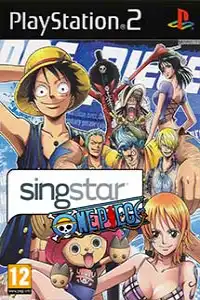
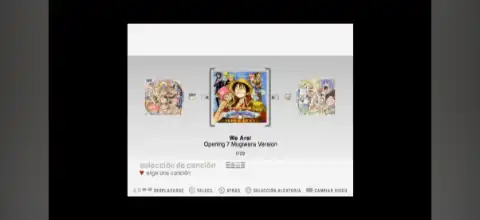
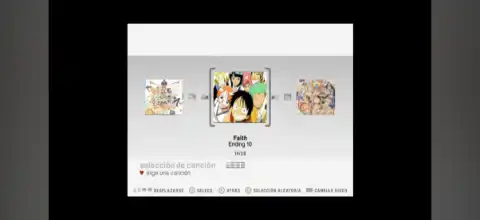
If you’re a fan of One Piece and rhythm games, SingStar OnePiece PS2 is a fun fan-made SingStar mod that replaces the original soundtrack with popular songs inspired by or related to the One Piece universe. Built on Sony’s classic SingStar engine, this version lets players sing along with anime-themed tracks while enjoying the familiar karaoke gameplay that made the series famous.
Unlike traditional One Piece action games, SingStar OnePiece is all about music and having fun with friends. Whether you’re playing solo or hosting a karaoke party, this game offers an entertaining experience for anime lovers.
SingStar OnePiece PS2 Gameplay
The gameplay follows the same mechanics as the original SingStar games. Players sing into a microphone while lyrics and pitch bars appear on the screen. The game analyzes your vocal pitch and timing, awarding points based on how accurately you match the song.
Instead of judging the quality of your voice, the game focuses on whether you hit the correct notes at the right time. This makes it enjoyable for both casual players and competitive karaoke fans. Like other SingStar releases, the gameplay is designed around singing accuracy rather than vocal talent.
The OnePiece edition simply changes the song selection while preserving the original gameplay mechanics and interface.
Game Modes
SingStar OnePiece includes the classic SingStar game modes that make it perfect for parties and multiplayer sessions.
Solo Mode
Sing by yourself and try to achieve the highest possible score. This mode is ideal for practicing songs and improving your pitch accuracy.
Duet Mode
Two players can sing together, with each player taking different vocal parts whenever the song supports duet gameplay.
Battle Mode
Compete against another player in real-time. Both singers perform the same song, and the player with the higher score wins.
Pass the Mic
One of the most entertaining party modes. Players or teams take turns singing different sections of songs, making it ideal for family gatherings or game nights with friends. The mode supports multiple players by rotating the microphone throughout the session.
Gameplay Features
Some of the best features of SingStar OnePiece include:
- Anime-themed One Piece song collection.
- Real-time pitch and timing detection.
- Lyrics displayed on-screen.
- Fun multiplayer karaoke experience.
- Competitive scoring system.
- Easy-to-understand gameplay suitable for beginners.
- Compatible with standard SingStar gameplay mechanics.
- Lightweight PS2 game that runs smoothly on modern emulators.
- Unlockable Elements
Since SingStar OnePiece is a fan-made SingStar modification rather than a completely new standalone game, it generally does not introduce exclusive unlockable characters or hidden story content.
Depending on the specific build, you’ll typically have access to:
All included songs from the beginning.
Standard score records and high-score tracking.
Original SingStar multiplayer modes.
Some SingStar versions featured unlockable content such as Star Maker progression or additional venues, but these features vary between releases and are generally not expanded in the OnePiece mod.
Best AetherSX2 Settings for SingStar OnePiece PS2
Since SingStar OnePiece isn’t a graphically demanding game, even mid-range Android devices can run it smoothly with the right settings.
Use these recommended AetherSX2 settings:
- Vulkan is the recommended graphics renderer; if Vulkan is problematic, use OpenGL.
- Internal Resolution: 2x Native (1080p) for mid-range phones.
- Native Resolution for low-end devices.
- Blending Accuracy: Basic.
- Texture Preloading: Full.
- Hardware Download Mode: Disable Readbacks.
- Threaded Presentation: Enabled.
- Multi-Threaded VU1: Enabled.
- EE Cycle Rate: 100%.
- EE Cycle Skip: Normal (0).
- Fast Boot: Enabled.
- Bilinear Filtering: Bilinear (PS2).
- Widescreen Patches: Optional.
- Frame Limit: 100%.
- VSync: Disabled.
These settings provide stable performance while maintaining good image quality on most Snapdragon, Dimensity, and Tensor-powered Android devices.
How to Download and Play SingStar OnePiece PS2 on Android and iOS
- Download the SingStar OnePiece PS2 ISO from our website.
- Download and install AetherSX2 on Android.
- If you’re using iPhone or iPad, install IPSX2 or ArmSX2.
- Obtain and add your legally owned PS2 BIOS file to the emulator.
- Move the downloaded ISO file into your device’s storage.
- Open your emulator and scan the folder containing the ISO.
- Select SingStar OnePiece from your game library.
- Apply the recommended emulator settings listed above for smoother performance.
- Connect a compatible USB microphone if supported by your setup, or use your preferred input method if available.
- Start the game and enjoy singing your favorite One Piece tracks on Android or iOS.
Final Thoughts
SingStar OnePiece PS2 is a fantastic choice for anime fans who enjoy karaoke games. It combines the addictive SingStar formula with a One Piece-themed soundtrack, creating a unique party experience that’s fun whether you’re playing alone or with friends. Thanks to modern PS2 emulators like AetherSX2 on Android and IPSX2 or ArmSX2 on iOS, enjoying this fan-made SingStar release on mobile devices is easier than ever.