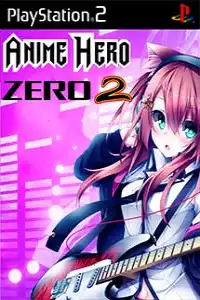

Anime Hero Zero 2 brings exciting anime rhythm gameplay, multiple game modes, unlockable content, and smooth PS2 emulation on Android and iOS.
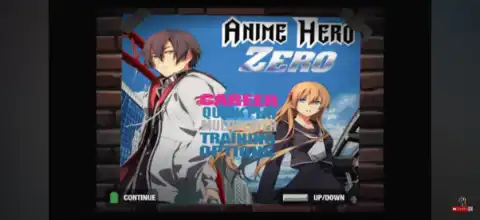
Anime Hero Zero 2 PS2 Discription
If you’re a fan of anime music and rhythm games, Anime Hero Zero 2 is one of the best PlayStation 2 mods you can play. Built as a fan-made modification of Guitar Hero II, this game replaces the original soundtrack with dozens of iconic anime openings, endings, and J-Rock songs from popular series.
Whether you’re a long-time Guitar Hero player or simply love anime music, Anime Hero Zero 2 delivers an exciting rhythm experience with improved song selection and challenging gameplay.
In this guide, we’ll cover everything you need to know about Anime Hero Zero 2, including its gameplay features, game modes, unlockable content, the best AetherSX2 settings for Android, and how to download and play it on both Android and iPhone.
Anime Hero Zero 2 PS2 Overview
Anime Hero Zero 2 is an unofficial PlayStation 2 mod based on Guitar Hero II. Instead of the original rock soundtrack, it features a collection of anime openings, endings, and Japanese rock songs from famous anime series such as Naruto Shippuden, One Punch Man, Bleach, JoJo’s Bizarre Adventure, Overlord, Dragon Ball Super, Re, K-ON!, Hunter x Hunter, Pokémon XYZ, Soul Eater, and many more. The mod is designed primarily for Medium and Expert players and retains the classic Guitar Hero gameplay with an entirely new soundtrack.
Gameplay Features
Anime Hero Zero 2 keeps the classic Guitar Hero mechanics while introducing an entirely fresh musical experience.
Some of its main gameplay features include:
- Classic five-button rhythm gameplay.
- Dozens of anime opening and ending songs.
- Original Guitar Hero II mechanics and controls.
- Smooth note charts designed for rhythm game enthusiasts.
- Star Power system to boost score multipliers.
- Performance ratings after every song.
- Progressive difficulty from Medium to Expert.
- Compatible with both touchscreen controls and Bluetooth gamepads when emulated.
Players must hit incoming notes in perfect rhythm while avoiding misses. As songs become faster and more complex, timing and accuracy become increasingly important.
Game Modes
Anime Hero Zero 2 includes the same core game modes available in Guitar Hero II.
Career Mode
Career Mode lets players progress through different song sets while unlocking additional stages as they complete performances.
Quick Play
Quick Play allows instant access to any unlocked song without progressing through Career Mode.
Practice Mode
Perfect for beginners, Practice Mode lets players slow down difficult sections of songs and practice specific parts until they master them.
Multiplayer
The game also supports local multiplayer on the original PS2. When using emulators, multiplayer support depends on the emulator and controller setup.
Unlockable Elements
Since Anime Hero Zero 2 is based on Guitar Hero II, several unlockable features remain available.
These may include:
- Additional songs unlocked through Career progression.
- New performance venues.
- Extra playable characters.
- Bonus guitars.
- Hidden bonus tracks depending on the mod version.
The exact unlockable content can vary slightly depending on which release of Anime Hero Zero 2 you’re playing.
Best AetherSX2 Settings for Anime Hero Zero 2
Anime Hero Zero 2 is a lightweight PS2 title, so most modern Android devices can run it at full speed using AetherSX2.
Use these recommended settings for the smoothest experience:
System
- EE Cycle Rate: 100% (Normal)
- EE Cycle Skip: Normal (0)
- Fast Boot: Enabled
Graphics
- Renderer: Vulkan (Recommended)
- Use OpenGL if Vulkan causes issues.
- Internal Resolution:
- 2x for mid-range devices
- 3x–4x for flagship devices
- Bilinear Filtering: Bilinear (PS2)
- Texture Preloading: Full
- Hardware Download Mode: Disable Readbacks
- V-Sync: Off
Audio
- Audio Latency: Low
- Time Stretching: Enabled
Advanced
- Multi-Threaded VU1: Enabled
- Instant VU1: Enabled
- GPU Palette Conversion: Enabled
These settings provide stable gameplay with minimal input delay, which is essential for rhythm games.
How to Download and Play Anime Hero Zero 2 on Android & iPhone
- Download the Anime Hero Zero 2 PS2 ISO from our website.
- On Android, install the AetherSX2 emulator.
- On iPhone/iPad (iOS), install either IPSX2 or ArmSX2.
- Launch the emulator after installation.
- Add your PlayStation 2 BIOS file if this is your first time using the emulator.
- Locate the downloaded Anime Hero Zero 2 ISO file from your device storage.
- Import or scan the ISO inside the emulator.
- Apply the recommended emulator settings listed above for the best performance.
- Connect a Bluetooth controller for a more authentic Guitar Hero experience (optional).
- Start the game and enjoy your favorite anime songs directly on your Android phone or iPhone.
Final Thoughts
Anime Hero Zero 2 is one of the most enjoyable fan-made PlayStation 2 rhythm game mods available. By combining the addictive gameplay of Guitar Hero II with an impressive collection of anime music, it offers a unique experience for both rhythm game fans and anime enthusiasts. Thanks to modern PS2 emulators like AetherSX2 on Android and IPSX2/ArmSX2 on iOS, you can enjoy this classic mod smoothly on your mobile device with excellent performance and portable convenience.