
SingStar Legends USA PS2 brings legendary karaoke action with classic songs, multiplayer fun, and smooth emulation.
SingStar Legends USA PS2 Overview
If you enjoy karaoke games, SingStar Legends for the PlayStation 2 is one of the best titles in Sony’s legendary SingStar series. Released for the PS2 in the USA, the game features a collection of timeless songs from iconic artists including Elvis Presley, Johnny Cash, Marvin Gaye, Nirvana, U2, The Police, The Jackson 5, Tina Turner, and many more. Instead of button-mashing gameplay, your voice becomes the controller as you sing along with original music videos while the game scores your pitch and timing.
Whether you’re playing alone or having a party with friends, SingStar Legends delivers a fun and competitive karaoke experience that still holds up perfectly through modern PS2 emulators on Android and iOS.
SingStar Legends Gameplay
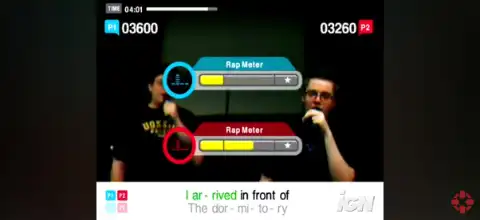
Unlike traditional rhythm games, SingStar Legends focuses entirely on singing. The game displays lyrics and pitch bars on-screen, and your goal is to match the correct notes as accurately as possible. The better your timing and pitch, the higher your score.
You can play using a USB microphone just like on the original PlayStation 2. If you’re using an emulator on Android or iPhone/iPad, compatible external microphones generally provide the best experience, although some emulator setups may allow the device microphone depending on the emulator’s implementation.
Each performance receives a score, making it easy to compete with friends or improve your own singing skills over time. The game includes original music videos in the background, creating an authentic karaoke atmosphere.
Game Modes
SingStar Legends includes several entertaining modes that keep the experience fresh for solo players and groups alike.
Sing Solo
Perfect for practicing your favorite songs. Sing alone, improve your accuracy, and try to achieve the highest possible score.
Party Mode
Designed for groups, Party Mode offers multiple challenges and competitions that let friends take turns singing. It is the ideal choice for family gatherings and parties.
Battle Mode
Two players compete directly by singing the same song. Whoever earns the highest score wins the battle.
Duet Mode
Certain songs support duet performances where two singers perform different vocal parts simultaneously.
Pass the Mic
Players are divided into teams and pass the microphone between songs, making every round exciting and competitive.
Freestyle Mode
If you simply want to enjoy singing without worrying about scores, Freestyle Mode removes the competitive element and lets you perform for fun.
Gameplay Features
SingStar Legends offers several features that made the franchise so popular:
- Accurate real-time pitch detection.
- Original music videos for every track.
- On-screen synchronized lyrics.
- Score ranking based on singing performance.
- Multiplayer support for parties.
- Easy-to-use menu system.
- Wide selection of legendary artists spanning multiple decades.
- Unlockable Elements
Unlike many PS2 games, SingStar Legends does not feature major unlockable characters, hidden songs, or secret game modes. Most of the game’s content is available from the beginning.
Instead, players unlock personal achievements by improving their performance scores and earning higher singer ranks based on their singing accuracy. Your main goal is to master every song and achieve the highest possible ranking rather than unlocking additional content.
Best AetherSX2 Settings for SingStar Legends
Since SingStar Legends is a lightweight PS2 rhythm game, it runs smoothly on most modern Android devices.
Use these recommended AetherSX2 settings for the best performance:
- Graphics Backend: Vulkan (OpenGL if Vulkan causes issues)
- Rendering Resolution: 2x Native (3x or 4x on flagship devices)
- Blending Accuracy: Basic
- Texture Filtering: Bilinear (PS2)
- Hardware Download Mode: Disable Readbacks
- V-Sync: Off
- Multi-threaded VU1: Enabled
- Instant VU1: Enabled
- EE Cycle Rate: 100%
- EE Cycle Skip: Normal (0)
- Fast Boot: Enabled
- Frame Limit: 100%
- Widescreen Patches: Optional
- Disable Speed Hacks unless needed for low-end devices.
These settings provide smooth gameplay while maintaining excellent audio synchronization, which is especially important for rhythm games.
How to Download and Play SingStar Legends on Android and iOS
- Download the SingStar Legends USA PS2 ISO from our website.
- On Android, install AetherSX2.
- On iPhone/iPad, install IPSX2 or ArmSX2.
- Launch the emulator and complete the initial setup.
- Import your PlayStation 2 BIOS (required for PS2 emulation).
- Locate and add the downloaded SingStar Legends ISO to your game library.
- Apply the recommended emulator settings listed above for smoother gameplay.
- Connect a compatible USB microphone if your device and emulator support it for the best karaoke experience.
- Start the game, choose your preferred game mode, and enjoy singing your favorite legendary hits.
Final Thoughts
SingStar Legends remains one of the most enjoyable karaoke games ever released on the PlayStation 2. Its excellent soundtrack, easy-to-learn gameplay, competitive multiplayer modes, and timeless music make it a fantastic choice for both casual players and karaoke enthusiasts. Thanks to modern PS2 emulators like AetherSX2 on Android and IPSX2/ArmSX2 on iOS, you can easily enjoy this classic title on your mobile device with smooth performance and high-quality visuals.