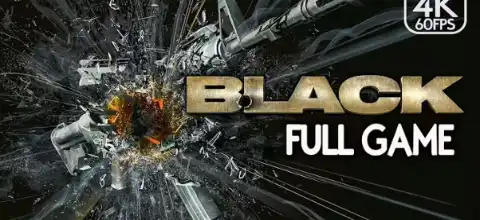

Play Black PS2 on Android with optimized emulator settings, smooth performance tips, easy installation steps, and troubleshooting guidance for beginners.
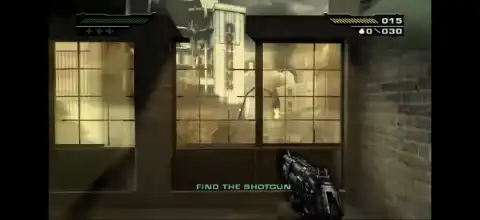
About Black PS2
When people talk about the most visually impressive PlayStation 2 games ever made, Black is always part of the conversation. Released by Electronic Arts and developed by Criterion Games, this legendary first-person shooter delivered explosive action, realistic weapon effects, and intense firefights that were far ahead of what most players expected from the PS2 hardware.
Unlike many shooters that focus heavily on story, Black puts action at the center of the experience. Every mission is packed with enemies, explosions, and cinematic moments that make you feel like the star of a blockbuster action movie. Even years after its release, Black remains one of the best FPS games available on the PlayStation 2.
Game Modes
Black is primarily focused on a single-player campaign where players take control of elite operative Jack Kellar. Throughout the story, you’ll travel across multiple locations while taking down a dangerous terrorist organization.
The game features several difficulty levels:
- Easy
- Normal
- Hard
- Black Ops
Each difficulty increases enemy aggression and challenge. Black Ops mode is designed for experienced players who want the ultimate test of their shooting skills.
Although the game does not include multiplayer, its replay value comes from hidden objectives, higher difficulty levels, and unlockable rewards.
Gameplay Features
Explosive Combat
Black was designed around one simple idea: making guns feel powerful. Every weapon produces satisfying sound effects, realistic recoil, and destructive impact. Whether you’re using an assault rifle, shotgun, or rocket launcher, every shot feels meaningful.
Destructible Environments
One of the game’s most impressive features is its environmental destruction. Glass windows shatter into pieces, fuel tanks explode, vehicles catch fire, and debris flies across the battlefield during combat.
This level of destruction was rarely seen in PlayStation 2 games and is one of the reasons Black still feels unique today.
Wide Selection of Weapons
Throughout the campaign, players can use a variety of firearms including:
- AK-47
- M16 Assault Rifle
- MP5
- Uzi
- Shotguns
- Sniper Rifles
- Rocket Launchers
- Grenades
Different missions encourage players to experiment with different weapon combinations depending on the situation.
Action Movie Presentation
Black doesn’t just play like a shooter—it feels like an action movie. Massive explosions, dramatic mission locations, intense gunfights, and cinematic moments are present throughout the entire campaign.
The game constantly throws exciting encounters at the player, ensuring there is rarely a dull moment.
Smart Enemy Behavior
Enemies aren’t simply standing targets. They take cover, move around the battlefield, and attack from multiple directions. This creates challenging combat encounters that require quick reactions and good aim.
Unlockable Content
Players who complete the game and tackle higher difficulties can unlock several rewards.
Some unlockable elements include:
- Silver Weapons
- Unlimited ammunition for certain weapons
- Enhanced M16-A2 with grenade launcher
- Additional rewards for completing bonus objectives
These unlockables make replaying the campaign more enjoyable and provide extra incentives for players who want to complete every challenge.
Best AetherSX2 Settings for Black
Black can be demanding because of its detailed effects and large explosions. If you’re playing on Android, these settings provide excellent performance on most modern devices.
Graphics
- Renderer: Vulkan
- Internal Resolution: 2x
- Texture Filtering: Bilinear
- Blending Accuracy: Basic
- V-Sync: Disabled
- Hardware Download Mode: Disable Readbacks
System
- EE Cycle Rate: 100%
- EE Cycle Skip: Normal
- Multi-Threaded VU1: Enabled
- Fast Boot: Enabled
Additional Tips
- Use Performance Mode on your device.
- Close background apps before launching the game.
- Reduce resolution to 1x if you experience lag.
- Use a Bluetooth controller for the best experience.
These settings help maintain smooth gameplay while preserving the game’s impressive visual effects.
How to Download and Play Black on Android
- Download the Black PS2 ISO from our website.
- Install the AetherSX2 emulator.
- Import a valid PS2 BIOS file.
- Add the downloaded ISO to AetherSX2.
- Apply the recommended settings above.
- Launch the game and start playing.
How to Play Black on iPhone & iPad
- Download the Black PS2 ISO from our website.
- Install a compatible PS2 emulator for iOS.
- Import a PS2 BIOS file.
- Load the downloaded ISO into the emulator.
- Configure touch controls or connect a controller.
- Start the game and enjoy.
Conclusion
Many PlayStation 2 shooters have aged poorly, but Black remains surprisingly enjoyable even today. The combination of powerful weapons, explosive set pieces, destructible environments, and satisfying combat creates an experience that still stands out among classic FPS games.
Whether you’re revisiting a childhood favorite or discovering it for the first time, Black delivers nonstop action from beginning to end. If you’re looking for one of the best first-person shooters ever released on PS2, Black deserves a place in your collection.