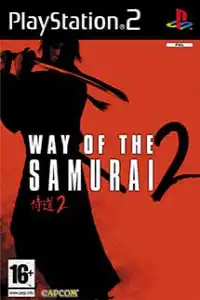


Way of the Samurai 2 + Undub PS2 delivers branching storylines, intense sword combat, multiple endings, and authentic Japanese voices.

Way of the Samurai 2 + Undub PS2 Discription
If you’re a fan of classic samurai games, Way of the Samurai 2 + Undub for PS2 is one of the best action-adventure titles you can experience on mobile through emulation. Developed by Acquire, the game offers a unique blend of branching storylines, sword combat, and player choices that determine how the story unfolds. The Undub version restores the original Japanese voice acting while keeping the English subtitles, making it the preferred version for many fans.
In this guide, you’ll learn everything about the game’s modes, gameplay features, unlockables, the best AetherSX2 settings, and how to play it on both Android and iOS.
Way of the Samurai 2 Gameplay
Unlike traditional action games, Way of the Samurai 2 lets you shape your own journey. You play as a wandering ronin who arrives in the town of Amahara during political unrest. Every conversation, mission, and battle can change the direction of the story.
The game features real-time sword combat where timing, blocking, counterattacks, and special moves are more important than button mashing. You’ll encounter multiple factions, each offering different quests and story paths.
Some of the biggest gameplay features include:
- Multiple branching storylines with several different endings.
- Fast-paced real-time sword combat.
- Large collection of swords with unique movesets.
- Weapon upgrading through the blacksmith.
- Learn new sword techniques using experience and scrolls.
- Character customization with different heads, outfits, accessories, and weapons.
- Reputation system that changes NPC behavior and available missions.
- Multiple replay value thanks to different choices and endings.
- Inventory system with healing items, accessories, and special equipment.
- Unlockable character models, costumes, and difficulty levels.
Game Modes
Although Way of the Samurai 2 focuses on its story, it includes several gameplay modes and difficulty options that encourage replaying the game.
Story Mode
The main experience where your decisions affect the storyline. You can side with different factions or remain independent, leading to numerous endings.
Easy Mode
Designed for beginners who want to experience the story with less challenging combat.
Normal Mode
The default experience that balances combat and exploration.
Hard Mode
Enemies become much stronger while rewarding experienced players with higher scores. This mode becomes available after earning enough completion points.
Sudden Death (Finishing Blow) Mode
One of the toughest modes where even a single mistake can be fatal, making every duel incredibly tense. It unlocks after accumulating enough completion points.
Unlockable Elements
One of the reasons players keep returning to Way of the Samurai 2 is its excellent progression system.
Unlockable content includes:
- New playable character models.
- Additional costumes and outfits.
- Extra accessories.
- Hard difficulty mode.
- Sudden Death difficulty mode.
- More swords to collect.
- Additional sword techniques.
- Decorative accessories.
- Rare weapons obtained through specific story paths and reputation requirements.
Since every playthrough is relatively short, you’ll naturally unlock more content by finishing the game multiple times.
Best AetherSX2 Settings for Way of the Samurai 2
The game runs smoothly on most modern Android devices using AetherSX2 with the following settings.
Graphics
- Graphics Backend: Vulkan (Recommended)
- Switch to OpenGL if Vulkan causes issues.
- Rendering Resolution: 2x Native
- 3x Native for flagship devices
- Blending Accuracy: Basic
- Bilinear Filtering: Bilinear (PS2)
- Texture Preloading: Full
- Hardware Download Mode: Disable Readbacks
- V-Sync: Off
System
- EE Cycle Rate: 100%
- EE Cycle Skip: Normal (0)
- Multi-threaded VU: Enabled
- Instant VU1: Enabled
- Fast Boot: Enabled
Audio
- Time Stretching: Enabled
- Latency: Default
Controller
- Enable Analog Stick Mapping
- Map L2/R2 comfortably if using touch controls.
- A Bluetooth controller provides the best gameplay experience.
These settings provide stable performance on most Snapdragon 700-series, Dimensity 800-series, and newer processors.
How to Download and Play Way of the Samurai 2 + Undub on Android and iOS
- Download the Way of the Samurai 2 + Undub PS2 ISO from our website
- Extract the downloaded archive if it is compressed (.ZIP, .RAR, or .7Z).
- Download and install AetherSX2 on Android, or iPSX2/ArmSX2 on iOS.
- Obtain your own legally dumped PS2 BIOS file and place it in the emulator’s BIOS folder.
- Launch the emulator and complete the initial setup.
- Locate the extracted Way of the Samurai 2 + Undub ISO file and add it to your game library.
- Apply the recommended emulator settings listed above for the best performance.
- Connect a Bluetooth controller if you want a console-like experience (optional).
- Start the game, create your save data, and enjoy the adventure with the original Japanese voice acting and English subtitles.
Final Words
Way of the Samurai 2 + Undub remains one of the most unique samurai games ever released on the PlayStation 2. Its branching narrative, satisfying sword combat, deep weapon progression, and high replay value make it an excellent title to emulate on modern Android and iOS devices. With the right emulator settings and the Undub version, you’ll get the best possible portable experience while preserving the game’s authentic Japanese voice acting.








