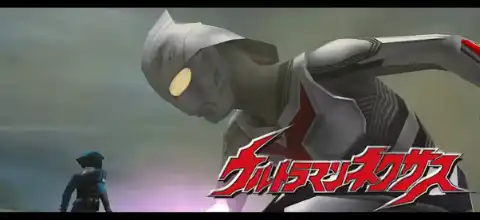

Relive the legendary Ultraman Nexus PS2 adventure with intense battles, unlockable heroes, exciting modes, and smooth gameplay on emulators.
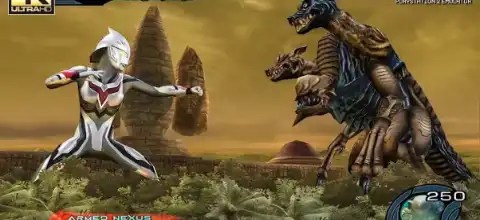
Ultraman Nexus PS2 Overview
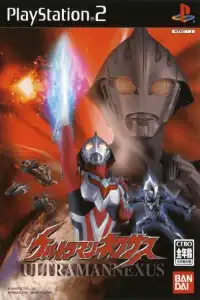
Released exclusively for the PlayStation 2 in 2005, Ultraman Nexus is one of the most unique Ultraman games ever created. Based on the popular Ultraman Nexus TV series, the game combines fast-paced kaiju battles, story-driven missions, and unlockable characters from both the TV show and the movie ULTRAMAN. Even today, many fans consider it one of the best Ultraman games available on PS2 thanks to its exciting combat system and faithful recreation of the series.
Ultraman Nexus PS2 Game Modes
Nexus Mode
Nexus Mode is the game’s main story mode. Players choose either Jun Himeya or Ren Senjyu and battle through various Space Beasts and Dark Ultras. During battles, Ultraman can evolve into stronger forms as the story progresses. This mode follows the events of the TV series and serves as the primary way to unlock new characters.
Night Raider Mode
In Night Raider Mode, players control Kazuki Komon and participate in various training and combat missions. This mode offers a different gameplay style compared to the standard Ultraman battles, focusing more on mission objectives and shooting mechanics. Completing training missions also helps unlock additional content.
VS Mode
VS Mode allows players to battle against the CPU or another player. You can select unlocked Ultramen and Space Beasts and fight in one-on-one matches. This mode is ideal for playing local multiplayer matches and experimenting with different characters.
Gameplay Features
The gameplay focuses on fast and action-packed arena combat. Unlike some earlier Ultraman games, Ultraman Nexus features quick movement, powerful melee attacks, beam finishers, and transformation mechanics.
Some notable gameplay features include:
- Fast-paced 3D combat system
- Multiple Ultraman forms
- Special beam attacks and finishers
- Story-based progression
- Playable Space Beasts and Dark Ultras
- Local multiplayer support through VS Mode
- Character transformation during battles
Many fans praise the game for its smooth combat and satisfying attack animations that accurately capture the feel of the Ultraman Nexus series. Community discussions frequently mention the game’s speed and impactful combat as major strengths.
How to Use PNACH Cheat Files in AetherSX2 / NetherSX2
- A PNACH file is a cheat file that allows you to activate special features, unlock hidden content, and apply game-specific patches.
- Download the PNACH file and make sure its filename matches your game’s CRC.
- Open the following folder on your Android device:
Androiddataxyz.aethersx2.androidfilescheats
- Copy the PNACH file into the cheats folder.
- Example path:
Android/data/xyz.aethersx2.android/files/cheats/
- Launch AetherSX2 or NetherSX2.
- Open the game’s settings and enable Cheats.
- Start the game normally.
- The emulator will automatically load the PNACH file if it matches the game’s CRC.
- Restart the game if the cheats do not activate immediately.
- Make sure the PNACH file was created for the same game version and region you are using.
Cheat Features Included
This PNACH file for Ultraman Nexus includes the following cheats:
- 16:9 Widescreen Patch – Expands the game’s display to widescreen format for a better viewing experience on modern screens.
- Special Level 1 Unlock – Press L1 + R1 to unlock and access Special Level 1.
- Special Level 2 Unlock – Press L1 + L2 to unlock and access Special Level 2.
- Special Level 3 Unlock – Press R1 + R2 to unlock and access Special Level 3.
Tip: If the cheats do not work, verify that your game’s CRC matches the PNACH filename and that cheats are enabled in the emulator settings.
How to Use Save Data (Unlock All Characters) in AetherSX2 / NetherSX2
- Download and extract the save data file.
- Open AetherSX2 or NetherSX2 on your Android device.
- Tap the ≡ Menu button and go to App Settings.
- Open the Memory Cards section.
- Select the memory card slot where you want to use the save data (usually Mcd001.ps2).
- Replace your existing memory card with the downloaded Mcd001.ps2 file, or import the save if your emulator version supports it.
- Confirm that the new memory card is assigned to the selected slot.
- Restart AetherSX2 or NetherSX2 after copying the memory card file.
- Launch the game.
- Open the game’s Load Game menu and load the imported save data.
- If the save does not appear, make sure the save file matches your game’s exact region and serial number (NTSC-U, PAL, or NTSC-J).
- Always back up your original memory card before replacing it with a new save file.
Note: Save files are usually region-locked, so a save created for an NTSC-J version may not work with PAL or NTSC-U releases of the same game.
Unlockable Characters and Content
Ultraman Nexus contains a large amount of unlockable content that encourages replayability.
Unlockable Characters
- Dark Faust – Defeat him in Nexus Mode
- Dark Mephisto – Defeat him in Nexus Mode
- Garuberos – Defeat him in Nexus Mode
- Golgolem – Defeat him in Nexus Mode
- Grantella – Defeat him in Nexus Mode
- Nosferu – Defeat him in Nexus Mode
- Ultraman Jeunes Blue – Complete Nexus Mode
- Ultraman Noa – Complete Survival Mode with 5 characters
- Ultraman The Next – Complete Survival Mode with Ultraman Jeunes
- Ultraman’s One-Complete Survival Mode The Following
- Dark Mephisto Zwei – Complete Survival Mode with Dark Mephisto
- Dark Zagi – Complete Survival Mode with Ultraman Noa
- Ultraman Anphans – Complete Survival Mode with 10 characters
- Secret File Mode
By repeatedly completing Night Raider Training missions and maximizing your stats, you can unlock Secret File Mode. This mode contains additional artwork and bonus content from the game.
Secret Pictures
Players can unlock up to 45 pictures by repeatedly playing Night Raider Mission Mode.
How to Use HD Textures and English Patch in AetherSX2
- Download a HD texture pack that matches your game’s exact version and serial number (SLUS, SLES, SLPS, etc.).
- Extract the downloaded ZIP, RAR, or 7Z file.
- Locate the texture folder inside the extracted files.
- Open the following directory on your Android device:
Androiddataxyz.aethersx2.androidfilestextures
- Create a new folder using your game’s serial number if it does not already exist (for example,
SLPS-20420). - Inside the game ID folder, create a folder named
replacements. - Copy all texture files into the
replacementsfolder. - Example path:
Android/data/xyz.aethersx2.android/files/textures/SLPS-20420/replacements/
- Launch AetherSX2 and go to Settings > Graphics > Texture Replacements.
- Enable Load Texture Replacements.
- Enable Async Texture Loading for better performance.
- Restart the game to apply the new textures.
- If the textures do not load, make sure the texture pack matches your game’s exact region and serial number.
Best AetherSX2/NetherSX2 Settings for Ultraman Nexus
If you want smooth performance on Android, these settings work well on most mid-range and high-end devices:
Graphics Settings
- Renderer: Vulkan
- Upscale Multiplier: 2x (3x for powerful devices)
- Bilinear Filtering: Bilinear (PS2)
- Texture Preloading: Full
- Threaded Presentation: Enabled
- Hardware Download Mode: Disable Readbacks
System Settings
- EE Cycle Rate: 100%
- EE Cycle Skip: Normal (0)
- Multi-Threaded VU1: Enabled
- Instant VU1: Enabled
- Fast Boot: Enabled
Speed Hacks
- MTVU: Enabled
- Fast CDVD: Enabled
- Recommended Device
For the best experience, a Snapdragon 845-equivalent processor or better is recommended for PS2 emulation.
How to Download and Play Ultraman Nexus on Android/iOS
- Download the Ultraman Nexus PS2 ISO from our website.
- Set up your Android or IOS device’s AetherSX2/IPSX2 emulator.
- Configure a PS2 BIOS file in AetherSX2 after downloading it.
- If the downloaded ISO file is compressed, extract it.
- Open AetherSX2 and locate the Ultraman Nexus ISO.
- Add the game to your library.
- Apply the recommended settings above.
- Launch the game and enjoy.
Final Thoughts
Ultraman Nexus PS2 remains one of the best Ultraman games ever released. With its engaging story mode, fast combat, numerous unlockable characters, and faithful adaptation of the TV series, it continues to be a favorite among Ultraman fans. Whether you’re revisiting a childhood classic or experiencing it for the first time through emulation, Ultraman Nexus offers an action-packed experience that still holds up today.