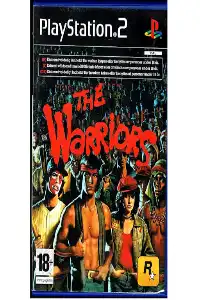
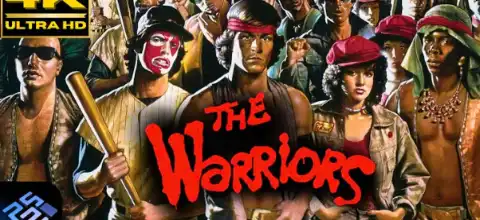

Download The Warriors PS2 ISO from our website and enjoy smooth gameplay on Android or iOS using the best emulator settings available.
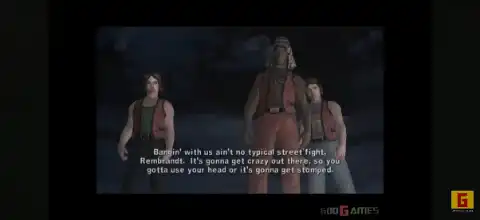
The Warriors PS2 for Android & iOS
Released by Rockstar Games in 2005, The Warriors is one of the best beat ’em up action games ever made for the PlayStation 2. Based on the cult-classic 1979 movie of the same name, the game expands the movie’s story with new missions, deeper character development, and exciting street gang combat. Even today, The Warriors remains one of the most enjoyable PS2 games to play through emulation on modern smartphones.
If you want to relive this classic on Android or iOS, here’s everything you need to know, including gameplay features, game modes, unlockables, the best AetherSX2 settings, and how to install the game.
The Warriors PS2 Gameplay
Unlike traditional fighting games, The Warriors combines open-area exploration with brutal hand-to-hand combat. Players control different members of the Warriors gang as they fight rival gangs across New York City.
Combat feels satisfying thanks to a wide variety of attacks, grabs, counters, environmental weapons, and team-based fighting mechanics. You can pick up bottles, bricks, pipes, baseball bats, knives, and many other objects to defeat enemies.
Besides fighting, missions include:
- Tagging walls with spray paint
- Robbing stores
- Breaking into shops
- Escaping police chases
- Completing gang objectives
- Recruiting teammates
- Destroying rival gang property
The game also features an excellent progression system where your gang becomes stronger as you complete missions and bonus objectives. According to the official game manual, players can revive teammates using Flash, play the full campaign cooperatively, and participate in multiplayer Rumble Mode with unlockable arenas and characters.
Game Modes
Story Mode
Story Mode follows the complete journey of The Warriors, beginning before the events of the movie and eventually covering the famous “Can You Dig It?” gathering before leading into the gang’s desperate journey back to Coney Island.
There are over 18 story chapters filled with action, exploration, and memorable boss battles.
Flashback Missions
As you progress through Story Mode, you’ll unlock special Flashback Missions that reveal how each Warrior joined the gang and provide additional gameplay challenges.
Rumble Mode
Rumble Mode is a fun multiplayer mode where you can battle against AI or another player in different arenas.
It includes several mini-game variations and allows you to use many unlockable characters, gangs, and custom teams.
Two-Player Co-op
One of the biggest highlights of The Warriors is its full cooperative campaign. A second player can join almost the entire Story Mode, making it one of the best local co-op experiences on PS2.
Unlockable Elements
The Warriors offers plenty of rewards for players who complete bonus objectives and optional missions.
Some unlockable content includes:
- Flashback Missions
- New Rumble Mode arenas
- Additional playable gang members
- Ghost character skins
- Bonus difficulty modes
- Extra weapons and equipment
- Increased Flash capacity
- Steel-toed boots
- Brass knuckles
- Special mini-games
- Hidden bonus characters
- Credits battle mini-game after completing the story
Many unlockables require achieving high scores, completing side missions, or finishing the game on higher difficulty settings.
Best AetherSX2 Settings for The Warriors
The Warriors runs very well on AetherSX2, especially on phones with Snapdragon processors.
Recommended settings:
System
- Fast Boot: ON
- Multi-Threaded VU: ON
- EE Cycle Rate: 100% (Default)
- EE Cycle Skip: 0 (Increase slightly only if needed)
Graphics
Renderer: Vulkan
Internal Resolution:
- 3x (High-end devices)
- 2x (Mid-range devices)
- Native/1x (Low-end devices)
- Bilinear Filtering: Bilinear (PS2)
- Anisotropic Filtering: 4x
- Texture Preloading: Full
- Hardware Download Mode: Disable per-game if you experience performance issues.
Audio
- Async Mix: ON
Controller
- Enable vibration if supported.
- Map a Bluetooth controller for the best experience.
If Vulkan causes graphical glitches on your device, switch to OpenGL. Lowering the internal resolution is usually the first and most effective way to improve performance on slower phones.
How to Download and Play The Warriors on Android
- Download The Warriors PS2 ISO from our website.
- Install the latest version of AetherSX2 on your Android device.
- Add your legally obtained PS2 BIOS file to AetherSX2 (required for PS2 emulation).
- Move the downloaded ISO into your PS2 Games folder.
- Open AetherSX2 and scan the folder containing the game.
- Apply the recommended settings listed above.
- Launch The Warriors and enjoy smooth gameplay.
How to Play The Warriors on iPhone & iPad
Playing PS2 games on iOS requires a compatible PS2 emulator like IPSX2 or ARMSX2.
Follow these steps:
- Download The Warriors PS2 ISO from our website.
- Install a compatible PS2 emulator available for your iPhone or iPad.
- Import PS2 BIOS if the emulator requires one.
- Import the game ISO into the emulator.
- Configure the graphics settings according to your device’s performance.
- Connect a Bluetooth controller (optional but recommended).
- Start the game and enjoy.
Final Thoughts
The Warriors remains one of Rockstar Games’ most underrated classics. Its cinematic story, satisfying combat, cooperative gameplay, memorable soundtrack, and numerous unlockables make it one of the best PS2 games ever released. Thanks to modern emulators like AetherSX2, you can now enjoy this legendary title on Android, while compatible PS2 emulators also make it possible to play on iOS devices.
If you’re planning to revisit this classic, simply download The Warriors PS2 ISO from our website, follow the installation steps above, apply the recommended emulator settings, and you’ll be ready to experience one of the greatest gang action games ever made.








