


Pilot legendary starfighters, master Force-enhanced space combat, unlock powerful ships, and experience epic Clone Wars battles on Android and iOS.
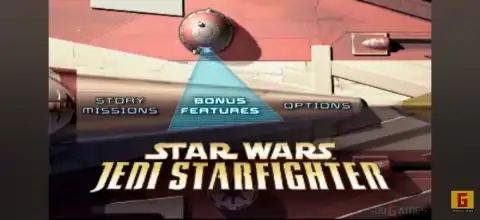
Star Wars Jedi Starfighter PS2 Overview
Star Wars Jedi Starfighter is one of the best space combat games ever released for the PlayStation 2. Developed by LucasArts, the game serves as a sequel to Star Wars: Starfighter and takes place just before and during the events of Star Wars: Episode II – Attack of the Clones. Players control powerful starfighters while battling Trade Federation droids, protecting allies, and completing high-speed aerial missions across iconic Star Wars locations.
Even today, the game remains a favorite among retro gamers thanks to its exciting dogfights, Force-enhanced gameplay, and challenging mission design. With modern PS2 emulators like AetherSX2 on Android and IPSX2/ArmSX2 on iOS, you can enjoy this classic on your smartphone with improved graphics and smooth performance.
Star Wars Jedi Starfighter Gameplay Features
Unlike traditional flight shooters, Jedi Starfighter combines fast-paced aerial combat with Force abilities, making every mission feel unique.
Some of the major gameplay features include:
- Fly a variety of Republic starfighters with different weapons and handling.
- Play as Jedi pilot Adi Gallia and mercenary Nym during the campaign.
- Use powerful Force abilities to slow enemy attacks, improve targeting, and gain an advantage in battle.
- Complete escort, rescue, bombing, reconnaissance, and large-scale space combat missions.
- Upgrade your flying skills by mastering advanced maneuvers like barrel rolls and evasive dodges.
- Face numerous enemy starfighters, capital ships, missile batteries, and droid forces.
- Enjoy cinematic missions inspired by the Clone Wars era.
- Experience split-screen multiplayer for local dogfights with friends.
The game offers responsive controls, impressive visual effects for its time, and memorable Star Wars music that perfectly complements every mission.
Game Modes
Star Wars Jedi Starfighter includes several enjoyable modes that extend replayability beyond the main story.
Story Mode
The primary campaign follows Adi Gallia and Nym through multiple missions leading into the Battle of Geonosis. Every mission features unique objectives, enemy formations, and memorable boss encounters.
Arcade / Mission Replay
Previously completed missions can be replayed to improve scores, earn better medals, and complete optional objectives.
Split-Screen Multiplayer
The PS2 version supports local two-player split-screen battles where players can compete in exciting starfighter dogfights.
Unlockable Elements
Star Wars Jedi Starfighter rewards skilled players with several unlockables by completing bonus objectives or earning Gold medals.
Some notable unlockables include:
- X-Wing
- TIE Fighter
- Republic Gunship
- Slave I
- Advanced Jedi Starfighter
- Advanced Havoc
- Advanced Zoomer
- Advanced Freefall
- Sabaoth Fighter
Many of these ships require completing specific bonus objectives or earning Gold medals in selected missions, giving players plenty of reasons to replay the campaign.
Best AetherSX2 Emulator Settings for Star Wars Jedi Starfighter (Android)
If you’re playing on Android, these settings provide an excellent balance between performance and visuals.
Graphics
- Renderer: Vulkan (Recommended)
- Hardware Download Mode: Disable Readbacks
- Upscale Multiplier: 2x (Mid-range devices) / 3x (Flagship devices)
- Texture Filtering: Bilinear
- Blending Accuracy: Basic
- V-Sync: Off
- Widescreen Patches: Optional
System
- EE Cycle Rate: 100%
- EE Cycle Skip: Normal (0)
- Multi-threaded VU1: Enabled
- Instant VU1: Enabled
- Fast Boot: Enabled
Audio
- Audio Latency: Low
- Time Stretching: Enabled
These settings work well on most Snapdragon 7-series, 8-series, Dimensity 8000+, and newer flagship processors while maintaining stable gameplay.
How to Download and Play Star Wars Jedi Starfighter on Android and iOS
Follow these steps to start playing the game on your mobile device:
- Download the Star Wars Jedi Starfighter PS2 ISO from our website.
- Extract the downloaded ISO file if it is compressed (.ZIP or .RAR).
- Install AetherSX2 if you’re using Android, or install IPSX2 or ArmSX2 if you’re using an iPhone or iPad.
- Download and import a legally obtained PS2 BIOS into your emulator.
- Open the emulator and scan or manually add the Star Wars Jedi Starfighter ISO.
- Apply the recommended emulator settings listed above for the best performance.
- Connect a Bluetooth controller for the best gameplay experience, or customize the on-screen controls.
- Launch the game and enjoy smooth PS2 gaming on your Android or iOS device.
Final Words
Star Wars Jedi Starfighter remains one of the finest arcade-style space combat games available on the PlayStation 2. Its exciting campaign, satisfying flight mechanics, Force-powered combat, and numerous unlockable starfighters make it highly replayable even years after its release.
Whether you’re revisiting this classic or experiencing it for the first time, modern emulators like AetherSX2, IPSX2, and ArmSX2 make it incredibly easy to enjoy Star Wars Jedi Starfighter on your smartphone with enhanced graphics and smooth performance.








