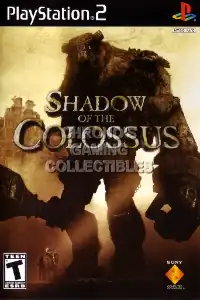
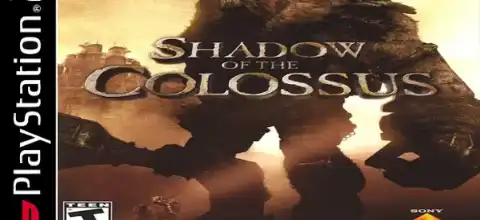

Shadow of the Colossus is a legendary PS2 game featuring giant boss battles and emotional exploration gameplay.
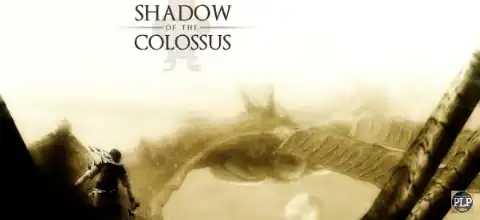
Shadow of the Colossus PS2 Overview
Few PlayStation 2 games have achieved legendary status quite like Shadow of the Colossus. Developed by Team Ico and published by Sony Computer Entertainment, this action-adventure masterpiece was released in 2005 and remains one of the most unique gaming experiences ever created. With its emotional story, massive boss battles, and breathtaking atmosphere, Shadow of the Colossus is still worth playing today, especially through PS2 emulation on modern Android devices.
Story Overview
The game follows a young warrior named Wander, who travels to a forbidden land carrying the body of a girl named Mono. Guided by a mysterious entity known as Dormin, Wander is told that Mono can be revived if he defeats sixteen gigantic beings known as Colossi. What follows is an unforgettable journey across a vast and lonely world filled with mystery and danger.
Unlike most action games, there are no towns, NPCs, or traditional enemies scattered throughout the map. The focus is entirely on exploring the world and defeating the colossal bosses.
Gameplay Features
Massive Colossus Battles
The sixteen enormous bosses in Shadow of the Colossus are the primary draw. Each Colossus is essentially a puzzle mixed with an action battle. Players must discover how to climb onto these towering creatures and locate their weak points to defeat them.
Exploration
The game’s open environments are surprisingly large for a PS2 title. Players ride Wander’s horse, Agro, across forests, deserts, ruins, lakes, and mountains while searching for the next Colossus.
Climbing System
One of the game’s most innovative mechanics is its climbing system. Wander can grab onto ledges, walls, and the Colossi themselves. A stamina meter determines how long he can hold on before falling.
Sword Guidance
Instead of using a map filled with markers, players use a magical sword that reflects sunlight. The beam points toward the location of the next Colossus, encouraging natural exploration.
Health and Stamina Growth
Defeating Colossi increases Wander’s maximum health. Collecting special fruits and defeating hidden lizards can also improve health and stamina, making later battles easier.
Game Modes
Normal Mode
This is the standard experience and the recommended way for first-time players to enjoy the story and learn the mechanics.
Hard Mode
Unlocked after completing the game once, Hard Mode increases the challenge by making Colossi stronger and introducing additional weak points on certain bosses.
Time Attack Mode
After defeating a Colossus, players can revisit battles through shrines and attempt Time Attack challenges. These challenges require defeating Colossi within strict time limits.
There are two versions:
Normal Time Attack
Hard Time Attack
Completing these challenges rewards players with powerful unlockable items.
Unlockable Elements
Shadow of the Colossus contains numerous unlockables that reward skilled players.
Unlockable Weapons and Items
By completing Time Attack challenges, players can earn:
- Flash Arrow
- Cloak of Force
- Cloak of Deception
- Whistling Arrow
- Mask of Strength
- Mask of Power
- Fruit Tree Map
- Lizard Detection Stone
- Harpoon of Thunder
- Queen’s Sword
New Costumes
Players can unlock alternate costumes for Wander, including:
- Brown Wander Costume
- White Wander Costume
These outfits provide cosmetic variety and additional replay value.
Secret Garden
One of the game’s most famous secrets is the Hidden Garden located high above the Shrine of Worship. It takes a lot of stamina to reach it, which is acquired via several playthroughs.
How to Install the HD Textures Pack on AetherSX2 / NetherSX2
Follow these steps to install the HD Texture Pack for Shadow of the Colossus PS2 (Europe) on AetherSX2 or NetherSX2.
Installation Guide
- Download the Shadow of the Colossus HD Texture Pack.
- Extract the downloaded ZIP, RAR, or 7Z file using any file extraction app.
- Locate the texture files inside the extracted folder.
- Open the following directory on your Android device:
Android/data/xyz.aethersx2.android/files/textures/
- Create a new folder using the game’s serial number if it does not already exist.
For the Europe version, use:
SCES-53326
- Inside the game ID folder, create a folder named:
replacements
- Copy all extracted texture files into the replacements folder.
Example Path:
Android/data/xyz.aethersx2.android/files/textures/SCES-53326/replacements/
- Launch AetherSX2 or NetherSX2.
- Go to Settings > Graphics > Texture Replacements.
- Enable Load Texture Replacements.
- Enable Async Texture Loading for improved performance.
- Restart the game.
The HD textures will now be loaded automatically when you start Shadow of the Colossus, providing enhanced visuals while preserving the original gameplay experience.
Best AetherSX2 Settings for Shadow of the Colossus
One of the hardest PS2 games to imitate is Shadow of the Colossus. For smoother gameplay on Android, try the following settings:
Graphics Settings
- Renderer: Vulkan (recommended)
- Upscaling: 1x or 2x Native
- Blending Accuracy: Basic
- Texture Preloading: Full
- Hardware Download Mode: Disable Readbacks
- Threaded Presentation: Enabled
System Settings
- EE Cycle Rate: 100% (Default)
- EE Cycle Skip: Mild Underclock (1)
- Multi-Threaded VU1: Enabled
- Fastmem: Enabled
Speed Hacks
- Instant VU1: Enabled
- MTVU: Enabled
- Fast CDVD: Enabled
Resolution Tips
- Low-end devices: 1x Native
- Mid-range devices: 2x Native
- High-end devices: 3x Native if performance allows
If you experience slowdowns during boss battles, lowering the internal resolution usually provides the biggest performance improvement.
How to Download & Play Shadow of the Colossus on Android
- Install AetherSX2: Download and install the latest version of AetherSX2 on your Android device.
- Obtain a PS2 BIOS: AetherSX2 requires a PlayStation 2 BIOS file. Utilize a BIOS that has been dumped from your own PS2.
- Get the Game ISO Game from our website.
- Load the Game: Open AetherSX2 and: Import your PS2 BIOS, Add the game ISO, Configure the recommended settings above.
- Launch the game and start playing.
How to Play on iPhone and iPad (iOS)
PS2 emulation on iOS is more limited than Android, but compatible emulators may be available depending on the iOS version and device.
Steps
- Install a PS2 emulator Like Play! Or IPSX2 available for your device.
- Import a PS2 BIOS.
- Load your Shadow of the Colossus ISO.
- Adjust the graphics settings according to the performance of your device.
- Launch the game and enjoy.
Keep in mind that Shadow of the Colossus is a demanding PS2 title, so newer iPhones and iPads generally provide the best experience.
Final Thoughts
Even decades after its release, Shadow of the Colossus remains one of the greatest PlayStation 2 games ever made. Its haunting atmosphere, unforgettable boss encounters, emotional storytelling, and innovative gameplay continue to influence modern game design. Whether you’re revisiting this classic or experiencing it for the first time through emulation, Shadow of the Colossus is a journey every gamer should experience at least once.