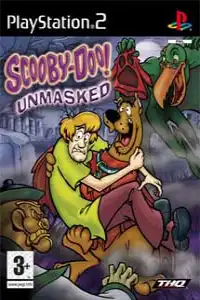


Scooby-Doo! Unmasked delivers fun platforming, costume-based abilities, puzzles, collectibles, and smooth PS2 emulation on modern devices.

Scooby-Doo! Unmasked PS2 Discription
If you’re a fan of classic Scooby-Doo games, Scooby-Doo! Unmasked for the PlayStation 2 is one of the most entertaining action-platformers from the PS2 era. Released in 2005 by THQ, the game follows Scooby and the Mystery Inc. gang as they investigate mysterious monster attacks at a movie monster studio. Packed with colorful levels, fun platforming, puzzle-solving, and costume-based abilities, it remains a favorite among retro gamers.
Whether you’re playing it on your original PS2 or emulating it on Android or iPhone, here’s everything you need to know.
Gameplay Features
Scooby-Doo! Unmasked is a 3D action-platformer where you control Scooby through multiple themed levels while collecting clues, solving puzzles, defeating enemies, and uncovering the mystery behind the fake movie monsters.
Unlike many platformers, the game focuses on exploration and progression instead of simply reaching the end of each level. You’ll revisit previous locations after unlocking new abilities, making exploration rewarding.
Some of the main gameplay features include:
- Fun 3D platforming with jumping, climbing, and puzzle-solving.
- Costume-based gameplay that grants Scooby special powers.
- Collectible clues for Velma to help solve mysteries.
- Scooby Snack collection for restoring health.
- Ingredient collection for Shaggy’s recipes, which rewards health upgrades.
- Various boss battles based on famous movie monsters.
- Multiple themed environments including movie sets, Chinatown, amusement parks, museums, and more.
Game Modes
Although Scooby-Doo! Unmasked doesn’t include multiplayer modes, it offers enough replay value through exploration and collectibles.
Story Mode
The main campaign follows Scooby and the gang as they investigate mysterious monster attacks. Each level introduces new puzzles, enemies, bosses, and unlockable abilities.
Exploration
Several areas become accessible only after unlocking specific costumes. Replay earlier levels to uncover hidden collectibles, secret areas, and missed items.
Extras Menu
As you progress through the game, you’ll unlock bonus content that can be viewed from the Extras menu, including:
- Monster Profiles
- Concept Art
- Credits
- Promotional Trailer
- Costume Powers
One of the game’s most unique mechanics is Scooby’s costumes. Each costume grants a special ability required to progress through different stages.
Popular costumes include:
- Kung Fu Scooby – Powerful melee attacks.
- Robin Hood Scooby – Fires plungers using a bow.
- Bat Scooby – Glide across large gaps.
- Additional costumes are unlocked naturally while progressing through the story.
Unlockable Elements
Scooby-Doo! Unmasked rewards players who fully explore every level.
Unlockables include:
- Monster Profiles
- Bonus Concept Art
- Extra Gallery Content
- Health Medal upgrades
- New costumes
- Hidden ingredients
- Collectible clues
- Previously inaccessible areas after unlocking new abilities
There is also a gameplay cheat that awards 100 extra Mubber, the in-game currency used for costumes and ingredients.
Best AetherSX2 Settings for Scooby-Doo! Unmasked
Scooby-Doo! Unmasked is one of the easier PS2 games to emulate, and even mid-range Android phones can run it smoothly with the right settings.
Use these recommended AetherSX2 settings:
- CPU Preset: Safe or Normal
- EE Cycle Rate: 100% (Default)
- EE Cycle Skip: Normal (0)
- Renderer: Vulkan (Recommended) or OpenGL if Vulkan has issues
- Internal Resolution: 2x (1080p) for mid-range devices, 3x–4x for flagship phones
- Texture Filtering: Bilinear (PS2)
- Blending Accuracy: Basic
- V-Sync: Off
- Hardware Download Mode: Disable Readbacks
- Threaded Presentation: Enabled
- Multi-Threaded VU1: Enabled
- Fast Boot: Enabled
- Frame Limit: 100%
- Widescreen Patches: Optional
- Texture Preloading: Full (if enough RAM is available)
These settings provide stable performance with minimal graphical glitches on most Snapdragon, Dimensity, and Tensor-powered Android devices.
How to Download and Play Scooby-Doo! Unmasked on Android & iOS
- Download the Scooby-Doo! Unmasked PS2 ISO from our website.
- On Android, install the latest AetherSX2 emulator.
- On iPhone or iPad, install either IPSX2 or ArmSX2.
- Extract the game ISO if it’s compressed in a ZIP, RAR, or 7Z file.
- Launch your emulator and complete the initial setup.
- Add a compatible PS2 BIOS to complete the emulator setup.
- Scan or browse to the folder where you saved the Scooby-Doo! Unmasked ISO.
- Select the game from your library.
- Apply the recommended emulator settings listed above for the best performance.
- Connect a Bluetooth controller if desired, or customize the on-screen controls.
- Save your progress using both in-game save files and emulator save states for added convenience.
- Enjoy playing Scooby-Doo! Enjoy Scooby-Doo! Unmasked on your Android or iPhone with smooth gameplay, enhanced visuals, and the flexibility of playing anywhere.








