


Resident Evil 4 PS2 ISO delivers thrilling survival horror gameplay, smooth Android emulation, exclusive content, and unforgettable action-packed adventures.
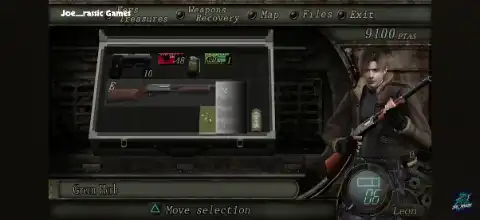
About Resident Evil 4 (Biohazard 4) PS2 PT-BR
Resident Evil 4 (Biohazard 4) PT-BR remains one of the greatest survival horror games ever created. This version features Brazilian Portuguese translation, making the story, menus, subtitles, and in-game content more accessible to Portuguese-speaking players. Originally released for the Nintendo GameCube in 2005 and later ported to PlayStation 2, the game became one of the most popular PS2 titles among emulator users. The PS2 release includes the exclusive “Separate Ways” campaign starring Ada Wong, along with additional weapons and unlockable content, giving players even more reasons to revisit Leon Kennedy’s terrifying mission in a fully localized PT-BR experience.
In Resident Evil 4, players control Leon S. Kennedy, a government agent sent to rescue the President’s daughter, Ashley Graham, from a mysterious cult operating in rural Spain. Unlike previous Resident Evil games, Resident Evil 4 focuses heavily on action-oriented gameplay, featuring an over-the-shoulder camera, dynamic combat mechanics, weapon upgrades, and intense encounters against hordes of infected villagers known as Los Ganados. The game’s innovative gameplay revolutionized the survival horror genre and influenced countless modern third-person shooters.
The PlayStation 2 version remains highly popular among Android gamers because it is relatively easy to emulate and contains bonus content unavailable in the original GameCube release. Although the PS2 edition has slightly reduced graphical effects and lower-quality textures compared to the GameCube version, it offers excellent gameplay and additional story content that many fans still enjoy today.
Features of Resident Evil 4 PS2 Portuguese
- Classic survival horror experience with action-packed combat.
- Play as Leon S. Kennedy on a mission to rescue Ashley Graham.
- Large variety of weapons and upgrade options.
- Merchant system for buying and upgrading equipment.
- Multiple game modes including Mercenaries.
- Exclusive “Separate Ways” campaign featuring Ada Wong.
- Unlockable costumes, weapons, and bonus content.
- Fully compatible with popular Android PS2 emulators.
Best AetherSX2 / NetherSX2 Settings for Resident Evil 4
If you are playing Resident Evil 4 PS2 ISO on Android, the following settings provide a good balance between performance and visual quality.
Graphics Settings
Renderer: Vulkan (Recommended)
Internal Resolution:
- Low-End Device: 1x Native
- Mid-Range Device: 2x Native
- High-End Device: 3x–4x Native
Texture Filtering: Bilinear (PS2)
- Blending Accuracy: Basic
- Anisotropic Filtering: 2x or 4x
- Threaded Presentation: Enabled
- GPU Palette Conversion: Enabled
System Settings
- EE Cycle Rate: 100%
- EE Cycle Skip: Normal (0)
- Multi-Threaded VU1: Enabled
- Instant VU1: Enabled
- Fast Boot: Enabled
Performance Tweaks
- Enable Frame Limiter.
- Disable Hardware Download Mode if graphical issues appear.
- Enable Host VSync only if screen tearing occurs.
- Use Vulkan renderer for better FPS on most devices.
These settings usually allow the game to run smoothly at full speed on most modern Android smartphones with Snapdragon, MediaTek Dimensity, or equivalent processors.
Android PS2 Emulator Installation Guide
Follow these simple steps to play Resident Evil 4 PS2 ISO on your Android device:
Install a PS2 Emulator
Download and install a PS2 emulator such as:
- AetherSX2
- NetherSX2
Obtain PS2 BIOS
The emulator requires a PlayStation 2 BIOS file. Use a BIOS dumped from your own PS2 console according to your local laws.
Add the BIOS
- Open the emulator.
- Select the BIOS setup option.
- Locate and import the BIOS file.
- Complete the initial configuration.
Add Resident Evil 4 PS2 ISO
- Copy the Resident Evil 4 ISO file to your device storage.
- Open the emulator.
- Scan or select the folder containing the ISO.
- The game should appear in your library automatically.
Configure Controls
You can use:
- On-screen touch controls.
- Bluetooth gamepads.
- USB controllers via OTG.
For the best experience, a Bluetooth controller is highly recommended.
Apply Recommended Settings
Use the performance settings listed above, save the configuration, and launch the game.
Gameplay Tips for Beginners
- Upgrade your handgun early for better damage output.
- Shoot enemies in the legs or head to create melee opportunities.
- Collect treasures and sell them to the Merchant for extra Pesetas.
- Save ammunition by using the knife whenever possible.
- Keep Ashley safe during escort sections.
- Upgrade inventory space whenever available.
- Save frequently at typewriters.
Final Thoughts
Resident Evil 4 (Biohazard 4) for PlayStation 2 remains one of the finest action-horror games ever released. Its thrilling storyline, memorable characters, weapon upgrade system, and exclusive PS2 content make it a fantastic choice for Android emulation. With the right AetherSX2 or NetherSX2 settings, most modern Android devices can run the game smoothly at playable frame rates. Whether you are revisiting this classic or experiencing it for the first time, Resident Evil 4 delivers an unforgettable survival horror adventure that still holds up remarkably well today.