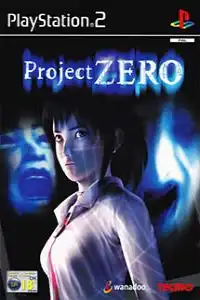

Project Zero (Undub) Widescreen + Fixes delivers authentic horror with enhanced visuals, Japanese voices, and modern emulator compatibility.
Project Zero (Undub) Widescreen + Fixes PS2 Discription
Project Zero (Undub) Widescreen + Fixes is the definitive way to experience the original PlayStation 2 classic, known as Fatal Frame in North America. This fan-enhanced version restores the original Japanese voice acting while keeping the English text and subtitles, giving players a more authentic horror experience. Alongside the undub, this release also includes several visual improvements, widescreen support, gameplay fixes, and quality-of-life enhancements that make the game more enjoyable on modern emulators. The project is based on the European version of the game with Japanese audio, English subtitles, optional 16:9 support, and several community-developed fixes.
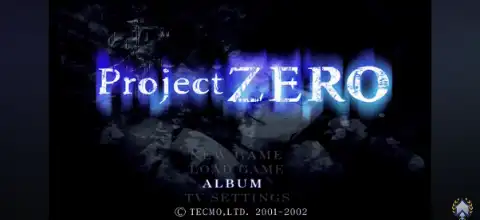
Unlike the original release, this edition features true in-game 16:9 widescreen rendering instead of a stretched image. It also removes bloom, noise, and dark filters for a cleaner presentation while preserving the game’s terrifying atmosphere. Additional improvements include restored language selection at startup, Japanese title screen, optional Japanese character models, and bug fixes for known issues.
Game Modes
Although Project Zero focuses primarily on a single-player experience, it offers multiple gameplay challenges that encourage replayability.
Story Mode
Play as Miku Hinasaki, a young girl searching for her missing brother inside the haunted Himuro Mansion. The mansion is filled with restless spirits, hidden documents, environmental puzzles, and disturbing supernatural events that slowly reveal the mansion’s tragic history.
Difficulty Levels
After completing the game, higher difficulty settings become available. Harder modes feature stronger ghosts, reduced healing opportunities, and require more strategic use of your camera abilities.
Replay Challenge
Players are encouraged to replay the game to obtain better rankings, photograph every ghost, discover hidden files, and unlock additional rewards.
Gameplay Features
Project Zero stands apart from traditional survival horror games thanks to its unique combat system.
- Camera Obscura Combat: Instead of guns or swords, you defeat ghosts using a mystical camera capable of sealing spirits.
- Upgradeable Camera: Earn Spirit Points to improve camera power, charging speed, and special functions.
- Special Camera Lenses: Unlock powerful abilities that can freeze, slow, or deal heavy damage to supernatural enemies.
- Puzzle Solving: Explore locked rooms, collect keys, decipher journals, and solve environmental mysteries.
- Resource Management: Carefully manage healing items, film types, and upgrade points throughout the adventure.
- Ghost List: Photograph wandering spirits and hidden ghosts to complete your collection and earn bonus points.
Unlockable Elements
Project Zero rewards dedicated players with several unlockables after completing the game.
- Higher difficulty modes
- Bonus costumes for Miku
- Additional camera functions and lenses
- Hidden ghost photographs
- Gallery content
- Completion rankings based on overall performance
These unlockables encourage multiple playthroughs while revealing additional secrets hidden throughout Himuro Mansion.
Best AetherSX2 Settings for Android
For smooth gameplay on most modern Android devices, use the following AetherSX2 settings:
- Renderer: Vulkan (recommended) or OpenGL if Vulkan causes issues
- Internal Resolution: 2x Native (1080p) for mid-range devices, 3x Native for flagship phones
- Aspect Ratio: 16:9
- Enable Widescreen Patches: Off (already included in this patched version)
- Hardware Download Mode: Disable Readbacks
- Texture Preloading: Full
- Blending Accuracy: Basic
- Multi-threaded VU1: Enabled
- Instant VU1: Enabled
- EE Cycle Rate: 100%
- EE Cycle Skip: Normal
- Fast Boot: Enabled
- Frame Limit: 100%
- VSync: Disabled
- Texture Filtering: Bilinear (PS2)
These settings provide excellent performance while maintaining stable visuals during gameplay.
How to Download and Play Project Zero (Undub) Widescreen + Fixes PS2 on Android and iOS
- Download the Project Zero (Undub) Widescreen + Fixes PS2 ISO from our website.
- On Android, install the latest version of AetherSX2.
- On iPhone or iPad, install iPSX2 or ArmSX2.
- Launch your emulator and complete the initial setup, including the required PS2 BIOS if you already own one.
- Locate the downloaded Project Zero ISO file using the emulator’s game directory.
- Refresh your game library if the title does not appear automatically.
- Tap the game icon to launch Project Zero.
- For Android users, apply the recommended AetherSX2 settings above for the best balance between graphics and performance.
- Connect a Bluetooth controller if you prefer console-style controls, although touchscreen controls also work well.
- Save your progress using both the in-game save system and emulator save states for extra convenience.
- Enjoy the definitive version of Project Zero with Japanese voice acting, widescreen support, gameplay fixes, and enhanced visuals on your Android or iOS device.
Final Words
Project Zero (Undub) Widescreen + Fixes is widely considered the best way to experience the original PS2 horror masterpiece. With authentic Japanese voice acting, English subtitles, true widescreen gameplay, improved visuals, bug fixes, and better compatibility with modern emulators, it delivers the most complete version of one of the greatest survival horror games ever made. Whether you’re revisiting Himuro Mansion or playing for the first time, this enhanced release offers the definitive way to experience the terrifying journey.








