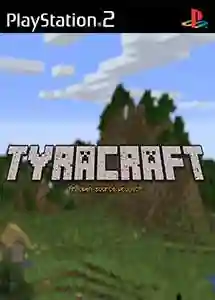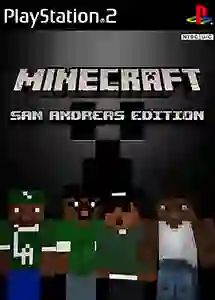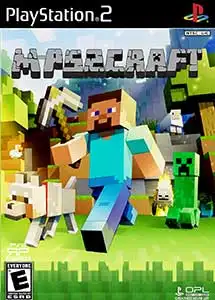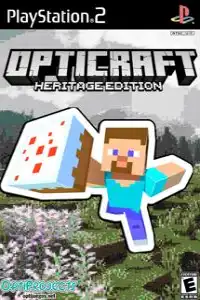

OptiCraft Heritage Edition brings the classic Minecraft experience to PS2 with smooth gameplay, crafting, exploration, and creativity.
OptiCraft Heritage Edition (Minecraft) PS2 Discription
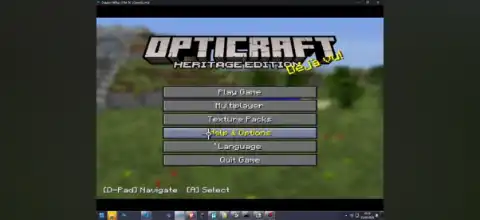
Minecraft never officially arrived on the PlayStation 2, but thanks to the incredible work of the fan development community, OptiCraft Heritage Edition makes that dream a reality. This unofficial PS2 port recreates the classic Minecraft experience while introducing a Legacy Console-inspired interface, making it feel similar to the beloved PlayStation 3 and Xbox 360 editions.
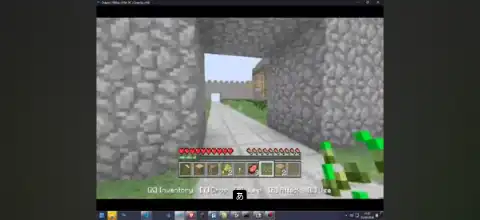
Built specifically for the PlayStation 2 hardware, OptiCraft Heritage Edition is heavily optimized to run on one of the best-selling consoles of all time. Although it doesn’t include every modern Minecraft feature, it delivers an impressive sandbox experience with crafting, mining, exploration, and building on hardware that was never designed to run Minecraft. The project is based on an early Minecraft codebase and continues to receive community improvements, including better performance, enhanced UI, and additional gameplay features.
Game Modes
OptiCraft Heritage Edition includes the two classic Minecraft game modes that players know and love.
Survival Mode
Survival Mode is where players gather resources, craft tools, mine valuable ores, build shelters, and survive against hostile creatures. Managing health and resources is an important part of gameplay, making exploration both rewarding and challenging.
Creative Mode
Creative Mode removes survival limitations by giving players access to unlimited blocks. You can freely construct houses, castles, cities, pixel art, or any other creations without worrying about gathering resources or fighting enemies.
Some experimental builds also include split-screen multiplayer support and prototype online functionality, although these features are still under development and may not work perfectly.
Gameplay Features
OptiCraft Heritage Edition successfully recreates many classic Minecraft mechanics despite the limitations of the PlayStation 2.
Some of its major gameplay features include:
- Randomly generated worlds
- Mining and block placement
- Crafting system
- Day and night cycle
- Survival and Creative modes
- Multiple biomes
- Trees, caves, water and lava generation
- Animals and hostile mobs
- Inventory management
- Save world support
- Legacy Console inspired menus and interface
- Smooth lighting improvements
- Adjustable chunk rendering distance
- Local split-screen support (newer versions)
- Experimental online multiplayer in recent builds
The game continues to evolve with frequent updates from its developer, improving stability, performance, and visual quality.
Unlockable Elements
Unlike modern Minecraft console editions, OptiCraft Heritage Edition does not feature achievements, trophies, character unlocks, or progression-based rewards.
Instead, progression comes naturally through gameplay:
- Unlock stronger tools by gathering better materials.
- Discover rare resources while mining.
- Build larger and more advanced structures.
- Explore newly generated areas.
- Expand your world through creativity and survival progression.
The experience focuses on classic sandbox gameplay rather than unlockable cosmetic content.
Best AetherSX2 Settings for OptiCraft Heritage Edition
Since OptiCraft Heritage Edition is lightweight compared to most PS2 games, even mid-range Android phones can achieve excellent performance with the right emulator settings.
Recommended AetherSX2 settings:
- CPU Preset: Normal or Fast
- EE Cycle Rate: 100%
- EE Cycle Skip: Normal (0)
- Renderer: Vulkan (Recommended)
- OpenGL: Use only if Vulkan causes issues
- Internal Resolution: 2x Native (1080p devices) or 1x Native for lower-end phones
- Texture Filtering: Bilinear
- Blending Accuracy: Basic
- Hardware Download Mode: Disable Readbacks
- VSync: Off
- Frame Limit: 100%
- Multi-threaded VU1: Enabled
- Fast Texture Invalidation: Enabled
- Instant VU1: Enabled
- Host Display Refresh Rate: Enabled
These settings generally provide a stable 60 FPS experience on modern Snapdragon, MediaTek Dimensity, and Tensor-powered Android devices.
Download the OptiCraft Heritage Edition PS2 ISO from our website.
Follow these steps to start playing OptiCraft Heritage Edition on your mobile device:
- Download the OptiCraft Heritage Edition PS2 ISO directly from our website.
- Install the appropriate PS2 emulator:
- Android: AetherSX2
- iPhone/iPad (iOS): iPSX2 or ArmSX2
- Launch the emulator and complete the initial setup, including adding your PS2 BIOS if required.
- Import the OptiCraft Heritage Edition ISO into your PS2 emulator.
- Adjust the emulator settings for the best performance.
- Pair a Bluetooth controller if you prefer physical controls (optional).
- Launch the game, create your world, and start your adventure.
That’s all! Within a few minutes you’ll be exploring, mining, crafting, and building in one of the most impressive fan-made PS2 projects ever created.