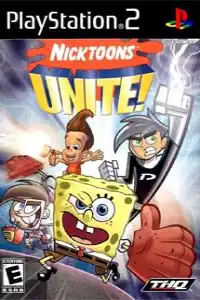

Nicktoons Unite! PS2’s adventure features iconic heroes, exciting gameplay, unlockables, and smooth mobile emulation settings.
Nicktoons Unite! Ps2 Discription
The story follows the heroes as they team up to stop the Evil Syndicate and prevent the activation of the dangerous Doomsday device. Players explore locations inspired by the Nicktoons universe, including areas based on Bikini Bottom, Retroville, Dimmsdale, and Amity Park. The PS2 version features more than 15 levels, allowing players to experience different environments while switching between their favorite characters.
Nicktoons Unite! PS2 Game Modes and Gameplay Features
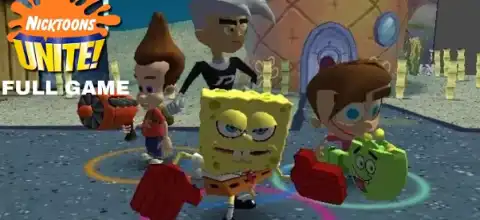
The main attraction of Nicktoons Unite! is its action-platforming gameplay with multiple playable heroes. Players can control SpongeBob, Jimmy Neutron, Timmy Turner, or Danny Phantom, with each character having unique abilities that help during exploration and combat. The game encourages teamwork because certain puzzles and challenges require the special skills of specific characters.
The gameplay is divided into several key elements:
Character Switching System
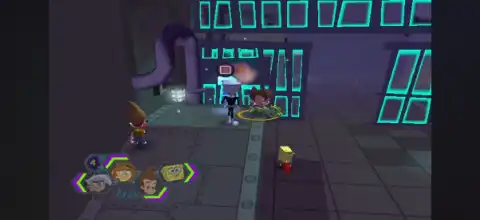
Players can switch between the four Nicktoons heroes during missions. Each character has different attacks and abilities, making it important to choose the right hero for different situations.
Combat System
The game includes real-time battles against enemies controlled by the Evil Syndicate. Players use character-specific attacks, combos, and special powers to defeat enemies and progress through levels.
Puzzle Solving
Many areas require players to use character abilities to unlock paths, activate machines, or overcome obstacles. Jimmy’s inventions, Danny’s ghost powers, Timmy’s magical abilities, and SpongeBob’s unique skills all play an important role.
Upgradeable Gadgets and Powers:
Throughout the adventure, players can collect upgrades that improve their abilities. The game features more than 16 upgradeable gadgets and powers, adding progression to the gameplay.
Cooperative Gameplay
The console versions support multiplayer cooperation, allowing multiple players to enjoy the Nicktoons adventure together.
Unlockable Elements in Nicktoons Unite! PS2
Nicktoons Unite! includes several unlockable bonuses that reward players who explore the game and use Nickelodeon cross-save features. These extras include character skins, a cheats menu, and a concept art gallery.
The main unlockable content includes:
- Character Skins: Unlocked through supported Nickelodeon cross-save data.
- Cheats Menu: Available after having multiple compatible Nickelodeon game save files.
- Concept Art Gallery: Unlocked through additional cross-save bonuses.
- Alternate Character Skins: Some bonus skins can be unlocked using compatible game saves such as SpongeBob SquarePants: Lights, Camera, Pants!
These extras provide additional replay value after completing the main adventure.
Best AetherSX2 Settings to Run Nicktoons Unite! Smoothly on Android
Nicktoons Unite! runs well on most modern Android devices using the AetherSX2 PS2 emulator. For the best balance between performance and graphics quality, try these settings:
Graphics Settings
- Renderer: Vulkan (recommended)
- Resolution: 2x Native for mid-range devices
- Resolution: 3x–4x Native for high-end phones
- Texture Filtering: Bilinear (PS2)
- Anisotropic Filtering: 2x or 4x
- Enable Widescreen Patches: Optional
System Settings
- Enable Multi-Threaded VU1: ON
- Enable Instant VU1: ON
- EE Cycle Rate: 100%
- EE Cycle Skip: Mild (only if you experience slowdowns)
Performance Tips
- Close background apps before launching the emulator.
- Use Vulkan if OpenGL gives frame drops.
- Keep the game running at the original 60 FPS speed.
- Avoid increasing resolution too much on budget devices.
If you notice graphical glitches, return the resolution to 1x or 2x Native and disable extra enhancement options.
How to Download and Play Nicktoons Unite! PS2 on Android and iOS
- Get a legally owned copy or backup of the Nicktoons Unite! PS2 game disc and create a PS2 ISO file for personal emulation use.
- For Android devices, install the AetherSX2 emulator and complete the initial setup process.
- Move your legally obtained PS2 ISO file to your Android storage and scan the folder inside AetherSX2.
- Open AetherSX2, select Nicktoons Unite!, and adjust the graphics settings according to your phone’s performance.
- For iOS devices, install a compatible PS2 emulator such as IPSX2 or ArmSX2 (where available), then complete the emulator setup.
- Transfer your legally obtained PS2 game backup to your iPhone or iPad storage using a supported file transfer method.
- Open IPSX2/ArmSX2, locate the game file, configure controls, and start playing Nicktoons Unite! on iOS.
- Use a Bluetooth controller for the best experience, as PS2 action games usually feel better with physical controls.
Nicktoons Unite! remains a fun PS2 classic because of its unique combination of Nickelodeon characters, teamwork mechanics, and colorful 3D adventure gameplay. With proper emulator settings, Android and iOS users can enjoy this nostalgic crossover with smoother performance and improved visuals compared to the original console experience.








