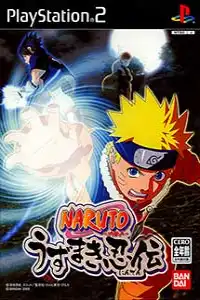


Naruto Uzumaki Ninden (English Patched) delivers action-packed ninja battles, engaging missions, smooth PS2 emulation, and classic gameplay.
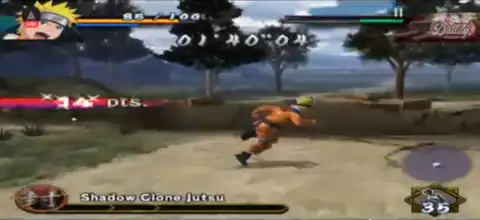
Naruto Uzumaki Ninden (English Patched) PS2 Discription
If you’re a Naruto fan looking for a classic PlayStation 2 experience, Naruto Uzumaki Ninden (English Patched) is one of the best action-adventure games you can play today on your smartphone using a PS2 emulator. Originally released in Japan as Naruto: Uzumaki Ninden and later localized as Naruto: Uzumaki Chronicles, the English-patched version lets players enjoy the original game without the language barrier.
Unlike traditional Naruto fighting games, this title focuses on story-driven missions, exploration, and real-time combat. You’ll control Naruto through various missions, battle enemy ninjas, complete objectives, and unlock new content as you progress.
Game Modes
Story Mode
Story Mode is the heart of the game. You follow Naruto through an original storyline filled with battles, exploration, and missions inspired by the Naruto universe. You’ll travel across different locations, defeat powerful enemies, and complete objectives to advance the story.
Mission Mode
Besides the main story, the game includes optional missions that reward players with useful items, upgrades, and additional gameplay content. Completing these missions is also a great way to level up and prepare for tougher battles later in the game.
Free Exploration
Unlike arena-based Naruto games, Uzumaki Ninden allows players to freely explore villages, forests, caves, and various mission areas. Hidden paths and collectible items encourage exploration throughout the game.
Gameplay Features
Naruto Uzumaki Ninden combines beat-’em-up combat with RPG-style progression. Instead of one-on-one matches, players fight multiple enemies in real-time environments.
Key gameplay features include:
- Fast-paced hack-and-slash combat.
- Perform Naruto’s signature jutsu including the Shadow Clone Jutsu and Rasengan.
- Collect skill chips and customize Naruto’s abilities through the Skill Plate system.
- Unlock stronger attacks and passive abilities.
- Use various ninja tools such as Kunai, Shuriken, Fire Bombs, and healing items.
- Explore large stages instead of fighting inside small arenas.
- Battle giant bosses and elite enemy ninjas.
- Call support characters during specific missions.
- Smooth progression with equipment and ability upgrades.
The game delivers a completely different experience from the Ultimate Ninja series by focusing more on action-adventure gameplay than competitive fighting.
Unlockable Elements
As you progress through the game, several bonuses become available.
Unlockable content includes:
- Boss Battle mode after completing the game.
- Kakashi as a support character.
- Gaara as a support character.
- New Shuriken attack pattern.
- Additional story intermission scenes by replaying the game using cleared save data.
These unlockables add replay value even after finishing the main story.
Best AetherSX2 Settings for Naruto Uzumaki Ninden
Naruto Uzumaki Ninden runs very well on most modern Android devices using AetherSX2.
Use these settings for the best balance of performance and graphics:
- BIOS: USA or Japan PS2 BIOS
- Graphics Renderer: Vulkan (Recommended)
- OpenGL: Use only if Vulkan causes issues
- Internal Resolution: 2x (720p)
- Blending Accuracy: Basic
- Texture Filtering: Bilinear (PS2)
- Hardware Download Mode: Disable Readbacks
- Multi-threaded VU1: Enabled
- Instant VU1: Enabled
- EE Cycle Rate: 100%
- EE Cycle Skip: Normal
- Fast Boot: Enabled
- Frame Limit: 100%
- Audio Latency: Low
Recommended Device Specifications
- Snapdragon 860 or higher
- Dimensity 8100 or better
- 6GB+ RAM
- Android 11 or newer
On flagship phones, you can comfortably increase the resolution to 3x or even 4x for sharper visuals without sacrificing performance.
How to Download and Play Naruto Uzumaki Ninden on Android & iOS
- Download the Naruto Uzumaki Ninden (English Patched) PS2 ISO from our website.
- Extract the downloaded ZIP or RAR file if the game is compressed.
- Install AetherSX2 if you’re using Android.
- Install IPSX2 or ArmSX2 if you’re using iPhone or iPad.
- Add your PlayStation 2 BIOS to the emulator (required only during initial setup).
- Open the emulator and scan or locate the extracted ISO file.
- Select the Naruto Uzumaki Ninden ISO from your game library.
- Apply the recommended emulator settings listed above for smoother gameplay.
- Connect a Bluetooth controller (optional) for the best gaming experience.
- Tap Play and enjoy Naruto Uzumaki Ninden (English Patched) on your Android or iOS device.
Final Words
Naruto Uzumaki Ninden (English Patched) remains one of the most enjoyable Naruto games available for the PlayStation 2. Its action-adventure gameplay, engaging story, RPG progression, and satisfying combat make it stand out from traditional Naruto fighting games. Thanks to modern PS2 emulators like AetherSX2 on Android and IPSX2/ArmSX2 on iOS, you can now experience this classic game smoothly on your smartphone. Simply download the English-patched ISO from our website, configure your emulator with the recommended settings, and relive Naruto’s early ninja adventures anytime, anywhere.








