
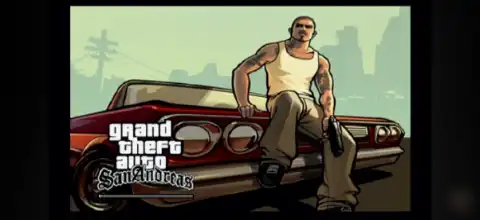

Experience GTA San Andreas Beta Edition PS2 with restored beta content, smooth emulator performance, and easy Android/iOS installation.
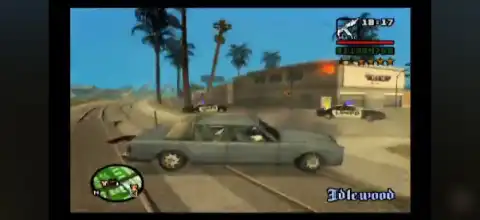
GTA San Andreas Beta Edition PS2 Discription
If you’ve ever wondered what Grand Theft Auto: San Andreas looked like before its official release, GTA San Andreas Beta Edition PS2 is the perfect way to experience Rockstar’s original vision. This fan-made modification recreates many of the early beta elements that were removed from the final PlayStation 2 release, including restored character models, vehicles, textures, sounds, and environmental changes. Rather than changing the original storyline, the mod focuses on bringing back the game’s early development atmosphere while keeping the classic missions fully playable.
Whether you’re a longtime GTA fan or simply want to try something different, this version offers a nostalgic experience with dozens of visual and gameplay improvements inspired by the beta builds.
Game Modes
Although GTA San Andreas Beta Edition is a modified version of the original PS2 game, it retains all of the classic gameplay modes.
- Story Mode – Play through Carl Johnson’s complete journey with beta-inspired characters, vehicles, and environments.
- Free Roam – Explore the massive open world of Los Santos, San Fierro, and Las Venturas without restrictions.
- Side Activities – Enjoy taxi missions, vigilante missions, races, gyms, gambling, property purchasing, and various mini-games from the original release.
Since this is a visual and content restoration mod rather than a total conversion, the original mission progression remains unchanged.
Gameplay Features
One of the biggest attractions of GTA San Andreas Beta Edition is its extensive list of restored beta content. Based on the mod version, you may find:
- Beta character models and alternate outfits
- Restored beta vehicles and modified vehicle colors
- New pedestrian appearances
- Early weapon icons and improved sound effects
- Restored beta clothing items
- Updated lighting and PS2-style atmosphere
- Modified city layouts and environmental details
- Beta-style radar, menus, and UI elements (in supported versions)
- Restored radio content and audio improvements
- Various texture upgrades inspired by pre-release screenshots
- Improved beta animations and visual effects
- Full compatibility with the original story missions
The result is a version of San Andreas that feels both familiar and refreshingly different, closely matching Rockstar’s early promotional material.
Unlockable Elements
Because GTA San Andreas Beta Edition follows the original game’s progression, players can still unlock most of the classic rewards, including:
- New cities as you progress through Story Mode
- Safehouses across San Andreas
- Weapon unlocks
- Vehicle access
- Properties and businesses
- Special outfits earned through gameplay
- Mission rewards and collectibles
The mod itself doesn’t introduce a completely new unlock system, but many beta-themed vehicles, outfits, and visual assets are available throughout the game.
Best AetherSX2 Emulator Settings for Android
For smooth gameplay on Android devices, use the following recommended AetherSX2 settings:
- CPU Preset: Safe (or Normal for high-end devices)
- EE Cycle Rate: 100%
- EE Cycle Skip: Normal (0)
- Renderer: Vulkan (recommended) or OpenGL if Vulkan causes issues
- Internal Resolution: 2x Native (1080p) for mid/high-end devices, 1x Native for low-end phones
- Texture Filtering: Bilinear (PS2)
- Blending Accuracy: Basic
- Anisotropic Filtering: 4x
- V-Sync: Disabled
- Hardware Download Mode: Disable Readbacks
- Multi-Threaded VU1: Enabled
- Fast Boot: Enabled
- Frame Limiter: 100%
- Enable Widescreen Patches: Optional
- Enable Instant VU1: Enabled (if stable)
These settings deliver smooth gameplay with balanced graphics on most Android devices.
How to Download and Play GTA San Andreas Beta Edition PS2 on Android & iPhone (iOS)
- Download the GTA San Andreas Beta Edition PS2 ISO from our website.
- Android: Install AetherSX2.
- iPhone/iPad: Install IPSX2 or ArmSX2.
- Launch the emulator after installation.
- Grant the required storage permissions.
- Locate the downloaded GTA San Andreas Beta Edition ISO file.
- Tap the ISO to add it to your emulator’s game library.
- (Optional) Configure your graphics settings for better performance.
- Connect a Bluetooth controller or use the emulator’s touch controls.
- Start the game and enjoy GTA San Andreas Beta Edition on your Android or iOS device.
Final Words
GTA San Andreas Beta Edition PS2 is one of the best ways to experience the classic Rockstar masterpiece from a completely different perspective. While the story remains unchanged, the restored beta assets, improved atmosphere, alternate character models, vehicles, and visual enhancements make it feel like an entirely fresh adventure. If you’re a fan of GTA history or simply want to revisit San Andreas with a new look, this beta edition is definitely worth trying.








