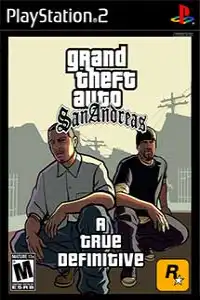
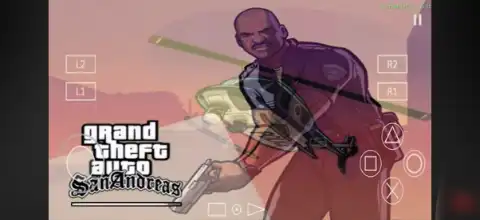

GTA San Andreas A True Definitive PS2 brings enhanced visuals, smoother gameplay, classic missions, and immersive open-world adventure.

GTA San Andreas A True Definitive PS2 Discription
If you’re looking for the ultimate way to experience the original GTA San Andreas on PlayStation 2, then GTA San Andreas: A True Definitive PS2 is one of the best fan-made enhancement projects available. Instead of completely changing the game, this mod improves the classic PS2 version with better visuals, quality-of-life improvements, enhanced lighting, updated textures, smoother animations, and several gameplay refinements while preserving the original atmosphere that made San Andreas legendary.
Whether you’re playing on Android using AetherSX2 or on iPhone/iPad with IPSX2 or ArmSX2, this version offers one of the best classic GTA experiences on mobile.
Gameplay Features
GTA San Andreas: A True Definitive keeps the original open-world gameplay intact while adding numerous visual and gameplay improvements. Players once again step into the shoes of Carl “CJ” Johnson, who returns to Los Santos after years away to rebuild Grove Street Families and uncover the truth behind his mother’s murder.
The game includes:
- Massive open-world exploration across Los Santos, San Fierro, Las Venturas, countryside, deserts, and forests.
- More than 100 story missions.
- Driving cars, bikes, trucks, boats, trains, helicopters, and airplanes.
- Improved weapon models and textures.
- Enhanced vehicle reflections and smoother vehicle models.
- Better lighting, weather effects, and updated time cycle.
- New loading screens.
- Improved water textures and particle effects.
- Better vegetation placement and environmental details.
- Various animation improvements for a more realistic experience.
- Widescreen support and multiple visual fixes.
Game Modes
Although GTA San Andreas is primarily a Single Player game, it offers a huge amount of content beyond the main story.
Players can enjoy:
- Story Mode
- Free Roam Exploration
- Taxi Missions
- Vigilante Missions
- Firefighter Missions
- Ambulance Missions
- Burglar Missions
- Trucking Missions
- Stadium Events
- Street Races
- Gym Challenges
- BMX Challenges
- Flight School
- Driving School
- Boat School
- Motorcycle School
These activities help increase your character’s stats, unlock rewards, and provide dozens of additional hours of gameplay.
Unlockable Elements
As you progress through the game, several features become available.
Some notable unlockables include:
- New cities as the story progresses.
- Safehouses across San Andreas.
- Hidden vehicles.
- New clothing and hairstyles.
- Weapon upgrades.
- Vehicle customization garages.
- Girlfriend rewards.
- Property ownership.
- Special vehicles earned through missions.
- Infinite sprint (after completing the Burglar side mission).
- Rhino Tank, Hydra Jet, and other military vehicles through progression or cheats.
These unlockables make exploration even more rewarding and encourage players to complete side activities.
Best AetherSX2 Settings for GTA San Andreas A True Definitive
For smooth gameplay on most mid-range and flagship Android devices, use the following settings:
System
- EE Cycle Rate: 100% (0)
- EE Cycle Skip: Normal (0)
- Multi-threaded VU: Enabled
- Fast Boot: Enabled
Graphics
- Renderer: Vulkan (Recommended)
- Hardware Download Mode: Disable Readbacks
- Upscale Multiplier: 2x (3x for flagship devices)
- Texture Filtering: Bilinear (PS2)
- Blending Accuracy: Basic
- Anisotropic Filtering: 4x
- V-Sync: Disabled
- Threaded Presentation: Enabled
Advanced
- Hardware Readbacks: Disabled
- Preload Textures: Enabled
- GPU Palette Conversion: Enabled
These settings generally provide excellent performance while maintaining visual quality on compatible Android devices.
How to Download and Play GTA San Andreas A True Definitive on Android & iOS
- Download the GTA San Andreas A True Definitive PS2 ISO from our website.
- On Android, install the AetherSX2 emulator.
- On iPhone or iPad, install IPSX2 or ArmSX2 to emulate PS2 games.
- Import your PS2 BIOS into the emulator.
- Open the emulator and grant storage permission if prompted.
- Locate the downloaded GTA San Andreas A True Definitive ISO.
- “Select the downloaded ISO to start the game.”
- Apply the recommended emulator settings listed above.
- Connect a Bluetooth controller (optional) for a console-like experience.
- Launch the game and enjoy GTA San Andreas A True Definitive on your Android or iOS device.
Final Words
GTA San Andreas A True Definitive PS2 is one of the finest ways to revisit Rockstar’s masterpiece. Instead of replacing the original game, it enhances the classic PS2 experience with improved visuals, refined animations, better environmental details, updated textures, widescreen support, and numerous quality-of-life improvements while keeping the authentic gameplay intact.
If you want the closest experience to a modern remaster while preserving the original PS2 atmosphere, this is definitely one of the best versions to play on Android and iOS using AetherSX2, IPSX2, or ArmSX2.








