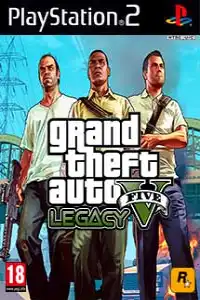
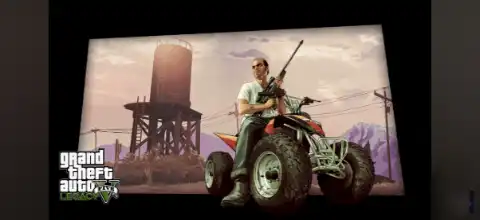

Grand Theft Auto V Legacy PS2 delivers GTA V-inspired graphics, modern vehicles, enhanced gameplay, and open-world action on PS2.

Grand Theft Auto V Legacy Ps2 Discription
Grand Theft Auto V Legacy PS2 is one of the most popular fan-made modifications for the PlayStation 2 version of GTA. It transforms GTA: San Andreas with GTA V-inspired vehicles, upgraded visuals, and modern character designs for a fresh gameplay experience. While it is not an official Rockstar Games release, it has become a favorite among retro gaming enthusiasts who want to experience a GTA V-inspired adventure on the PS2 platform.
Whether you’re playing on an actual PlayStation 2 or using a PS2 emulator on your smartphone, GTA V Legacy PS2 delivers an enjoyable open-world experience with enhanced graphics and familiar gameplay mechanics.
Game Modes
Although GTA V Legacy PS2 is built on the GTA: San Andreas engine, it refreshes the experience with GTA V-inspired visuals and content. Players can enjoy the following game modes:
Story Mode
Story Mode follows the original GTA: San Andreas storyline, allowing players to complete missions, explore cities, unlock new locations, and progress through the game’s narrative. The mod focuses on improving the visual experience while preserving the original campaign.
Free Roam
If you prefer exploring without following missions, Free Roam lets you travel across Los Santos, San Fierro, and Las Venturas. Drive modern sports cars, fly aircraft, steal vehicles, and interact with the open world at your own pace.
Side Activities
Players can enjoy side missions like taxi driving, vigilante, racing, firefighting, paramedic, collectibles, and vehicle challenges.
- Taxi Driver missions
- Vigilante missions
- Firefighter missions
- Paramedic missions
- Racing events
- Vehicle challenges
- Property purchases
- Collectibles and hidden packages
These activities help earn money, unlock rewards, and improve overall game completion.
Gameplay Features
GTA V Legacy PS2 includes several improvements that make it feel closer to GTA V while retaining the smooth gameplay of GTA: San Andreas.
Updated Character Models
The game features redesigned player models and NPCs inspired by GTA V, giving the world a more modern appearance.
Modern Vehicles
Many classic vehicles are replaced with newer sports cars, SUVs, motorcycles, trucks, and luxury vehicles similar to those found in GTA V.
Improved Graphics
Enhanced textures, improved lighting, updated roads, redesigned buildings, and better environmental details provide a refreshed visual experience.
Open World Exploration
Players can freely explore multiple cities, countryside areas, deserts, airports, mountains, beaches, and hidden locations.
Large Weapon Collection
The game offers a wide variety of weapons including pistols, shotguns, assault rifles, sniper rifles, rocket launchers, grenades, and melee weapons.
Vehicle Customization
Garages and modification shops allow players to upgrade performance, paint jobs, wheels, spoilers, nitrous systems, and other visual enhancements for supported vehicles.
Dynamic Missions
Complete story missions, gang wars, races, deliveries, and optional side quests to earn money and unlock additional content.
Cheat Code Support
Like the original GTA: San Andreas, many cheat codes continue to work, allowing players to spawn vehicles, gain unlimited ammo, adjust weather conditions, and activate various gameplay effects.
Unlockable Elements
As you progress through the game, several features become available.
- New cities unlock as story missions progress.
- Safehouses become accessible for saving your progress.
- Additional vehicles appear throughout the map.
- More weapons become available at Ammu-Nation stores.
- Vehicle modification options unlock after reaching customization garages.
- Extra side missions and activities become available as you advance.
- Hidden packages and collectibles reward money and increase game completion.
Unlockable content may differ slightly depending on the version of the GTA V Legacy PS2 ISO you install.
Best AetherSX2 Emulator Settings for GTA V Legacy PS2
If you’re playing on Android using AetherSX2, the following settings provide a good balance between performance and visual quality for most mid-range and flagship devices.
- System: Fast Boot Enabled
- EE Cycle Rate: 100% (Default)
- EE Cycle Skip: Mild Underclock (1) if FPS drops
- Renderer: Vulkan (recommended) or OpenGL if Vulkan has issues
- Internal Resolution: 2x Native for powerful devices, 1x Native for budget phones
- Texture Filtering: Bilinear (PS2)
- Blending Accuracy: Basic
- Anisotropic Filtering: Off or 2x
- V-Sync: Disabled
- Threaded Presentation: Enabled
- Multi-Threaded VU1: Enabled
- Instant VU1: Enabled
- Hardware Download Mode: Disable Readbacks
- Audio Latency: Low
- Frame Limit: 100%
- CPU Affinity: Automatic
These settings generally provide stable gameplay while maintaining good graphics. If the game lags, switch to 1x Native resolution and use the Vulkan renderer for smoother gameplay on supported devices.
How to Download and Play GTA V Legacy PS2 on Android and iOS
- Download the GTA V Legacy PS2 ISO from our website.
- Install AetherSX2 (Android) or IPSX2/ArmSX2 (iPhone/iPad).
- Extract the downloaded ISO file if it is provided in ZIP, RAR, or 7Z format.
- Open your preferred PS2 emulator.
- Grant storage permissions when prompted.
- Locate and select the extracted GTA V Legacy PS2 ISO file.
- Configure your controller or on-screen touch controls.
- Apply the recommended emulator settings for smoother gameplay.
- Launch the game and enjoy playing.
- Enjoy exploring the enhanced GTA V-inspired world directly on your Android or iOS device.
Final Words
Grand Theft Auto V Legacy PS2 successfully combines the nostalgic gameplay of GTA: San Andreas with visual elements inspired by GTA V. Modern vehicles, updated textures, improved character models, and an expansive open world make it one of the most enjoyable PS2 fan modifications available today.
Play GTA V Legacy PS2 on Android with AetherSX2 or on iOS using IPSX2/ArmSX2 for a smooth mobile gaming experience. With the recommended emulator settings and the latest ISO version, you can enjoy stable performance and revisit one of the most beloved open-world games with a fresh new look.








