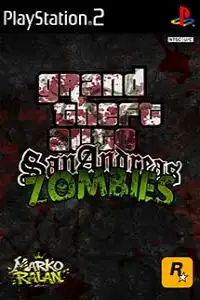


Grand Theft Auto San Andreas Zombies PS2 delivers thrilling zombie survival, open-world exploration, intense combat, and classic GTA action.

Grand Theft Auto San Andreas Zombies PS2 Discription
Grand Theft Auto: San Andreas Zombies PS2 is a fan-made modification of the original GTA: San Andreas for PlayStation 2. This mod transforms the familiar streets of San Andreas into a dangerous world filled with zombies, creating a survival experience while retaining the open-world freedom that made the original game so popular. Instead of focusing only on gang wars and story missions, players must survive against relentless zombie hordes, search for weapons, and explore the infected city.
Whether you’re revisiting San Andreas with a fresh twist or trying this zombie edition for the first time, this guide covers everything you need to know, including gameplay features, game Story Mode: Experience the original San Andreas storyline with zombies replacing civilians, making missions more intense.
Game Modes
Although GTA San Andreas Zombies is based on the original PS2 game, the available modes depend on the specific mod version. Most versions feature these gameplay modes:
Story Mode
The main story mode remains available in many versions, but the world is populated with zombies instead of normal pedestrians. Players complete missions while surviving attacks from infected enemies, making familiar missions much more challenging.
Free Roam Mode
Free Roam lets players explore the entire San Andreas map without restrictions. Drive across cities, search abandoned areas, collect weapons, and fight zombie hordes at your own pace.
Survival Gameplay
Many Zombie PS2 mods emphasize survival mechanics. Ammunition becomes valuable, health management is important, and players often need to choose carefully when to fight or escape.
Gameplay Features
The Zombie mod introduces several exciting gameplay improvements compared to the standard GTA San Andreas experience.
- Hundreds of zombies replace normal pedestrians across the map.
- Improved survival atmosphere with abandoned streets and dangerous environments.
- Classic GTA open-world exploration combined with zombie combat.
- Large collection of melee and ranged weapons.
- Vehicles remain available for escaping large zombie groups.
- Dynamic day and night gameplay for added challenge.
- Smooth PS2 gameplay that works well on modern emulators.
- Compatible with Android and iOS PS2 emulators.
The gameplay combines exploration, combat, driving, and survival, offering a fresh experience even for long-time GTA fans.
Unlockable Elements
Since this is a fan-made modification, unlockable content varies depending on the version you download. Some versions include:
- Additional weapons unlocked through story progression.
- New vehicles available after completing certain missions.
- Hidden weapon pickups across the map.
- Access to different city regions as missions advance.
- Safe houses for saving progress.
- Secret locations containing rare weapons or supplies.
Unlike the original GTA San Andreas, not every Zombie mod includes the same unlockables, so available content may differ between releases.
Best AetherSX2 Settings for Smooth Gameplay
If you’re playing GTA San Andreas Zombies PS2 on Android, these AetherSX2 settings provide a good balance between performance and graphics.
Graphics
- Rendering API: Vulkan (recommended) or OpenGL if Vulkan causes issues.
- Internal Resolution: 1x Native for low-end devices, 2x for mid-range phones, and 3x on flagship devices.
- Texture Filtering: Bilinear (PS2).
- Blending Accuracy: Basic.
- V-Sync: Disabled.
- Hardware Download Mode: Disable Readbacks.
System
- EE Cycle Rate: 100% (Normal).
- EE Cycle Skip: Normal (0).
- Multi-Threaded VU1: Enabled.
- Fast Boot: Enabled.
- Instant VU1: Enabled if supported.
Audio
- Audio Latency: Low.
- Time Stretching: Enabled for smoother gameplay.
Controller
Use touch controls or pair a Bluetooth controller for better gameplay.
Adjust button size and opacity according to your preference.
These settings work well on most Snapdragon, Dimensity, and modern Android devices while maintaining stable frame rates.
How to Download and Play Grand Theft Auto San Andreas Zombies PS2 on Android and iOS
- Download the GTA San Andreas Zombies PS2 ISO from our website.
- Install AetherSX2 on Android or IPSX2/ArmSX2 on iPhone and iPad.
- Extract the ISO if it’s in a ZIP, RAR, or 7Z archive.
- Open the emulator and import the downloaded ISO file.
- Adjust the graphics and controller settings for smoother gameplay.
- Launch the game, save your progress regularly, and enjoy the zombie-filled adventure on your mobile device.
Final Thoughts
Grand Theft Auto San Andreas Zombies PS2 offers a unique twist on one of the most iconic open-world games ever created. By replacing ordinary citizens with dangerous zombies and emphasizing survival gameplay, the mod delivers an exciting new experience without losing the classic GTA feel. Whether you prefer completing missions, freely exploring San Andreas, or surviving endless zombie encounters, this fan-made version provides plenty of action and replay value.
Play this PS2 zombie mod on your mobile using AetherSX2 (Android) or IPSX2/ArmSX2 (iOS) for a smooth gaming experience. Simply download the ISO from our website, configure your emulator using the recommended settings above, and jump into one of the most entertaining GTA mod experiences available for the PlayStation 2.








