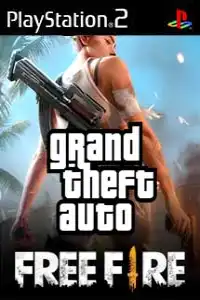
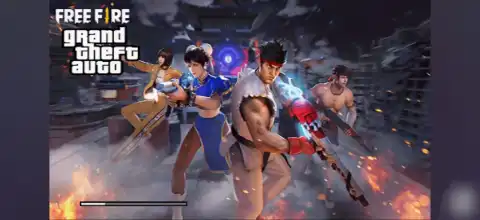

Grand Theft Auto Free Fire PS2 delivers thrilling open-world gameplay with custom features, exciting missions, and enhanced graphics.
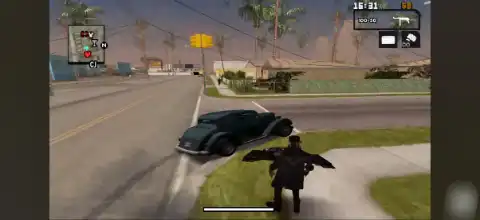
Grand Theft Auto Free Fire PS2 Discription
If you’re looking for a unique GTA experience on PlayStation 2, Grand Theft Auto Free Fire PS2 is one of the most interesting fan-made modifications available. Inspired by the battle royale mechanics of Free Fire while retaining the classic GTA gameplay style, this mod introduces a fresh experience with custom characters, weapons, vehicles, and missions.
Although it isn’t an official Rockstar Games release, the mod has become popular among GTA enthusiasts who enjoy trying new custom content. Thanks to modern PS2 emulators, you can now enjoy Grand Theft Auto Free Fire on both Android and iOS devices without needing the original console.
In this guide, we’ll cover the gameplay, game modes, unlockable elements, the best AetherSX2 settings for smooth performance, and how to download and play the game on your mobile device.
Gameplay Features
Grand Theft Auto Free Fire PS2 combines the open-world freedom of GTA with visual elements inspired by Garena Free Fire. While the core mechanics remain similar to classic GTA titles, the mod includes several noticeable enhancements.
Some of the major gameplay features include:
- Free Fire-inspired character models and skins.
- Custom weapons with updated textures.
- Modified vehicles featuring modern designs.
- Enhanced graphics and visual effects.
- Open-world exploration with complete freedom.
- Story missions alongside optional side activities.
- Smooth driving mechanics and arcade-style combat.
- Custom HUD and interface inspired by Free Fire.
Players can roam the city, steal vehicles, complete missions, battle enemies, collect weapons, and explore every corner of the map just like in traditional GTA games.
Game Modes
Although Grand Theft Auto Free Fire PS2 is based on a single-player GTA title, the mod introduces several enjoyable ways to play.
Story Mode
Progress through various missions while exploring the city, unlocking new areas, weapons, and vehicles as you advance.
Free Roam
Ignore missions completely and enjoy unrestricted exploration. Drive cars, ride bikes, discover hidden locations, or simply cause chaos across the map.
Side Activities
Many GTA activities remain available, including vehicle challenges, races, collectibles, and optional missions that help extend gameplay.
Combat Gameplay
The Free Fire-inspired weapons add a fresh feel to combat encounters, making shootouts more enjoyable than the original version.
Unlockable Elements
Like most GTA games, Grand Theft Auto Free Fire PS2 rewards progression by unlocking additional content.
Depending on the version of the mod you’re playing, unlockable content may include:
- New weapons.
- Additional vehicles.
- Hidden collectibles.
- Extra safehouses.
- New city areas.
- Character outfits.
- Bonus missions.
- Special vehicles unlocked after completing certain objectives.
Since this is a fan-made modification, unlockable content can vary slightly between different releases.
Best AetherSX2 Emulator Settings for Smooth Gameplay
If you’re playing Grand Theft Auto Free Fire PS2 on Android, using the right emulator settings can significantly improve performance.
Use the following AetherSX2 settings for the best balance between graphics and FPS:
System Settings
- EE Cycle Rate: 100% (Default)
- EE Cycle Skip: Normal (0)
- Multi-threaded VU1: Enabled
- Fastmem: Enabled
- Instant VU1: Enabled
Graphics Settings
- Renderer: Vulkan (Recommended)
- OpenGL (use only if Vulkan has issues)
- Internal Resolution: 2x (Mid-range devices)
- 1x for low-end devices
- 3x or 4x for flagship phones
- Bilinear Filtering: Bilinear (PS2)
- Anisotropic Filtering: 2x
- Texture Filtering: Basic
- Hardware Download Mode: Disable Readbacks
- VSync: Off
Advanced Settings
- GPU Palette Conversion: Enabled
- Skip Presenting Duplicate Frames: Enabled
- Threaded Presentation: Enabled
- Frame Limit: 100%
- Audio Latency: Low
These settings provide smooth gameplay on most Snapdragon, Dimensity, and newer MediaTek processors.
How to Download and Play Grand Theft Auto Free Fire PS2 on Android and iOS
- Download the Grand Theft Auto Free Fire PS2 ISO from our website.
- Extract the downloaded ZIP/RAR file (if needed).
- Install AetherSX2 (Android) or iPSX2/ArmSX2 (iOS).
- Launch the emulator and allow storage access.
- Import the PS2 ISO file.
- Apply the recommended emulator settings.
- Start the game and enjoy.
- Connect a Bluetooth controller if you prefer console-style controls (optional).
- Tap the game icon to launch it.
- Save your progress using the emulator’s memory card or save state feature.
- Enjoy Grand Theft Auto Free Fire PS2 on your Android or iPhone/iPad.
Final Thoughts
Grand Theft Auto Free Fire PS2 is a fun fan-made modification that blends the classic GTA experience with visual inspiration from Free Fire. From custom character models and modern weapons to redesigned vehicles and familiar open-world gameplay, it offers something different for fans who want to revisit the PS2 era.
With AetherSX2 on Android and iPSX2 or ArmSX2 on iOS, playing PS2 games on mobile has never been easier. Simply download the ISO from our website, load it into your preferred emulator, apply the recommended settings, and you’re ready to experience this unique GTA mod on the go.








