
Play God of War PS2 on Android with optimized emulator settings, smooth performance, easy installation, enhanced graphics, and controller support.
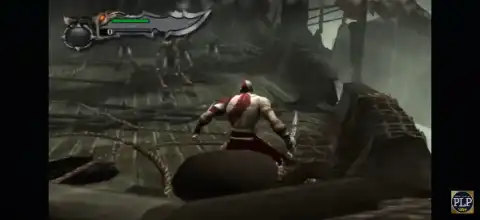
God of War PS2 Walkthrough
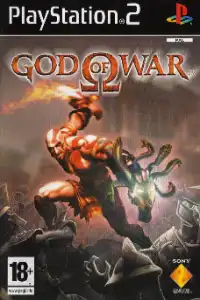
The original God of War for PlayStation 2 remains one of the greatest action-adventure games ever created. Developed by Santa Monica Studio, the game follows Kratos, a Spartan warrior seeking revenge against Ares, the God of War. Even years after its release, many gamers still enjoy playing the classic PS2 version on Android devices using PS2 emulators.
In this guide, you’ll learn how to play the God of War PS2 ISO on Android, the best emulator settings for smooth performance, and a quick installation guide.
Why Play God of War PS2 on Android?
Modern Android smartphones are powerful enough to emulate PlayStation 2 games with impressive performance. By using a PS2 emulator, players can enjoy God of War anywhere without needing the original console.
Some benefits include:
- Portable gameplay on smartphones and tablets
- Improved graphics through upscaling
- Save states for quick progress saving
- Controller support for better controls
- Custom performance settings
Whether you’re revisiting Kratos’ journey or experiencing it for the first time, Android emulation offers a convenient way to enjoy this legendary title.
Recommended Android Requirements
Before installing the game, make sure your device meets the following specifications:
Minimum Requirements
- Android 10 or later
- Snapdragon 720G or equivalent processor
- 4GB RAM
- At least 6GB free storage
Recommended Requirements
- Snapdragon 865, 870, 8 Gen 1, or newer
- 6GB+ RAM
- Adreno GPU for better compatibility
- 8GB+ free storage
A powerful processor significantly improves frame rates and reduces lag during intense combat scenes.
Best PS2 Emulator for Android
Several PS2 emulators are available for Android, but the following options generally provide the best experience:
AetherSX2
AetherSX2 is one of the most popular PS2 emulators for Android. It offers excellent compatibility, customizable controls, and performance optimization features.
NetherSX2
NetherSX2 is a community-maintained version based on AetherSX2. Many users prefer it because of ongoing improvements and compatibility enhancements.
Both emulators support God of War and provide advanced graphics settings for smoother gameplay.
God of War PS2 Cheat Codes
Looking for God of War PS2 cheat codes? Here are some of the most useful cheats and secret unlocks for the original God of War on PlayStation 2.
Unlock Everything:-
At the Main Menu, enter the following code using Controller 2:
L3, R2, L2, R2, R1, L2, R1, L1, R2, Triangle, R2, Triangle
This cheat unlocks bonus content, costumes, and additional features.
Max Weapons & Magic:-
Open the Power Up menu and enter:
L3, R2, L2, R2, R1, L2, R1, L1, R2, Triangle, R2, Triangle
This can instantly upgrade your weapons and magic abilities.
Tips
- Most cheats must be entered using Controller 2.
- These cheats also work on PS2 emulators such as AetherSX2.
- Make sure to enter the code exactly as shown.
Enjoy your adventure as Kratos and unleash the full power of the Ghost of Sparta!
Best Settings for God of War PS2 ISO
God of War is a demanding PS2 game, so using optimized settings can greatly improve performance.
Graphics Settings
- Rendering Mode: Vulkan
- Internal Resolution: 1x or 2x Native
- Texture Filtering: Bilinear
- Blending Accuracy: Basic
- Anisotropic Filtering: 2x
- V-Sync: Disabled
- GPU Palette Conversion: Enabled
System Settings
- EE Cycle Rate: 100%
- EE Cycle Skip: Moderate (1)
- Multi-Threaded VU1: Enabled
- Fast Memory: Enabled
Performance Tips
- Close background applications before launching the emulator.
- Use Performance Mode if your phone supports it.
- Avoid high internal resolutions on mid-range devices.
- Keep your device cool to prevent thermal throttling.
These settings generally provide a stable balance between graphics quality and performance on most Android devices.
How to Install God of War PS2 ISO on Android
Follow these simple steps to get started.
- Install a PS2 Emulator: Download and install a trusted PS2 emulator such as AetherSX2 or NetherSX2 on your Android device.
- Obtain the PS2 BIOS :PS2 emulators require a BIOS file to function correctly. Use a BIOS dumped from your own PlayStation 2 console to remain compliant with applicable laws and emulator requirements.
- Transfer the Game ISO: Copy the God of War PS2 ISO file to your device’s internal storage or SD card.
- A recommended folder structure: /PS2 Games/God of War.iso. This helps keep your game library organized.
Configure the Emulator
Open the emulator and:
- Import the PS2 BIOS.
- Scan the folder containing your ISO files.
- Select God of War from the game list.
- Apply the recommended settings listed above.
Launch the Game
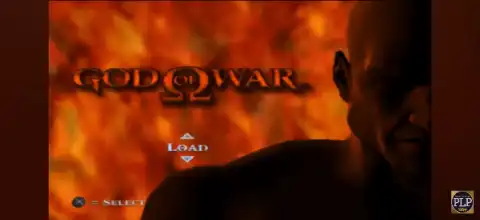
Tap the game icon and wait for the emulator to load. The first launch may take slightly longer while shaders are compiled.
Once loaded, you can start playing immediately.
Controller Setup
Although touchscreen controls work, a Bluetooth controller provides a much better experience.
Popular options include:
- PlayStation DualSense Controller
- Xbox Wireless Controller
- GameSir Controllers
- Razer Kishi
To configure a controller:
- Pair the controller with Android via Bluetooth.
- Open emulator settings.
- Navigate to Controller Mapping.
- Assign buttons according to your preference.
- Save the configuration profile.
Using physical controls makes combat and platforming significantly more enjoyable.
Common Issues and Fixes
Low FPS
If the game runs slowly:
- Reduce internal resolution to 1x.
- Enable Multi-Threaded VU1.
- Switch between Vulkan and OpenGL.
- Close background applications.
- Audio Stuttering
Try:
- Lowering graphics settings.
- Using Performance Mode.
- Reducing emulator workload.
Black Screen
Possible solutions:
- Verify BIOS compatibility.
- Re-scan the ISO file.
- Update the emulator version.
- Switch rendering backends.
Overheating
Long gaming sessions can heat up devices. Consider:
- Removing thick phone cases.
- Using a cooling fan.
- Lowering graphics resolution.
Final Thoughts
God of War PS2 remains a masterpiece that continues to entertain gamers years after its original release. Thanks to modern Android hardware and advanced PS2 emulators, playing this iconic adventure on a smartphone is easier than ever.
With the right emulator settings, a compatible device, and proper configuration, you can enjoy smooth gameplay, enhanced graphics, and portable access to one of the best PlayStation 2 games ever made. Follow the installation steps and performance tweaks outlined above to get the best possible experience while guiding Kratos through his legendary quest against the gods.