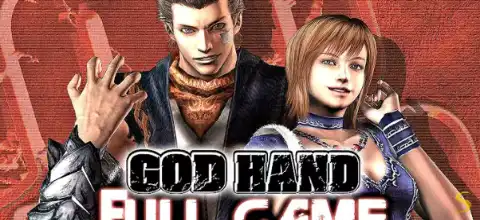

God Hand is a cult-classic PS2 action game featuring customizable combat, challenging battles, unlockables and fast-paced martial arts gameplay fun.
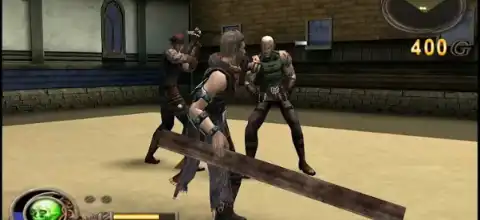
About God Hand PS2
Released by Clover Studio and published by Capcom in 2006, God Hand is widely regarded as one of the most unique beat-’em-up games ever made for the PlayStation 2. Directed by Shinji Mikami, the game combines fast-paced martial arts combat, over-the-top humor, challenging boss battles, and a deep combo customization system that still feels fresh today.
Story Overview
You play as Gene, a martial artist who possesses the legendary God Hand. Together with Olivia, Gene must stop the Four Devas from resurrecting the demon Angra and plunging the world into chaos. The game is packed with hilarious cutscenes, bizarre enemies, and memorable boss fights that have helped it achieve cult-classic status.
Game Modes
Although God Hand is primarily a single-player action game, it includes several gameplay modes and challenges:
Story Mode
The main campaign follows Gene’s journey through multiple stages filled with enemies, mini-bosses, and powerful bosses. Players earn money, purchase new moves, and improve their fighting style throughout the adventure.
Fighting Ring
The Fighting Ring is a challenge arena featuring increasingly difficult battles. Completing challenges unlocks additional stages and rewards. Advanced Fighting Ring battles become available after finishing the main game.
Chihuahua Race Mini-Game
A fun side activity where players can participate in dog races. This mode becomes available after progressing through the campaign and speaking with a specific NPC in the shop area.
Hard Mode
Players can unlock Hard Mode after completing the game on Normal difficulty, providing a significantly tougher challenge for experienced players.
Gameplay Features
God Hand stands out because of its unique combat mechanics.
Custom Combo System
One of the game’s most impressive features is the ability to create your own combo strings. Players can assign different attacks to buttons and build personalized fighting styles using over 100 available moves.
Dynamic Difficulty System
Instead of traditional static difficulty, God Hand uses a live difficulty meter. Playing well increases the difficulty level, causing enemies to become faster and more aggressive. Taking damage lowers the level. This keeps every fight exciting and unpredictable.
Dodge Mechanics
The right analog stick controls dodging, allowing Gene to duck, sway, and avoid enemy attacks without relying on traditional blocking systems.
God Reel (God Roulette)
Players can equip powerful special attacks to the God Reel system and unleash devastating techniques when enough energy is available. These attacks can quickly turn the tide of battle.
Unleashed God Hand Mode
When the tension meter fills, Gene can activate Unleashed Mode. During this state, he becomes extremely powerful, attacks faster, and is temporarily invincible.
Unlockable Content
God Hand includes plenty of unlockable extras for dedicated players.
Unlockable Costumes
After beating the game once, players can access several bonus costumes:
- Carnival Costume
- Devil Hand Costume
- Karate Costume
- Olivia’s Bunny Girl Costume
These can be selected through a special NPC in the shop.
Additional Fighting Ring Challenges
- Fighting Ring unlocked after Stage 1
- Battles 41–50 unlocked after completing the game
- Battle 51 unlocked after clearing Battles 41–50
Jukebox CDs
Several music collections can be unlocked through gameplay, casino rewards, Hard Mode completion, and special challenge runs.
Bonus Videos
Clearing Fighting Ring Battle 51 unlocks special trailers and bonus content viewable in-game.
Best AetherSX2 Settings for God Hand on Android
God Hand generally runs very well on AetherSX2, even on mid-range devices.
Graphics Settings
- Renderer: Vulkan (recommended)
- Internal Resolution:
- 2x Native for mid-range phones
- 3x–4x Native for flagship devices
- Texture Filtering: Bilinear
- Blending Accuracy: Basic
- VSync: Off
- Hardware Download Mode: Disable Readbacks
System Settings
- EE Cycle Rate: 100% (Default)
- EE Cycle Skip: Normal
- Multi-Threaded VU1: Enabled
- Fast Boot: Enabled
- Instant VU1: Enabled
- Performance Tips
- Use Vulkan instead of OpenGL whenever possible.
- Disable unnecessary post-processing filters.
- Keep thermal throttling under control by avoiding long gaming sessions while charging.
- Use a Bluetooth controller for the best experience.
With these settings, most modern Snapdragon, Dimensity, and flagship Android devices can maintain full speed throughout the game.
How to Use Downloaded Save States in AetherSX2
If you have downloaded a save state file (.p2s) from the internet, you can load it in AetherSX2 and continue playing from the exact point where the save was created.
Steps to Import a Save State
- Download and extract the save state file if it is inside a ZIP or RAR archive.
- Locate the
.p2sfile. - Copy the file to the following folder on your Android device:
Android/data/xyz.aethersx2.android/files/sstates/ - Make sure the save state matches the same game version and region (USA, Europe, Japan, etc.) that you are using.
- Launch the game in AetherSX2.
- Open the emulator menu and select Load State.
- Choose the save state slot and the game will load from the saved progress instantly.
Important Notes
- Save states only work with compatible game versions and emulator builds.
- If the save state does not appear or fails to load, make sure the game region matches the save state file.
- It is recommended to keep a backup of your existing save states before replacing any files.
Once loaded, you can continue the game exactly from the point where the save state was created.
How to Play God Hand on Android
- Download the God Hand PS2 ISO from your website.
- Install the AetherSX2 emulator on your Android device.
- Set up your PS2 BIOS.
- Open AetherSX2.
- Tap Add Game Directory.
- Locate the downloaded God Hand ISO.
- Select the game.
- Apply the recommended settings listed above.
- Launch the game and enjoy.
How to Play God Hand on iPhone & iPad (iOS)
- Download the God Hand PS2 ISO from your website.
- Install a PS2-compatible emulator available for iOS in your region.
- Import the required BIOS files.
- Transfer the God Hand ISO to your device using Files, iCloud Drive, or a computer.
- Open the emulator.
- Import the ISO file.
- Configure graphics settings according to your device performance.
- Launch the game.
For the best experience on iOS, using a Bluetooth controller is strongly recommended.
Final Thoughts
Even after nearly two decades, God Hand remains one of the most creative action games ever released on the PlayStation 2. Its customizable combat system, hilarious presentation, challenging gameplay, and rewarding unlockables make it a must-play title for fans of classic action games. Whether you’re revisiting it through emulation or playing for the first time, God Hand still delivers an unforgettable experience that few games can match.