
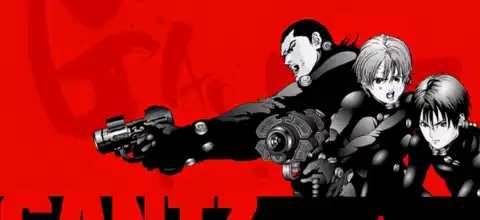

Experience Gantz: The Game (English Patched) on PS2 with thrilling battles, multiple endings, and immersive anime-inspired gameplay.

Gantz The Game (English Patched) PS2 Discription
If you’re a fan of the Gantz anime and manga series, then Gantz: The Game (English Patched) for PlayStation 2 is a title you shouldn’t miss. Originally released only in Japan, the game has finally become accessible to international players thanks to the English translation patch. Now you can experience its story, gameplay mechanics, and character interactions without struggling through Japanese menus.
Developed by Konami for the PS2, Gantz: The Game is a unique blend of third-person shooting, action, RPG elements, and visual novel-style storytelling. The game closely follows the early events of the manga while adding original scenarios, dialogue choices, and multiple endings that encourage replayability.
Gameplay Features
Unlike typical anime arena fighters, Gantz: The Game focuses on tactical third-person combat mixed with story progression. Between missions, you’ll interact with other Gantz members, build relationships, and make decisions that affect the overall storyline and ending.
Before every mission, players can customize their equipment by selecting iconic Gantz weapons such as the X-Gun, X-Rifle, Gantz Sword, Y-Gun, and various support items. During combat, you can issue commands to AI teammates, lock onto enemies, dodge attacks, activate your Gantz Suit abilities, and defeat aliens using different strategies.
The game alternates between story scenes and combat missions. During story segments, your choices and interactions shape relationships, while battle missions challenge you to eliminate powerful alien enemies. Your performance and decisions earn various points that can influence character progression and unlock different story outcomes.
Some standout gameplay features include:
- Third-person shooter combat with RPG progression.
- Multiple Gantz weapons to unlock and master.
- AI teammates that can receive battle commands.
- Relationship system affecting different endings.
- Hero and Leader ranking mechanics.
- Several replayable scenarios with different outcomes.
- Multiple endings depending on your decisions.
- Game Modes
Although Gantz: The Game is primarily a single-player experience, it offers several enjoyable modes and bonus content after completing the story.
Story Mode
This is the main campaign where players relive the early Gantz storyline while participating in dangerous alien hunts. Your choices during conversations influence trust with teammates and determine which ending you’ll receive.
Free Play Mode
After clearing the game once, Free Play Mode becomes available. Here you can replay the game’s scenarios using different playable characters instead of being limited to Kei Kurono. You can also customize weapons, partners, and battle items before missions.
Extra Mode
The Extras menu contains bonus features unlocked through progression, including statistics, collectible galleries, ranking information, and additional content that rewards multiple playthroughs.
Unlockable Elements
Gantz: The Game rewards replaying with several unlockable characters, modes, and bonus content.
Some of the major unlockable content includes:
- Playable Characters – Finish the game once to unlock additional playable characters through the Extra Options menu.
- Neko Mimi Alien Mode – Complete Free Play with a character other than Kei Kurono to unlock this bonus mode.
- Multiple Endings – Different dialogue choices, relationships, and mission performance unlock several unique endings.
- Gantz Bike – Reach 100 points during Story Mode and choose the appropriate reward to unlock the Gantz Bike as an accessory for future playthroughs.
- Magazine Gallery & Bonus Movie – Earn special titles and complete objectives to unlock collectible artwork and promotional videos.
Best AetherSX2 Settings for Gantz: The Game
Since Gantz: The Game isn’t one of the most demanding PS2 titles, it runs smoothly on most modern Android devices with the right settings.
Recommended AetherSX2 settings:
- CPU Preset: EE Cycle Rate (-1) Default
- EE Cycle Skip: Normal (0)
- Renderer: Vulkan (Recommended) or OpenGL if Vulkan causes issues
- Internal Resolution: 2x (1080p) for mid-range devices, 3x for flagship phones
- Texture Filtering: Bilinear (PS2)
- Blending Accuracy: Basic
- Hardware Download Mode: Disable Readbacks
- Threaded Presentation: Enabled
- Multi-Threaded VU1: Enabled
- Fast Boot: Enabled
- VSync: Off
- Frame Limit: 100%
- Texture Preloading: Full (Optional for devices with plenty of RAM)
These settings provide stable performance while maintaining excellent visual quality on most Snapdragon, Dimensity, and flagship Android processors.
How to Download and Play Gantz: The Game (English Patched) on Android & iOS
- Download the Gantz: The Game (English Patched) PS2 ISO from our website.
- Extract the downloaded ZIP or RAR file if necessary.
- Android users: Install AetherSX2 on your device.
- iPhone/iPad users: Install IPSX2 or ArmSX2.
- Open your emulator and complete the initial setup if it’s your first time using it.
- Add or scan the folder containing the downloaded Gantz PS2 ISO.
- Select Gantz: The Game (English Patched) from your game library.
- Apply the recommended emulator settings above for the best performance.
- Connect a Bluetooth controller if you prefer a console-like experience (optional).
- Start the game and enjoy the complete English-patched Gantz adventure on your Android or iOS device.
Final Words
Gantz: The Game is one of the most underrated PlayStation 2 anime titles ever released. Thanks to the English patch, fans can finally experience its unique combination of third-person action, branching storylines, RPG mechanics, and multiple endings without the language barrier. Whether you’re a longtime Gantz fan or simply looking for a hidden PS2 gem, this game offers an enjoyable and replayable experience that feels unlike most licensed anime games of its era.
With AetherSX2 on Android or IPSX2/ArmSX2 on iOS, you can enjoy smooth gameplay on modern mobile devices. Simply download the English-patched ISO from our website, configure your emulator using the recommended settings, and dive into one of the best forgotten PS2 action games.








