


FIFA 2005 remains a timeless football classic, delivering exciting gameplay, deep career mode, memorable matches on every playthrough.
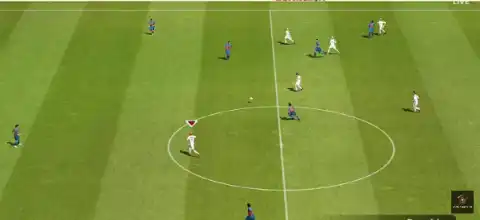
FIFA 2005 PS2 Discription
If you’re a fan of classic football games, FIFA 2005 PS2 remains one of the most enjoyable entries in EA Sports’ long-running football franchise. Released during the PlayStation 2 era, the game introduced a faster passing system, improved first-touch controls, and a much deeper Career Mode compared to its predecessors. Even today, many retro gaming enthusiasts prefer FIFA 2005 for its arcade-style gameplay, nostalgic soundtrack, and smooth performance on modern PS2 emulators.
Whether you’re revisiting your childhood or experiencing this classic for the first time, FIFA 2005 runs exceptionally well on Android and iOS using PS2 emulators.
Game Modes
FIFA 2005 offers a wide variety of game modes that keep the experience fresh for both casual and competitive players.
Career Mode
Career Mode is the biggest highlight of FIFA 2005. You take control of a football club and manage multiple seasons while signing players, improving your squad, and competing in domestic leagues and cup competitions. Winning matches earns rewards that can be used to strengthen your team and unlock additional content.
Exhibition Match
Jump straight into a quick match with any available club or national team. This mode is perfect for casual play or practicing against AI.
Tournament Mode
Create or play official tournaments featuring clubs and national teams. Compete through knockout rounds or league-style competitions to lift the trophy.
League Mode
Play a complete season in your favorite football league. Manage your team’s progress across the season and fight for the championship.
Practice Mode
Learn the game’s mechanics, improve your passing, shooting, dribbling, and defensive skills before entering competitive matches.
Multiplayer
Play against friends using two controllers on the original PS2 or through supported multiplayer options available in certain emulator setups.
Gameplay Features
FIFA 2005 introduced several gameplay improvements that made it stand out from earlier FIFA titles.
- First Touch Control: Players react more naturally when receiving passes, making attacks feel smoother.
- Quick Passing System: Faster and more responsive passing encourages possession-based football.
- Improved Ball Physics: The ball behaves more realistically during shots, crosses, and tackles.
- Enhanced AI: Opponents defend more intelligently and make better attacking runs.
- Better Player Animations: Dribbling, tackling, and shooting animations are noticeably smoother than previous games.
- Set Piece Improvements: Free kicks and corners offer greater control and accuracy.
- Authentic Stadium Atmosphere: Crowd chants, commentary, and stadium presentation create an immersive football experience.
- Licensed Clubs and Leagues: FIFA 2005 includes numerous officially licensed teams, players, and competitions from around the world.
The gameplay strikes a nice balance between realism and arcade fun, making every match enjoyable without feeling overly complicated.
Unlockable Elements
FIFA 2005 includes several unlockable rewards that encourage players to keep progressing.
Some unlockable content includes:
- Classic and legendary players.
- Bonus teams.
- Alternate kits for selected clubs.
- Special footballs.
- Stadium upgrades and visual rewards.
- FIFA Challenge rewards.
- Career Mode bonuses earned through successful seasons.
Many unlockables are obtained by earning FIFA Points, completing challenges, winning tournaments, or progressing through Career Mode.
Best AetherSX2 Settings for FIFA 2005 on Android
FIFA 2005 is one of the easier PS2 games to emulate, so even mid-range Android devices can run it smoothly with the right settings.
- Recommended Settings
- Graphics Renderer: Vulkan (Recommended) or OpenGL if Vulkan causes issues.
- Internal Resolution: 2x Native (1080p). Use 1x Native for lower-end devices.
- Blending Accuracy: Basic.
- Texture Filtering: Bilinear (PS2).
- Anisotropic Filtering: 4x.
- V-Sync: Off.
- Threaded Presentation: Enabled.
- Hardware Download Mode: Disable Readbacks.
- EE Cycle Rate: 100% (Default).
- EE Cycle Skip: Normal (0).
- Multi-Threaded VU1: Enabled.
- Fast Boot: Enabled.
These settings provide stable gameplay with excellent frame rates on most Snapdragon, MediaTek Dimensity, and Tensor-powered smartphones.
How to Download and Play FIFA 2005 PS2 on Android and iOS
- Download the FIFA 2005 PS2 ISO from our website.
- Download and install the appropriate PS2 emulator:
- Android: AetherSX2
- iPhone/iPad (iOS): iPSX2 or ArmSX2
- Open the emulator and grant storage permission when prompted.
- Add or scan the folder where you saved the FIFA 2005 PS2 ISO.
- If your emulator requires a PS2 BIOS, import a legally obtained BIOS file before launching the game.
- Select the FIFA 2005 PS2 ISO from your game library.
- Apply the recommended graphics settings for the best performance.
- Connect a Bluetooth controller for a console-like experience, or use the on-screen touch controls.
- Launch the game and enjoy FIFA 2005 on your Android phone or iPhone.
Final Thoughts
FIFA 2005 PS2 remains one of the most memorable football games from the PlayStation 2 era. Its enjoyable Career Mode, responsive gameplay, entertaining tournaments, and rewarding unlockable content continue to make it a favorite among retro football fans. Thanks to modern PS2 emulators like AetherSX2 on Android and iPSX2 or ArmSX2 on iOS, you can enjoy this classic title almost anywhere with smooth performance and enhanced graphics.
If you’re looking to relive the golden age of football gaming, FIFA 2005 PS2 is still an excellent choice that delivers hours of fun both solo and with friends.