

Install AetherSX2 or IPSX2/ArmSX2, import BIOS, load the ISO, optimize settings, and start playing smoothly.
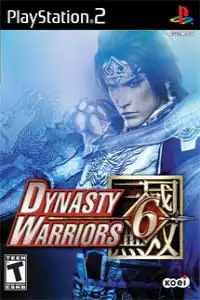
Dynasty Warriors 6 + Undub PS2 Discription
If you’re a fan of hack-and-slash action games, Dynasty Warriors 6 Undub PS2 is one of the best versions to experience on mobile. The Undub edition restores the original Japanese voice acting while keeping the English menus and subtitles, giving players a more authentic Three Kingdoms experience.
Unlike the original English release, the Undub version lets you enjoy the emotional dialogue and intense battle cries exactly as they were intended. Combined with modern PS2 emulators, the game runs smoothly on both Android and iOS devices.
Whether you’re revisiting this classic or playing it for the first time, here’s everything you need to know about its gameplay, game modes, unlockables, emulator settings, and how to play it on your smartphone.
Dynasty Warriors 6 Gameplay Features
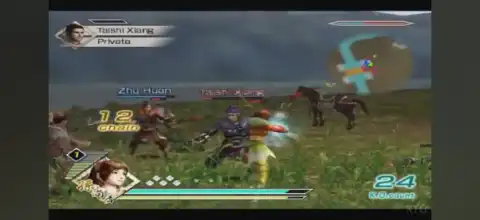
Dynasty Warriors 6 introduces several major gameplay changes compared to previous entries in the series. Instead of relying on the classic charge combo system, the game features the Renbu System, which rewards players for continuously attacking enemies without interruption. The higher your Renbu level, the longer and stronger your attack combos become.
Some of the game’s biggest gameplay features include:
- Fast-paced hack-and-slash combat against hundreds of enemies.
- The new Renbu combo system for longer combo chains.
- Improved AI and larger battlefields.
- Siege battles featuring ladders, catapults, and fortress assaults.
- Swimming and climbing mechanics on selected stages.
- Character leveling with unlockable skills and abilities.
- Weapon upgrades and horse collection.
- Two-player local co-op support in selected game modes.
Every officer has unique animations, Musou attacks, and progression, making each campaign feel different.
Game Modes
Dynasty Warriors 6 offers several modes that provide dozens of hours of gameplay.
Musou Mode
Musou Mode is the main story campaign. You choose an officer from one of the Three Kingdoms and fight through historical battles inspired by the Romance of the Three Kingdoms. Completing Musou Mode also unlocks additional characters and content.
Free Mode
After unlocking stages in Musou Mode, they become available in Free Mode. This lets you replay any battle using your favorite officer to level up, complete objectives, or unlock new characters.
Challenge Mode
Challenge Mode contains several score-based missions including:
- Rampage
- Sudden Death
- Speed Run
- Havoc
- Gauntlet
These modes test your combat efficiency and reward skilled players with high scores.
Camp
The Camp allows players to:
- View character stats
- Equip weapons
- Manage horses
- Upgrade officers
- View unlocked galleries
- Encyclopedia
The Encyclopedia contains lore about the Three Kingdoms era, officer biographies, battle information, and historical timelines.
Unlockable Elements
Dynasty Warriors 6 includes plenty of unlockable content that encourages replaying stages and completing battle objectives.
Some unlockables include:
- Numerous playable officers unlocked by clearing Musou Mode or completing specific battle objectives.
- Alternate costumes unlocked after reaching Level 25 with an officer.
- Voice Gallery unlocked when an officer reaches Level 50.
- Higher difficulty modes including Very Hard/Master and Chaos, unlocked by completing Musou Mode with specific requirements.
- Additional horses, weapons, and character progression through repeated play.
Because many officers require unique stage objectives, completing every unlock is one of the biggest challenges in the game.
Best AetherSX2 Settings for Dynasty Warriors 6
Dynasty Warriors games can become demanding during massive battles, but these settings provide smooth performance on most mid-range and flagship Android devices.
Graphics
- Graphics Renderer: Vulkan (recommended)
- OpenGL if Vulkan has issues
- Internal Resolution: 2× Native (1× for low-end devices)
- Texture Filtering: Bilinear
- Blending Accuracy: Basic
- Hardware Download Mode: Disable Readbacks
System
- EE Cycle Rate: 100%
- EE Cycle Skip: Mild (1)
- Multi-Threaded VU1: Enabled
- Fast Boot: Enabled
- Instant VU1: Enabled
Speed Hacks
- MTVU: Enabled
- Fast Texture Invalidation: Enabled
- Host VSync: Disabled
These settings usually provide stable gameplay while maintaining good visual quality.
How to Download and Play Dynasty Warriors 6 Undub PS2 on Android & iOS
Follow the steps below to start playing the game on your mobile device:
- Download the Dynasty Warriors 6 Undub PS2 ISO from our website.
- Extract the downloaded archive if the ISO is compressed.
- Install AetherSX2 (Android) or IPSX2/ArmSX2 (iPhone/iPad).
- Import your PS2 BIOS and complete the emulator setup.
- Add the Dynasty Warriors 6 Undub ISO to your game library.
- Use the recommended settings for smoother gameplay.
- Adjust the touch controls or pair a Bluetooth controller, then launch the game and start playing.
- Save your progress using Memory Card saves or Save States.
- Enjoy Dynasty Warriors 6 Undub with original Japanese voices on your Android or iOS device.
Final Words
Dynasty Warriors 6 Undub PS2 remains one of the most enjoyable entries in the Warriors series for players who love large-scale battles, fast-paced combat, and the legendary Three Kingdoms storyline. With dozens of playable officers, multiple game modes, unlockable content, and smooth performance through modern PS2 emulators, it’s an excellent title to experience on mobile.
Download the Dynasty Warriors 6 Undub PS2 ISO from our website, configure your emulator using the settings above, and relive one of Koei’s most iconic hack-and-slash adventures on Android or iOS.








