
Disney Dinosaur PS2 is a classic adventure game featuring exploration, puzzles, dinosaurs, and exciting prehistoric action gameplay.
Disney Dinosaur PS2 Discription
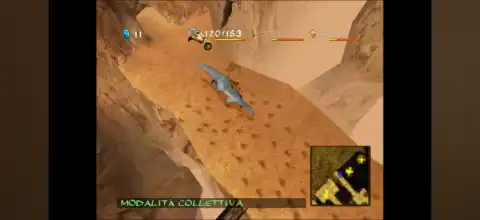
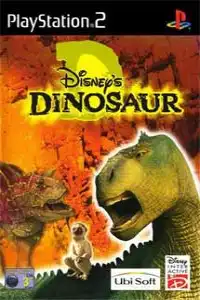
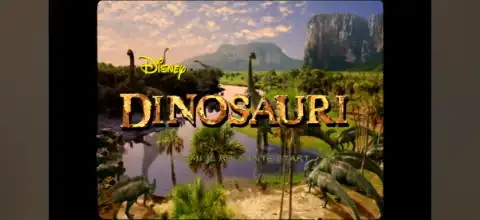
Disney Dinosaur is one of the classic PlayStation 2 games based on Disney’s 2000 animated movie Dinosaur. Developed by Sandbox Studios and published by Ubisoft, the game combines action, exploration, puzzle-solving, and adventure into a single-player experience. While it may not be the most popular PS2 title today, it remains a nostalgic favorite for players who enjoy classic Disney games and retro adventures.
In the game, you play as Aladar, along with his companions Zini and Flia, as they journey across dangerous prehistoric environments after a devastating meteor shower. Each character has unique abilities, and you’ll frequently switch between them to solve puzzles, defeat enemies, and progress through the story. The game features around 12 story levels inspired by events from the movie and includes cinematic cutscenes between missions.
Disney Dinosaur PS2 Game Modes
Disney Dinosaur is a single-player game and does not include multiplayer or co-op modes. The primary game mode is the Story Campaign, where players complete missions across different environments.
The game’s story mode follows the events of the Disney film, with objectives such as:
- Escorting lost dinosaurs back to the herd.
- Solving environmental puzzles.
- Defeating dangerous predators.
- Exploring forests, rivers, caves, volcanoes, and deserts.
- Completing boss encounters against powerful Carnotaurus enemies.
Although there aren’t multiple game modes like arcade or versus, the campaign offers varied mission objectives that keep gameplay interesting from start to finish.
Gameplay Features
Disney Dinosaur mixes action, puzzle-solving, and exploration instead of focusing only on combat. Some of its best gameplay features include:
Play as Three Different Characters
One of the game’s biggest strengths is the ability to switch between:
- Aladar – Strong fighter capable of breaking rocks and defeating large enemies.
- Zini – Fast lemur that can reach small areas and throw projectiles.
- Flia – Flying Pteranodon used for scouting, activating switches, and crossing obstacles.
Many puzzles require using all three characters together to progress.
Character-Specific Abilities
Every playable character has unique attacks and movement abilities, encouraging teamwork rather than brute force.
Puzzle-Based Exploration
Instead of nonstop fighting, players solve environmental puzzles by moving rocks, activating switches, rescuing dinosaurs, and finding hidden paths.
Combat Against Predators
You’ll battle Carnotaurus, Velociraptors, Oviraptors, Dryptosaurs, and several other prehistoric enemies throughout the adventure.
Inventory System
Collect useful items like:
- Fruits for restoring health
- Health Plants
- Life Crystals
- Power Stones
- Special attack items
Managing your inventory becomes important during later levels.
Character Progression
The game includes a simple leveling system that improves attributes such as strength and speed as you progress through the story.
Unlockable Elements
Disney Dinosaur does not feature extensive unlockables like many later PS2 games, but players can still unlock additional content by progressing through the game.
These include:
- New story levels
- Movie cutscenes
- Character upgrades through experience
- Dinosaur encyclopedia entries (available in some versions)
- Higher character statistics as you level up
While there are no secret playable characters or cheat-based unlockables built into normal gameplay, completing the adventure rewards players with the full storyline and all cinematic sequences.
Best AetherSX2 Settings for Disney Dinosaur PS2
Disney Dinosaur is a lightweight PS2 game, so it runs smoothly on most modern Android devices.
Use these AetherSX2 settings for the best performance:
- System: Fast Boot
- EE Cycle Rate: 100% (Normal)
- EE Cycle Skip: Normal (0)
- Renderer: Vulkan (best performance) or OpenGL (fallback for compatibility).
- Internal Resolution: 2x for mid-range devices, 3x–4x for flagship phones
- Texture Filtering: Bilinear (PS2)
- Blending Accuracy: Basic
- Anisotropic Filtering: 2x or 4x
- Hardware Download Mode: Disable Readbacks
- V-Sync: Off
- Frame Limit: 100%
- Multi-threaded VU1: Enabled
- Instant VU1: Enabled
- CPU Preset: Balanced or Fast
These settings generally provide a stable 60 FPS experience on Snapdragon 730G, 778G, 8 Gen series, Dimensity 1200+, and newer processors.
Download the Disney Dinosaur PS2 ISO from our website.
- Download the Disney Dinosaur PS2 ISO from our website.
- Extract the ZIP/RAR file if needed.
- Install AetherSX2 on Android devices.
- Install iPSX2 or ArmSX2 on iPhone or iPad.
- Make sure you have a valid PS2 BIOS configured in your emulator.
- Open the emulator and locate the extracted Disney Dinosaur ISO file.
- Add the game to your emulator library.
- Apply the recommended emulator settings mentioned above for smoother gameplay.
- Connect a Bluetooth controller (optional) or customize the on-screen controls.
- Launch the game and enjoy playing Disney Dinosaur on your Android or iOS device.
Final Words
Disney Dinosaur for PS2 is a fun action-adventure title that blends exploration, puzzles, and teamwork into a family-friendly prehistoric journey. While it doesn’t feature multiple game modes or dozens of unlockables, its engaging character-switching mechanics, movie-inspired story, and unique gameplay still make it worth playing today. With AetherSX2 on Android and iPSX2 or ArmSX2 on iOS, you can easily relive this classic PS2 adventure on your mobile device with smooth performance.