
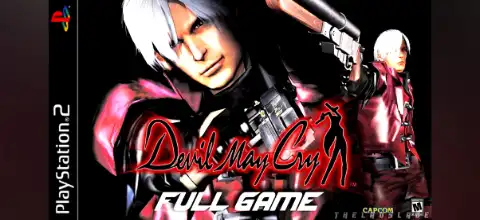

Devil May Cry PS2 delivers stylish demon-slaying action, challenging modes, unlockable rewards, intense bosses, and smooth emulator gameplay on Android.

Devil May Cry (PS2) – Full Overview
Devil May Cry (2001) for PlayStation 2 is a legendary action game developed by Capcom that helped define the “stylish action” genre. It introduced players to Dante, a half-demon demon hunter fighting supernatural forces on Mallet Island. The game is known for fast-paced combat, combo-heavy mechanics, gothic environments, and a ranking system that rewards stylish play.
Even today, it remains one of the most popular PS2 games to emulate on Android using AetherSX2 due to its smooth performance and iconic gameplay loop.
Game Modes in Devil May Cry (PS2)
The game features multiple difficulty modes that unlock progressively:
Normal Mode
This is the default mode available from the start. It is balanced for new players and introduces core mechanics like:
- Sword combat (Alastor)
- Gunplay (Ebony & Ivory)
- Devil Trigger transformation
- Basic enemy patterns
Normal mode also determines your performance ranking per mission (D to S rank).
Hard Mode (Unlocked after completing Normal)
Hard Mode significantly increases difficulty:
- Enemies deal more damage
- Stronger enemy types appear earlier
- Less forgiving combat windows
- Reduced healing effectiveness in Devil Trigger
This mode is meant for players who already understand combo timing and enemy patterns.
Dante Must Die (DMD Mode)
This is the hardest official mode in the game:
- Enemies gain Devil Trigger (increased damage & defense)
- Enemy aggression increases drastically
- Boss fights become much more punishing
- Some waves trigger DT if not defeated quickly
This mode is considered the ultimate challenge for skilled players.
Easy Automatic Mode
A hidden/easy-access mode that activates if the player uses continues early in the game:
- Simplified combat (auto combos possible)
- Auto-lock shooting
- Reduced enemy health and damage
- Some enemies may not appear at all
However, this mode locks certain advanced mechanics and is meant for beginners.
Gameplay Features of Devil May Cry (PS2)
Stylish Combat System
The core of Devil May Cry is its “Stylish Rank System”, which evaluates combat performance:
- Combo variety (melee + guns)
- No damage taken
- Fast enemy kills
- Continuous attack chains
Ranks go from D → C → B → A → S, encouraging creative fighting.
Mission-Based Structure
The game is divided into missions:
- Combat encounters
- Puzzle-solving segments
- Exploration of Mallet Island
- Boss battles
Each mission ends with a rank based on time, style, damage taken, and orb collection.
Devil Trigger System
Dante can transform into a demon form:
- Increased attack power
- Faster health regeneration
- Enhanced abilities
- Unique combat animations
The Devil Trigger gauge fills by attacking enemies or using items.
Puzzle & Exploration Elements
Unlike pure hack-and-slash games, DMC1 includes:
- Key item collection (e.g., keys, artifacts)
- Locked doors and progression puzzles
- Hidden areas with rewards
- Platforming sections
Secret Missions
Hidden challenge rooms that reward players with permanent upgrades:
- Blue Orbs (increase health)
- Purple Orbs (increase Devil Trigger)
- Red Orbs (currency)
These missions often require specific combat conditions like defeating enemies in a time limit or without damage.
Unlockable Content in Devil May Cry (PS2)
The game includes several unlockables:
Hard Mode & Dante Must Die
Unlocked by completing previous difficulty levels.
Sparda Costume (Legendary Dark Knight)
After beating Hard Mode:
- Play as Sparda (Dante’s father)
- Different visual model and weapon set
- Enhanced Devil Trigger visuals
Super Dante
Unlocked after finishing Dante Must Die:
- Infinite Devil Trigger
- Extremely powerful abilities
- Essentially “god mode” version of Dante
Bonus Rankings & Extras
- S Rank missions unlock special gallery content
- Hidden cutscenes and artwork
- Full completion rewards
Best AetherSX2 Settings for Smooth Gameplay (Android)
AetherSX2 is the best PS2 emulator for Android. To run Devil May Cry smoothly:
Graphics Settings
- Renderer: Vulkan (best performance on most devices)
- Internal Resolution: 2x (or Native for low-end phones)
- Blending Accuracy: Basic
- Anisotropic Filtering: Off or 2x
- Hardware Download Mode: Enabled (if available)
Performance Settings
- EE Cycle Rate: 100% (increase only if lag occurs)
- VU Cycle Stealing: 1 (safe balance)
- MTVU (Multi-threaded VU): ON (huge performance boost on mid/high-end phones)
- Fast Boot: ON
Speed Hacks (Optional)
If your device is low-end:
- Set EE Cycle Rate to +1
- Lower resolution to Native
- Disable extra effects like shadows scaling
Controls Settings
- Enable on-screen analog sensitivity adjustment
- Use “toggle R1 lock-on” for easier combat
- Adjust button layout for comfortable combo execution
With these settings, most Snapdragon 720G / 860 / 7 Gen series phones can run the game at stable 50–60 FPS.
How to Download and Play Devil May Cry on Android & iOS
Important Note
The PS2 game runs via emulator, so you need:
- A PS2 emulator (AetherSX2 or alternative)
- The game file in ISO format
Install Emulator
Android:
Download AetherSX2 APK from its official source (not Play Store anymore)
Install and open it
iOS:
iOS does NOT officially support AetherSX2
You must use alternative emulators like IPSX2 or ARMSX2
Download the Game ISO
- Download the Devil May Cry PS2 ISO file from a trusted source or your own backup
- Place it in your phone storage (Downloads or PS2 folder)
(Always ensure you own the original disc for legal backup purposes.)
Load Game in Emulator
- Open AetherSX2
- Tap “+ Add Game”
- Select the ISO file
- Let it scan and launch
Configure for Best Performance
- Apply Vulkan renderer
- Enable MTVU
- Set 2x resolution (adjust if lag occurs)
Start Playing
- Map controls
- Adjust sensitivity
- Enjoy smooth PS2 gameplay on mobile
Final Thoughts
Devil May Cry (PS2) remains a milestone in action gaming. Its combination of stylish combat, deep difficulty progression, and rewarding unlockable system still feels fresh today.
When paired with AetherSX2 on Android, it becomes one of the best portable retro gaming experiences available.
If you optimize settings correctly, even mid-range phones can deliver a smooth and highly enjoyable experience.








