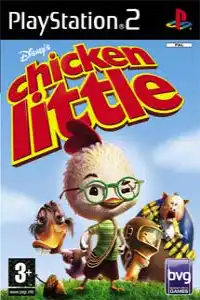
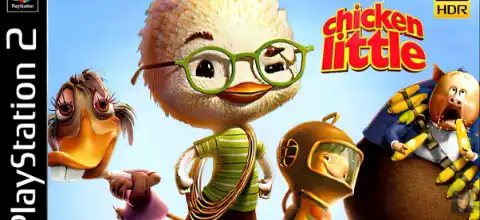

Chicken Little PS2 is a fun Disney adventure featuring platforming, mini-games, unlockables, and smooth mobile emulation support.
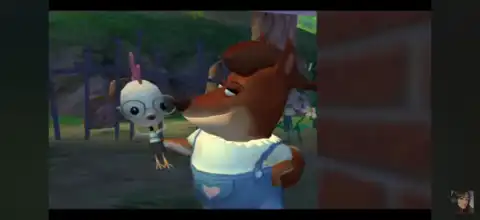
Chicken Little PS2 Discription
Disney’s Chicken Little for PlayStation 2 is a fun action-platformer based on the 2005 animated movie. Developed by Avalanche Software and released by Buena Vista Games, the title combines platforming, racing, shooting, and puzzle-solving into a single adventure. Instead of sticking to one gameplay style, every few levels introduce new mechanics, keeping the experience fresh from beginning to end.
The game follows Chicken Little as he tries to save Oakey Oaks from an alien invasion while proving that he was right all along. Throughout the adventure, you’ll control several characters from the movie, each with their own unique abilities and gameplay segments. With colorful visuals, entertaining mini-games, and plenty of collectibles, Chicken Little remains one of the more enjoyable family-friendly PS2 games and is still great to play today using a PS2 emulator on Android or iPhone.
Chicken Little PS2 Gameplay Features
Chicken Little offers a surprising amount of gameplay variety. Rather than repeating the same platforming mechanics, the game frequently changes objectives and level design.
Some of its major gameplay features include:
- Play as multiple characters including Chicken Little, Abby Mallard, Runt of the Litter, Fish Out of Water, and a few special playable sequences.
- Over 17 story-driven levels inspired by scenes from the movie, along with additional missions and bonus stages.
- Use gadgets such as slingshots, bottle rockets, jet packs, yo-yos, hoverboards, and alien equipment.
- Platforming sections filled with jumping puzzles, collectibles, and hidden areas.
- Driving, chase, flying, rail-shooting, and space combat missions that break up the traditional gameplay.
- Simple combat mechanics suitable for players of all ages.
- Choose between Easy, Normal, or Hard to match your preferred challenge level.
- Colorful environments based on Oakey Oaks and outer space adventures.
The game is designed primarily for casual players and younger audiences, but longtime PlayStation fans will appreciate its nostalgic gameplay and creative mission variety.
Game Modes
Although Chicken Little focuses mainly on its story campaign, it also includes several extra modes that add replay value.
Story Mode
Story Mode follows the events of the movie while expanding the adventure with exclusive gameplay sections. Players complete missions, defeat enemies, solve environmental puzzles, and collect hidden items to unlock bonus content.
Multiplayer Mini-Games
One of the biggest highlights of the PS2 version is its collection of local multiplayer mini-games for two players. These include different competitive activities ranging from racing to shooting challenges, making the game more enjoyable with friends or family.
Unlockable Elements
Chicken Little rewards exploration by hiding collectibles throughout the game.
Unlockable content includes:
- Hidden Baseball Cards (Trading Cards) scattered across story levels.
- Completing full card sets unlocks bonus multiplayer mini-games.
- Six unlockable multiplayer games available in the Mini-Game Store.
- Mission Select becomes available as you progress through Story Mode.
- Extra gameplay content and bonus features become accessible after completing missions.
Collecting every hidden card is the best way to unlock all bonus content and achieve 100% completion.
Best AetherSX2 Settings for Chicken Little PS2
Chicken Little is not a demanding PlayStation 2 title, so most modern Android phones can run it smoothly using AetherSX2.
Use these recommended settings for the best performance:
- Graphics Renderer: Vulkan (Recommended)
- Switch to OpenGL if Vulkan causes graphical issues.
- Internal Resolution:
- 1x for low-end devices
- 2x for mid-range phones
- 3x–4x for flagship devices
- Blending Accuracy: Basic
- Texture Filtering: Bilinear (PS2)
- Hardware Download Mode: Disable Readbacks
- Frame Limit: 100%
- Multi-threaded VU: Enabled
- EE Cycle Rate: 100% (Default)
- EE Cycle Skip: Normal (0)
- Fast Boot: Enabled
- Widescreen Patches: Optional
- Disable VSync if you experience frame drops.
With these settings, the game generally runs at full speed on Snapdragon 700-series processors and newer, while flagship devices can comfortably upscale the resolution for sharper visuals.
How to Download and Play Chicken Little PS2 on Android and iOS
Follow these steps to enjoy Chicken Little on your mobile device:
- Download the Chicken Little PS2 ISO from our website.
- Extract the downloaded ZIP or RAR file if the game is compressed.
- Download AetherSX2 on Android or IPSX2/ArmSX2 on iPhone or iPad.
- Install the emulator on your device.
- Add a PlayStation 2 BIOS file to the emulator (required for PS2 emulation).
- Launch the emulator and grant storage permission.
- Locate the extracted Chicken Little ISO file and add it to your game library.
- Apply the recommended emulator settings listed above for the best performance.
- Connect a Bluetooth controller if you prefer console-style controls (optional).
- Tap the game icon and start playing Chicken Little on your Android or iOS device.
Final Words
Chicken Little on PS2 is an underrated action-platform game that mixes platforming, racing, shooting, and puzzle-solving into one enjoyable adventure. The varied gameplay, charming movie-inspired levels, unlockable mini-games, and simple controls make it an excellent title for both kids and nostalgic PlayStation fans. Thanks to modern PS2 emulators like AetherSX2 for Android and IPSX2/ArmSX2 for iOS, you can now enjoy this Disney classic smoothly on your smartphone with enhanced graphics and portable gameplay.